

Quickstart
Deploy a custom agent with attached skill + KB + scoped tool envelope, then call it from a Python script. ~15 minutes.
This walks the full build → expose surface — UI for design, REST API for integration. If you only need the operator workflow, Work mode → Quickstart is faster.
1. Write a skill
Section titled “1. Write a skill”Library → Skills & Tools → NEW SKILL:
---name: triage-incidentdescription: Classify an incident report and produce a structured triage cardtrigger: triage, classify incident, alert, priority, severitytools: [read_file, web_search]---
When given an incident report, output ONLY a JSON object with:- severity: "P1" | "P2" | "P3" | "P4"- category: short string (e.g. "auth", "database", "ml-inference")- summary: one sentence, under 80 chars- suggested_owner: team name or "unassigned"- next_step: one short imperative sentence
Examples:Input: "API responses timing out for 12 customers, started 5min ago"Output:{"severity": "P1", "category": "api-availability", "summary": "API timeouts affecting 12 customers since 5min ago", "suggested_owner": "platform-oncall", "next_step": "Check API gateway health"}
No prose outside the JSON.
Click SAVE → PUBLISH as v0.1.0.
The skill is now versioned in the Hub at p-{project}/skill-triage-incident with v0.1.0 as its first tag.
2. Compile a knowledge base
Section titled “2. Compile a knowledge base”Library → Knowledge Bases → NEW KNOWLEDGE BASE:
- Name:
incident-runbooks - Curator model: default
- CREATE
Add sources (SOURCES → ADD SOURCE): drop in 3–10 markdown files that describe your incident-response procedures.
Click COMPILE. Wait until status flips to active. Search the WIKI tab for a typical question to confirm the curator extracted what you need.
3. Deploy an agent
Section titled “3. Deploy an agent”In Develop mode, open Agents in the left nav → DEPLOY AGENT at the top of the list. Fill the dialog:
- Display Name —
Incident Bot - Slug —
incident-bot(becomesincident-bot.cloud.surogate.ai) - Description —
Triage incoming incidents, ground answers in runbooks - Model — leave as
Surogate
Click CREATE AGENT. Wait for status running.
(From Work mode the equivalent path is Templates → Start from scratch → same dialog.)
4. Configure it
Section titled “4. Configure it”In Develop mode, with the agent selected, open the KNOWLEDGE & TOOLS tab in the detail panel:
- + ATTACH SKILL →
[email protected] - + ATTACH KNOWLEDGE BASE →
incident-runbooks
Then open the CONFIG tab → Tool Access section:
- Allowed:
kb_list_pages,kb_read_page,read_file,web_search,create_artifact - Denied:
terminal,process,run_coding_agent,write_file,patch(this agent shouldn’t be running code)
Open CONFIG → SOUL.md:
# Incident Triage Bot
You are an incident-triage assistant for the platform team. You returnstructured triage cards via the `triage-incident` skill, and groundrecommendations in the `incident-runbooks` knowledge base.
When users describe an incident, ALWAYS:1. Output a triage card (via `triage-incident`)2. Search `incident-runbooks` for the closest matching runbook3. Include a one-line link to the runbook in your response
Never invent an oncall name. If you don't know who owns it, write"suggested_owner": "unassigned".
SAVE CONFIG. New sessions pick up the changes.
5. Smoke-test from the UI
Section titled “5. Smoke-test from the UI”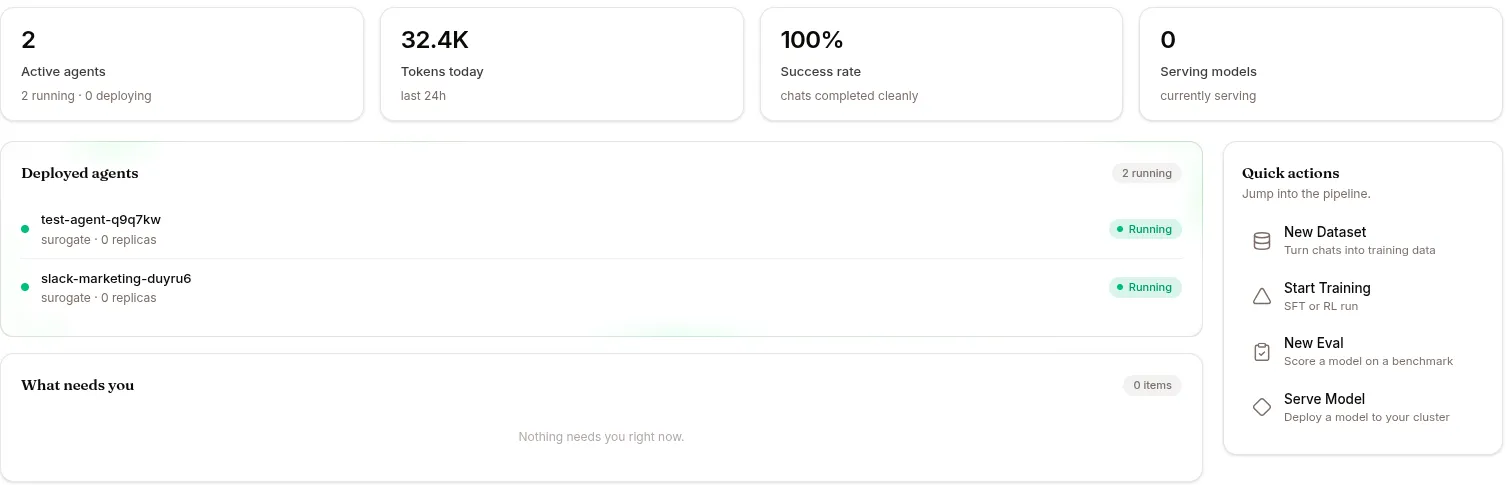
Click CHAT → paste an incident description:
“PagerDuty firing — ‘auth-service’ returning 502 to 30% of requests for the last 10 minutes.”
Confirm in the EVENTS tab:
- The skill triggered (you’ll see
skill.invokedfortriage-incident) kb_list_pages/kb_read_pagefired againstincident-runbooks- The response is structured JSON + a runbook reference
If not, check SKILLS tab — did the skill load? Are the triggers specific enough? Iterate.
6. Get a service-account token
Section titled “6. Get a service-account token”For programmatic access, ask your admin for a service-account token via:
curl -X POST https://ops.surogate.ai/v1/admin/service-accounts \ -H "Authorization: Bearer $ADMIN_JWT" \ -d '{"org_id": "<your-org-uuid>", "name": "incident-pipeline"}'Returns the token once as surg_sk_.... Store it; you can’t retrieve it again. Tokens are valid only on /v1/api/* routes — which covers the SSE event stream but not the JSON /events/poll route, and not the inbox.
7. Call the agent from Python
Section titled “7. Call the agent from Python”import os, time, requests, json
TOKEN = os.environ["SUROGATE_SA_TOKEN"]BASE = "https://ops.surogate.ai/v1/api"
H = {"Authorization": f"Bearer {TOKEN}"}
def triage(incident_text: str, alert_id: str) -> dict: # Submit the prompt. The agent comes from the token, so there is no # agent field; `metadata` is free-form passthrough stored on the session. r = requests.post( f"{BASE}/prompts", headers=H, json={ "prompt": f"Triage: {incident_text}", "idempotency_key": alert_id, "metadata": {"source": "pagerduty-webhook"}, }, ) session_id = r.json()["session_id"] # 202 Accepted
# Poll for completion while True: s = requests.get(f"{BASE}/sessions/{session_id}", headers=H).json() if s["status"] in ("completed", "failed"): break time.sleep(3)
# Read the answer off the SSE stream — the LAST llm.response is the # user-visible one; earlier ones narrate before a tool call. answer, etype = None, None with requests.get(f"{BASE}/sessions/{session_id}/events", headers=H, stream=True) as r: for line in r.iter_lines(decode_unicode=True): if line.startswith("event:"): etype = line.split(":", 1)[1].strip() if etype in ("session.done", "stream.timeout"): break elif line.startswith("data:") and etype == "llm.response": answer = json.loads(line.split(":", 1)[1])["message"].get("content") or answer return json.loads(answer) # the skill returns a JSON card
card = triage("API responses timing out for 12 customers since 5min ago", "pd-8891")print(card)# {'severity': 'P1', 'category': 'api-availability', ...}idempotency_key is a body field, not a header. Replaying the same key for the same org returns the original session with deduplicated: true instead of running the work twice — send your webhook’s own id and retries are free. See Sessions → API channel sessions are different for the traps in that flow.
What you’ve built
Section titled “What you’ve built”- A versioned skill in the Hub (rollback-able)
- A compiled KB the agent searches at runtime
- A scoped agent with a tight tool envelope and explicit persona
- A programmatic interface via service-account token + REST
That’s a real production-shape integration. From here you can:
- Pull thumb-downed sessions into a dataset and evaluate future agent versions
- Promote the skill to an expert once you have ≥100 successful trajectories
- Add an MCP server to talk to PagerDuty, Linear, your data warehouse, etc. — see MCP & Vault
- See Use cases for richer recipes (A/B evaluation, synthetic data, Saga rollback flows)