

Publish your agent
The Publish page — reached from an agent’s left navigation, directly under Configure (/work/agents/{id}/publish?tab=...) — is the outward-facing half of an agent. Where Configure sets what the agent is, Publish covers its public face, the channels it is reachable on, and its audience.
| Tab | What you set here |
|---|---|
| Landing page | A public marketing page for the agent, composed from blocks |
| Channels | Web, Slack, Telegram, WhatsApp, and website-widget connections |
| Users | End-users who can chat with this agent, and self-registration |
| Insights | How those end-users are actually using it |
| Monetize | Charge for access via Stripe Connect (Pro plan) |
Each tab remembers itself in the URL (?tab=...), so a refresh or a shared link lands on the same tab. System agents (like the platform copilot) have no Publish page.

On a phone the page is a drill-down: an index names the tabs, and tapping one opens it with a way back.
Landing page
Section titled “Landing page”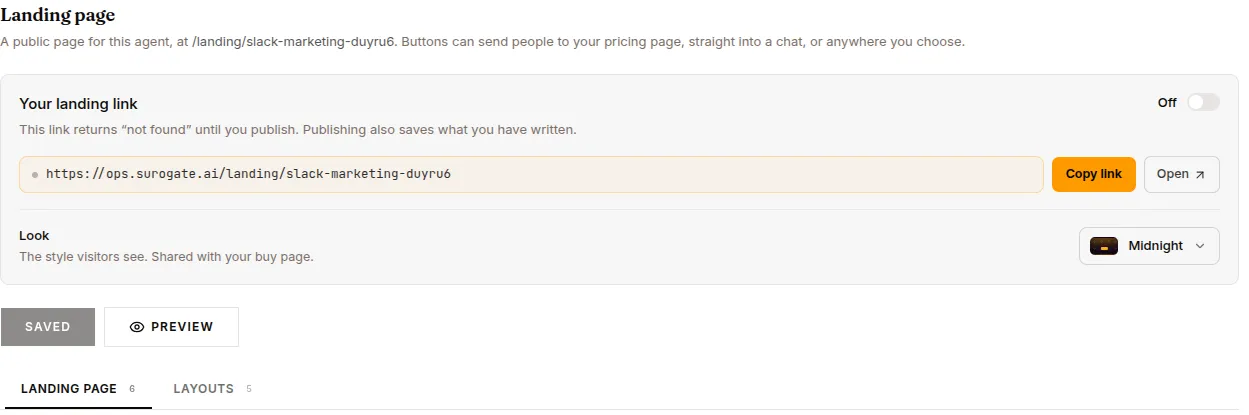
A public page at /landing/<agent-slug>, built from an ordered list of blocks. It is the page you send people to; its buttons lead to your pricing page or straight into a chat. See Landing page for the full builder.
Channels
Section titled “Channels”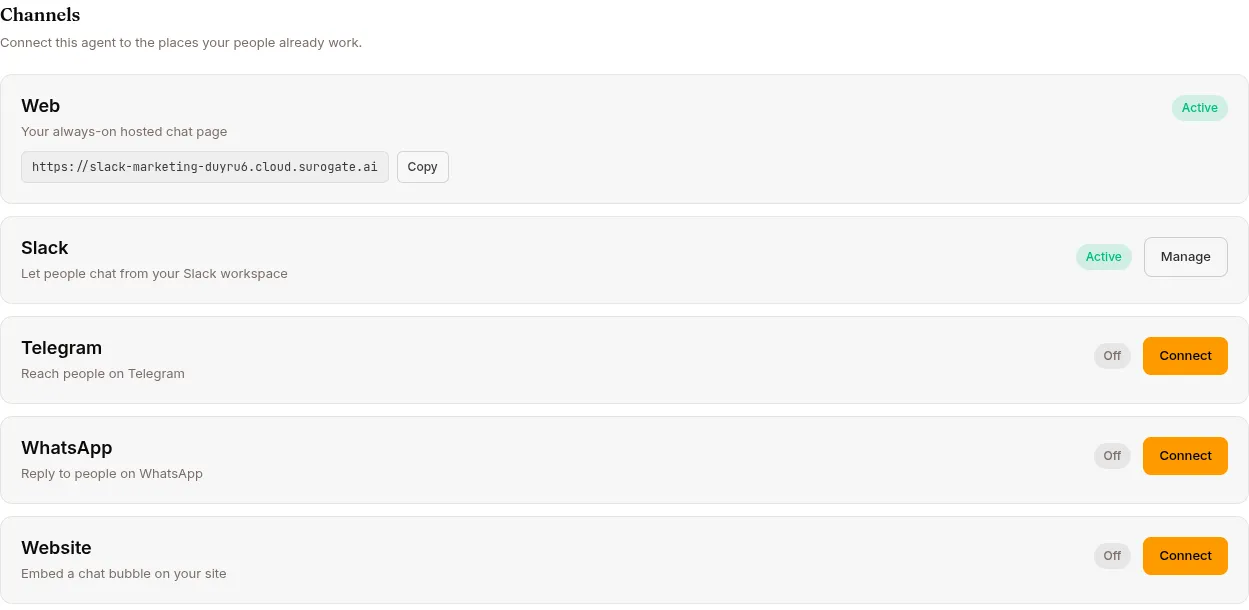
Connect the agent to where your people already work. Each channel card shows an Active / Off status and a Connect or Manage button.
- Web — the always-on hosted chat page; copy its endpoint URL once the agent is deployed. See Web.
- Slack — a guided Connect Slack wizard (bot scopes, event subscriptions, signing secret, bot token). The Manage view auto-saves options: Require @mention, Mode (Team member / Personal assistant), Allow Bots (None / Mentions only / All), Reply in thread, Reply broadcast, Free-response channels, plus Surogate Mate follow-the-channel and ambient-mode toggles. See Slack.
- Telegram — a Connect Telegram wizard (BotFather token). Manage options: Require @mention, Mode, Reply Threading (First chunk only / All chunks / Off), Message Reactions, and Per-User Group Chats. See Telegram.
- WhatsApp — a Connect WhatsApp wizard (Meta Cloud API credentials: Phone Number ID, Access Token, App Secret, WABA ID), then a callback URL + verify token to register in Meta. Manage option: Mode. See WhatsApp.
- Website — an embeddable chat bubble. Set Allowed origins, copy the Embed code, cap Messages per chat, and reveal the Publishable key under Advanced. See Website widget.
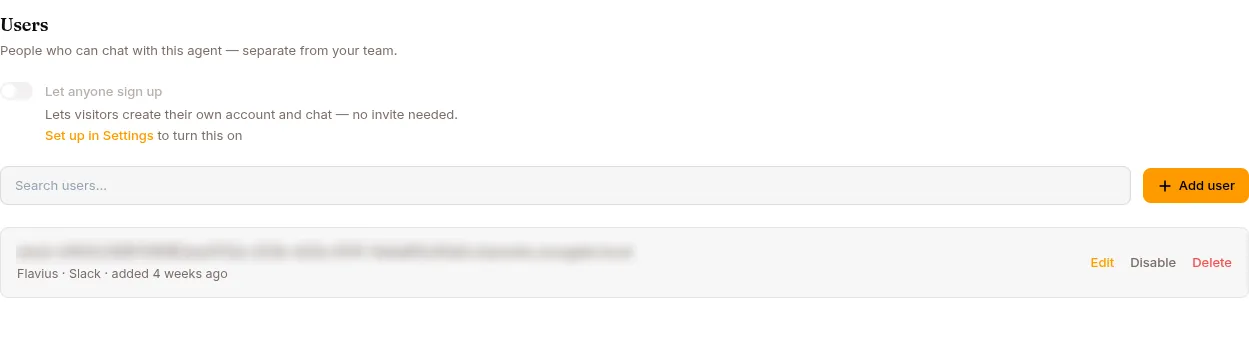
Manage the people who can chat with this agent — separate from your Surogate team. A Let anyone sign up toggle controls self-registration (available only when the project has Firebase auth configured and is on a paid plan).
A searchable list shows each user’s email and auth provider (Email & password / Google / GitHub), with Edit and Delete row actions. Add user opens a form with Email, an optional Display name, and an optional Password (leave empty for SSO). See Per-agent users and Self-registration.
Insights
Section titled “Insights”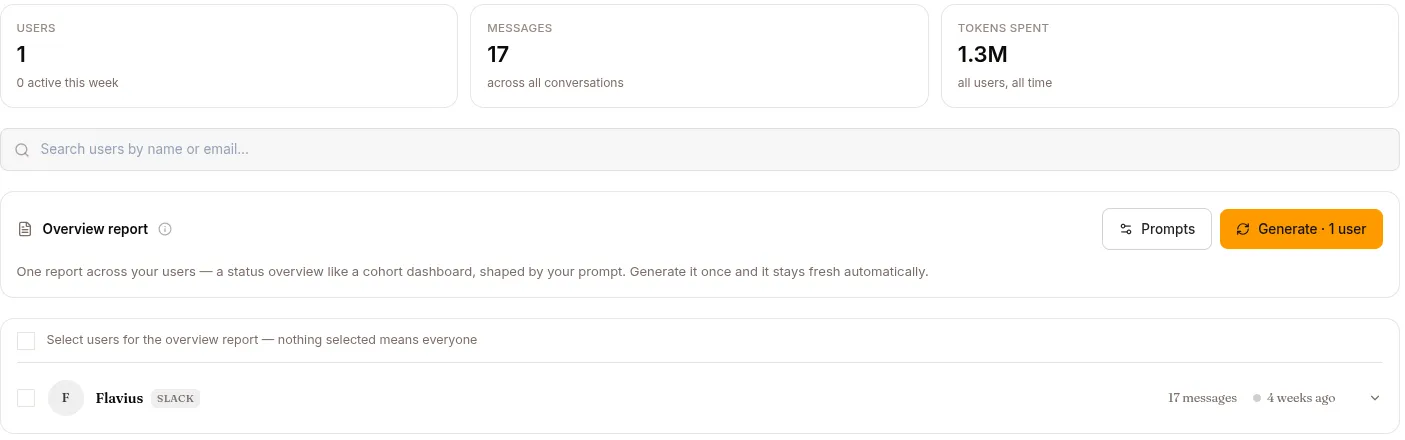
The end-user intelligence view: one row per provisioned end-user, with totals for users, messages and tokens across the top. Rows with conversations expand into Stats (an activity chart, message and token cards) and Report (an LLM-written activity report) panels.
An Overview card holds the two report prompts — one for the cross-user overview, one for per-user reports, tuned independently — and generates an overview across the users you select; each user row can carry its own guidance override. Reports are generated once by hand and then kept fresh automatically as users keep talking.
This tab is where the old per-agent Users page lived (/work/agents/{id}/users); that URL now redirects here, ?userId= deep links included.
Monetize
Section titled “Monetize”Charge people for access to this agent. Requires the Pro plan (lower tiers see an Upgrade to Pro gate).
Connect billing via Stripe Connect (status pill: Not connected / Onboarding / Active / Restricted / Disconnected), then pick a Pricing model: Free, Subscription, One-time packs, or Both. Offers carry a Name, Price and Currency (defaults to EUR), Usage included (authored in messages), an Interval for plans, optional Browsing time and Media credits, an AI-draftable Description, and a What’s included package (capabilities, channels, KBs, tools, skills, model tier). Most fields edit in place; price/currency/interval changes replace the offer with a new Stripe Price. Free trial and Per-user usage limit cards control what non-payers get. See the Monetize guide.
Monetize is hidden entirely on an enterprise deployment, which sells nothing.