

Templates
The Templates page is a Work-mode surface (ops.surogate.ai/work/templates). In Develop mode the equivalent is the DEPLOY AGENT button on the Agents page — same dialog, same fields. Develop mode has no separate templates page.
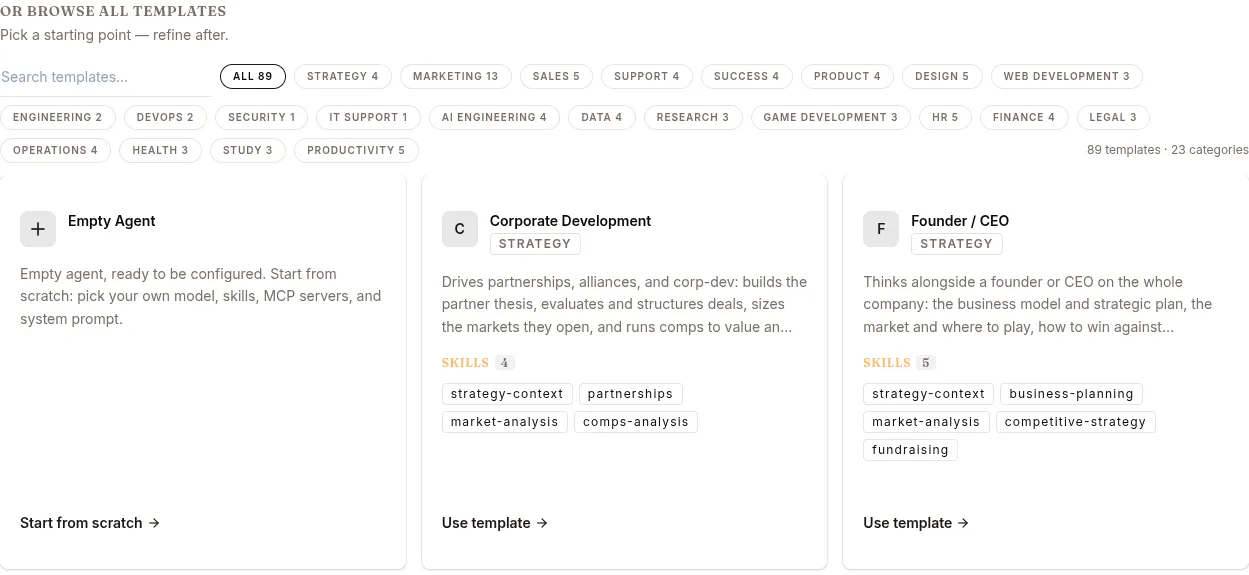
The catalog ships a few dozen ready-made agents across categories like strategy, marketing, sales, support and engineering, each arriving with its own skills already attached. Two ways in:
- Describe what you need at the top of the page — the catalog narrows to what fits, or take one of the quick starts.
- Browse all templates, filtered by category, and take Use template on the one you want.
To start with nothing attached, take Start from scratch on the Empty Agent card.
Use template creates the agent straight away — there is no confirmation step, so pick deliberately.
The create-agent form
Section titled “The create-agent form”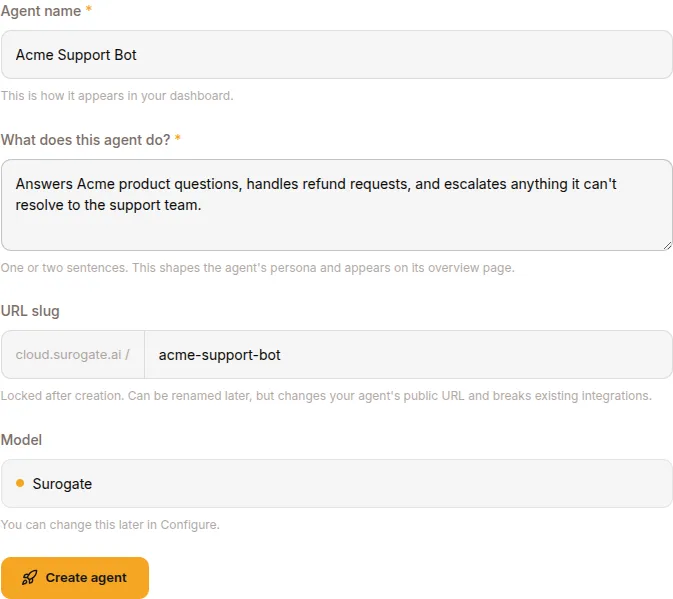
Start from scratch opens a form instead:
| Field | Notes |
|---|---|
| Agent name | Human-readable name (e.g. Acme support bot) |
| What does this agent do? | One or two sentences. Seeds the agent’s persona and shows on its overview page. |
| URL slug | Auto-derived from the name. Used in URLs (<slug>.cloud.surogate.ai). Locked after creation. |
| Model | Defaults to Surogate. Switch later from Configure. |
Click CREATE AGENT. Status moves deploying → running in 10-90 seconds. Once running, switch to the agent’s Configure page to attach skills, knowledge bases and MCP servers, and its Publish page for channels.
When no template fits
Section titled “When no template fits”Start from the Empty Agent card and let the Configure page walk you through the same attachments a template would have brought (Skills → Knowledge Bases → MCP Servers), with channels and end-users on Publish.
If you find yourself deploying the same shape repeatedly, clone an existing agent’s config via the REST API rather than retyping the form.
REST API
Section titled “REST API”| Method | Endpoint | Purpose |
|---|---|---|
POST |
/v1/agents |
Create an agent (same effect as the dialog) |
GET |
/v1/agents/{id} |
Read a full config to clone from |
PATCH |
/v1/agents/{id} |
Apply a config dict produced from a cloned source |
What’s next
Section titled “What’s next”Build phase for the post-create workflow. Use cases for end-to-end recipes.