

Build phase
Everything you declare about the agent before users start using it: its identity, its tool envelope, what data it can search, where it’s reachable, how governance constrains it.
Creation paths
Section titled “Creation paths”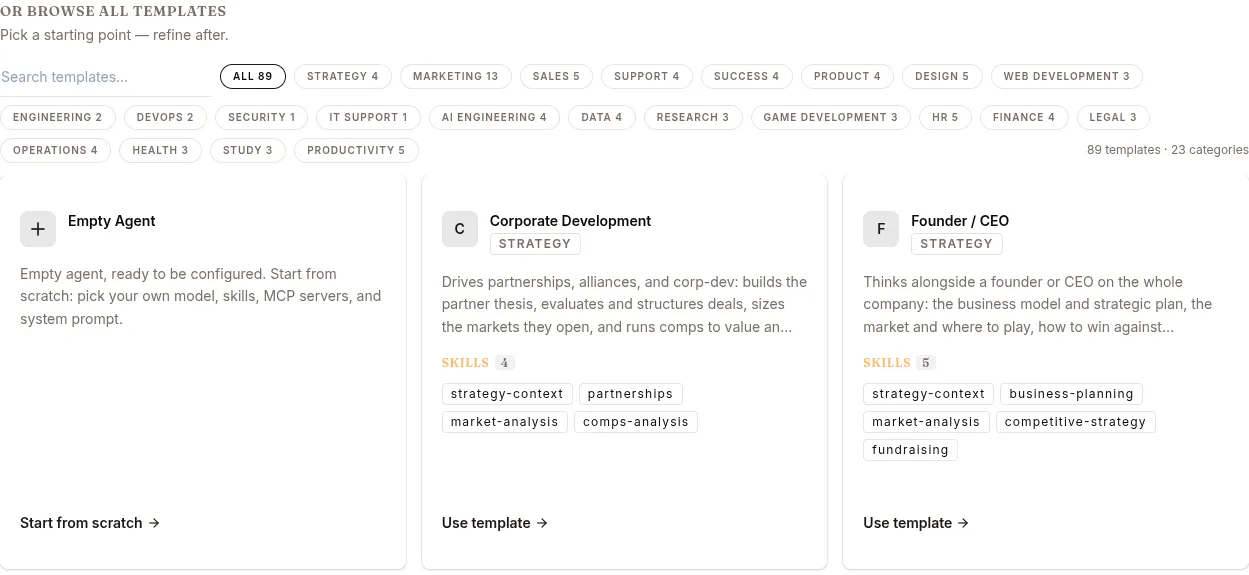
| Path | How |
|---|---|
| Templates → Start from scratch | The current builds ship an empty template catalog. Start from scratch opens the DEPLOY NEW AGENT dialog; fill Display Name / Slug / Description / Model, click CREATE AGENT. |
| Develop dashboard → Quick Actions → Deploy Agent | Same dialog, launched from the dashboard. |
REST API POST /v1/agents |
Programmatic. Useful when cloning an existing agent’s config dict. |
Skills, knowledge bases and MCP servers are added afterwards on the Configure page; channels on Publish.
The agent’s anatomy
Section titled “The agent’s anatomy”When you deploy, you’re configuring six things:
┌─────────────────────────────────────────────────┐│ Your Agent (acme-support) ││ ││ ┌────────────┐ ┌────────────┐ ┌─────────┐ ││ │ Model │ │ Persona │ │ Tools │ ││ │ (Surogate, │ │ (SOUL.md) │ │ (allow/ │ ││ │ HF, etc.) │ │ │ │ deny) │ ││ └────────────┘ └────────────┘ └─────────┘ ││ ││ ┌────────────┐ ┌────────────┐ ┌─────────┐ ││ │ Skills │ │ Knowledge │ │ MCP │ ││ │ (attached)│ │ Bases │ │ Servers │ ││ └────────────┘ └────────────┘ └─────────┘ ││ ││ ┌────────────┐ ┌────────────┐ ┌─────────┐ ││ │ Channels │ │ Governance │ │ Saga │ ││ │ Web/Slack/ │ │ (policies, │ │(rollback│ ││ │ etc. │ │ egress) │ │ on) │ ││ └────────────┘ └────────────┘ └─────────┘ ││ │└─────────────────────────────────────────────────┘1. Model
Section titled “1. Model”The LLM the agent uses for its main reasoning. Configure in CONFIG → Model. Sources:
- Surogate default — the platform’s bundled model
- Local Hub — a model your team registered in the platform’s Models page (see Models)
- Hugging Face — point at a HF repo + revision
- OpenRouter — any model OpenRouter serves
- URL — any OpenAI-compatible endpoint
The model is the most important single choice. Default Surogate is fine for general purpose; switch when you have specific cost / latency / capability requirements.
2. Persona (SOUL.md)
Section titled “2. Persona (SOUL.md)”Up to 20,000 characters of markdown injected at the top of every system prompt. Defines:
- Identity — who the agent is, who it represents
- Voice — formal vs casual, “we” vs “I”
- Boundaries — what it does and doesn’t do
- Escalation — when to defer to humans
What doesn’t belong in SOUL.md:
- Tool instructions (“when given X, call tool Y”) — those are skills
- Step-by-step procedures — those are skills
- Long lists of facts — those are knowledge bases
- Secrets — those go in the Vault
Safety: SOUL.md content passes through scan_context_content (12 prompt-injection patterns) before injection. Failing entries are stripped.
3. Tool allowlist / denylist
Section titled “3. Tool allowlist / denylist”Every agent has access to the runtime’s built-in tools, but you can narrow the surface:
- Allowlist — only the listed tools are available
- Denylist — these tools are blocked, even if allowlisted
Deny always beats allow. The full catalogue of 40+ tools lives at Tool catalog.
Recommended starting points:
| Agent type | Allow | Deny |
|---|---|---|
| Customer support | web_search, kb_list_pages, kb_read_page, memory, ask_user_question, create_artifact |
terminal, process, run_coding_agent, write_file, patch |
| Data analyst | All (default) | cron_* if no scheduling needed |
| Code reviewer | read_file, search_files, list_files, web_search |
write_file, patch, terminal |
| Internal admin bot | Denylist only — agent needs broad access | Targeted denies (e.g. delete_* tools) |
4. Attached skills / KBs / MCPs
Section titled “4. Attached skills / KBs / MCPs”Three categories of attached resources. The agent’s Configure page manages all three in their own sections (Skills, Knowledge Bases, MCP Servers).
- Skills — reusable prompt-based behaviours (markdown files). See Skills & Tools.
- Knowledge Bases — curated document corpora. See Knowledge Bases.
- MCP Servers — external system connectors. See MCP & Vault.
5. Channels
Section titled “5. Channels”Where users reach the agent. Publish → Channels section. Web is always on; Slack, Telegram, Website widget toggle on/off with credentials. See Agents for per-channel config.
6. Governance & Saga
Section titled “6. Governance & Saga”Built into CONFIG:
- Web & browser egress — glob-domain allow/deny rules for the URLs
web_extractandbrowser_navigatemay open (not the terminal,web_search, or MCP — restrict those by denying the tool or detaching the server). - EU AI Act transparency — the AI-disclosure toggle and level (
basic/enhanced/full); the disclosure is shown as a web banner and posted as the first message on messaging channels. - Saga — automatic multi-step rollback. When ON, tool calls are sequential and a failed step compensates the completed steps in reverse order. Opt-in (
saga.enabled: true). See Reference → Saga. Only shown where the deployment setssaga_ui_enabled. - Allowed/Denied tools — see above.
These are policy-engine-enforced on every tool call and frozen per wake — mid-turn prompt injection cannot weaken governance, while policy edits still reach live sessions on their next wake.
Deploy the agent
Section titled “Deploy the agent”When the config looks right:
- Click DEPLOY (for a new agent) or SAVE (for an existing one).
- New agent: status
deploying→runningin 10-90 seconds. - Existing agent: changes apply to new sessions immediately; in-progress sessions keep their old config.
The agent gets a URL https://<slug>.cloud.surogate.ai.
Verify
Section titled “Verify”Before declaring the build done:
- Click CHAT at the top of the agent detail (Develop mode) — or New chat in the left nav (Work mode). Send 3-5 representative queries.
- Open the resulting sessions. EVENTS tab. Check:
- Did the LLM understand the query?
- Did it call the right tools?
- Did skills load when expected?
- Did the KB return relevant content?
- If anything’s off → back to config.
What’s next
Section titled “What’s next”You’ve built. Now: Observe phase — watching what actually happens.