

Profile
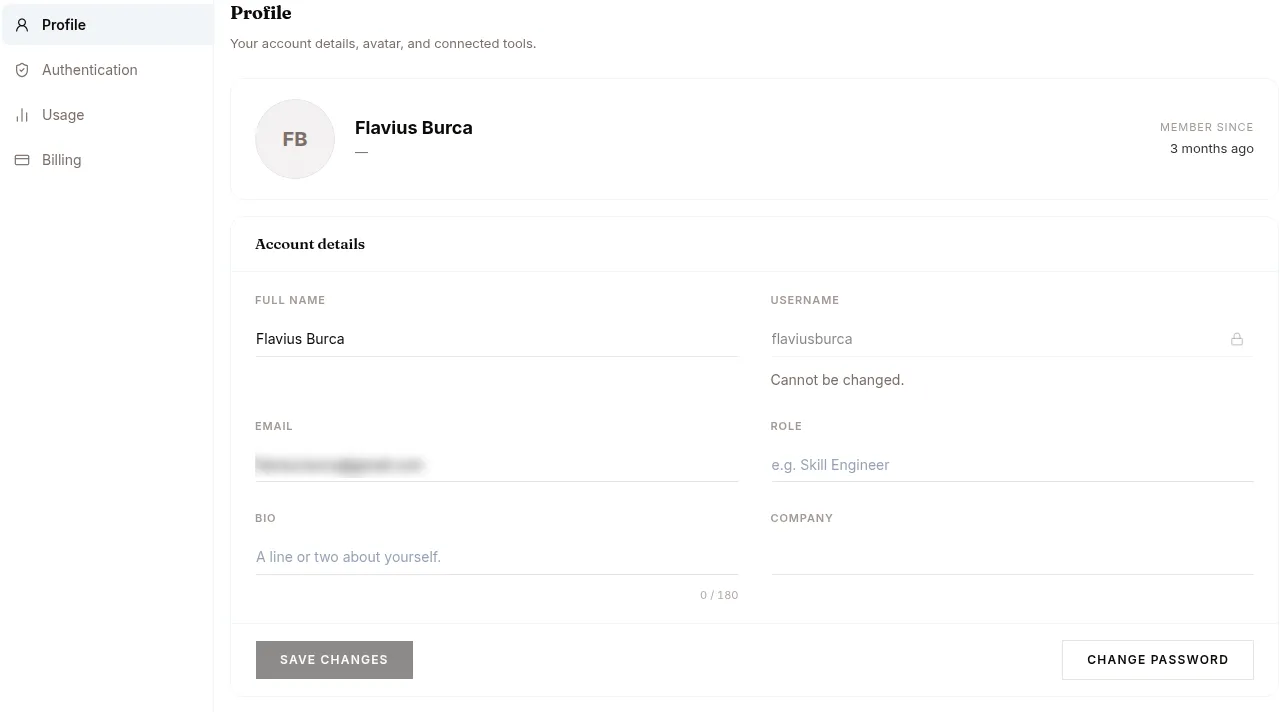
The tab opens with “Your account details, avatar, and connected tools.” — the account fields sit in an Account details card with the action row (Save changes / Reset / Change Password) pinned in its footer.
| Field | Notes |
|---|---|
| Full name | Display name. Editable. |
| Username | Locked. Cannot be changed. |
| Login. Changing requires re-verification. | |
| Role | Free-form. Shows next to your avatar in the platform header. |
| Bio | Short freeform, capped at 180 characters. |
| Company | Optional. |
| Avatar | Upload a new photo, choose a preset avatar, or remove the current one. |
| Change Password | Sends a reset link by email. After setting a new password you’re signed out and need to sign in again. |
The USERNAME field is locked and shows “Cannot be changed.” next to it. Everything else (full name, email, role, bio, company) is editable inline; click Save changes to persist.
The same tab also carries Coding Agents — connect your own Claude Code or Codex plan, see /code — and Browser Profiles, where a saved profile keeps browser state and logins across tasks.
