

Evaluations
Evaluations test models and agents against benchmarks. Two paths: pick from the 40 built-in benchmarks, or build a Custom Benchmark.
The benchmarks catalog
Section titled “The benchmarks catalog”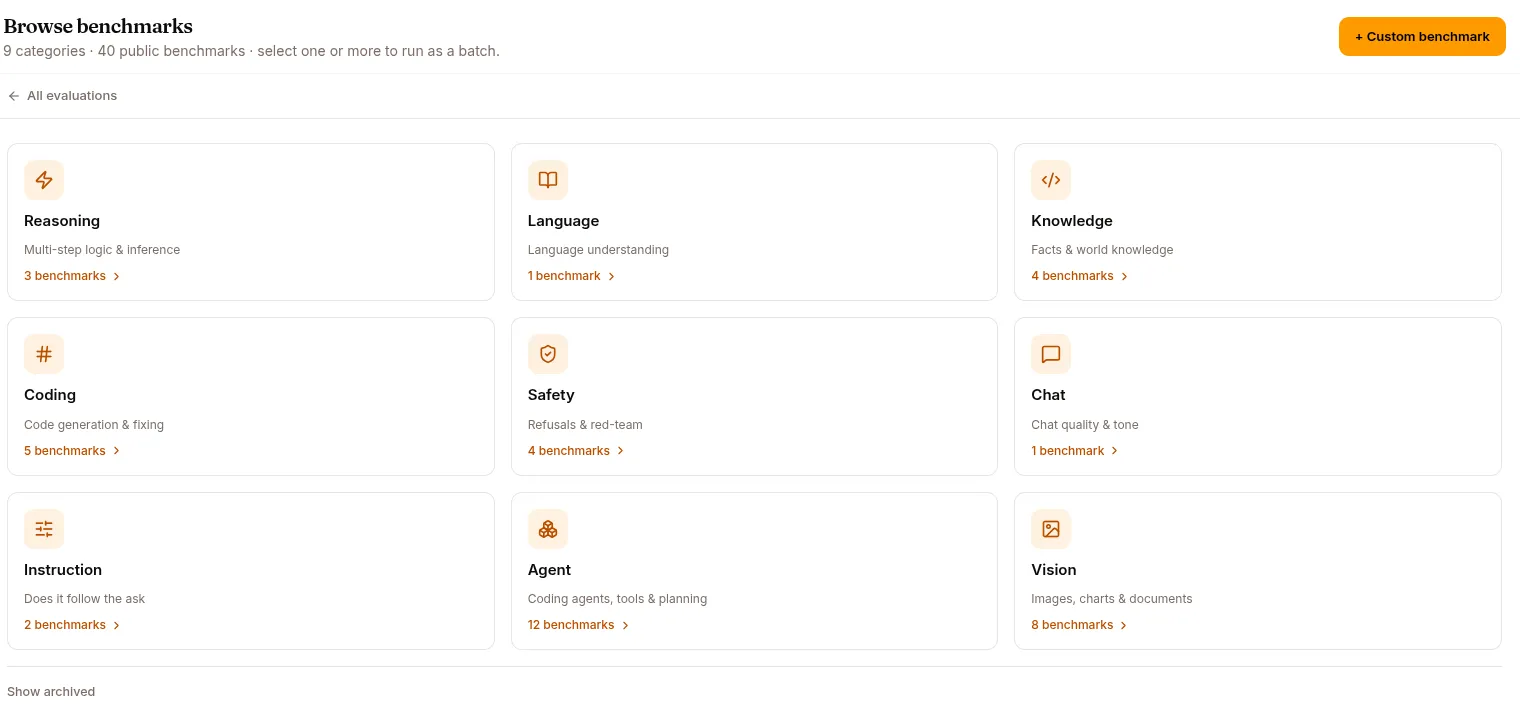
Click BROWSE BENCHMARKS in the Evaluations page. 40 benchmarks grouped into 9 categories:
| Category | Examples |
|---|---|
| Reasoning | GSM8K, ARC-AGI, GPQA |
| Language | HellaSwag |
| Knowledge | MMLU, MMLU-Pro, MMLU-Redux, SuperGPQA |
| Coding | HumanEval, HumanEval+, MBPP, LiveCodeBench v6, Text-to-SQL (BIRD) |
| Safety | TruthfulQA, ToxiGen, Red Team, Guardrails |
| Chat | MT-Bench |
| Instruction | IFEval, IFBench |
| Agent | SWE-bench (Verified / Multilingual / Pro), Terminal-Bench 2.0, TAU-Bench, BFCL v4, MCP-Atlas, MCPMark, Tool Decathlon, DeepPlanning, WideSearch, VITA-Bench |
| Vision | MMMU, MMMU-Pro, MathVista, ChartQA, DocVQA, OCRBench, HallusionBench, RealWorldQA |
Each benchmark has its own detail page with:
- What it measures
- How it works — the test methodology
- Strengths — what it’s good at differentiating
- Limitations — what it doesn’t tell you
- When to use — pick this benchmark if you’re optimising for X
- Use cases — agent types that benefit from this benchmark
Click RUN EVALUATION at the top of any benchmark detail to start a run on this benchmark.
Your own custom benchmarks sit in the same catalog alongside the built-ins. They belong to the project that created them — another project never sees them — while the built-ins are global and owned by nobody. Archived ones aren’t shown with the rest; Show archived at the foot of the page reveals them, each with a Restore button.
Custom Benchmark builder
Section titled “Custom Benchmark builder”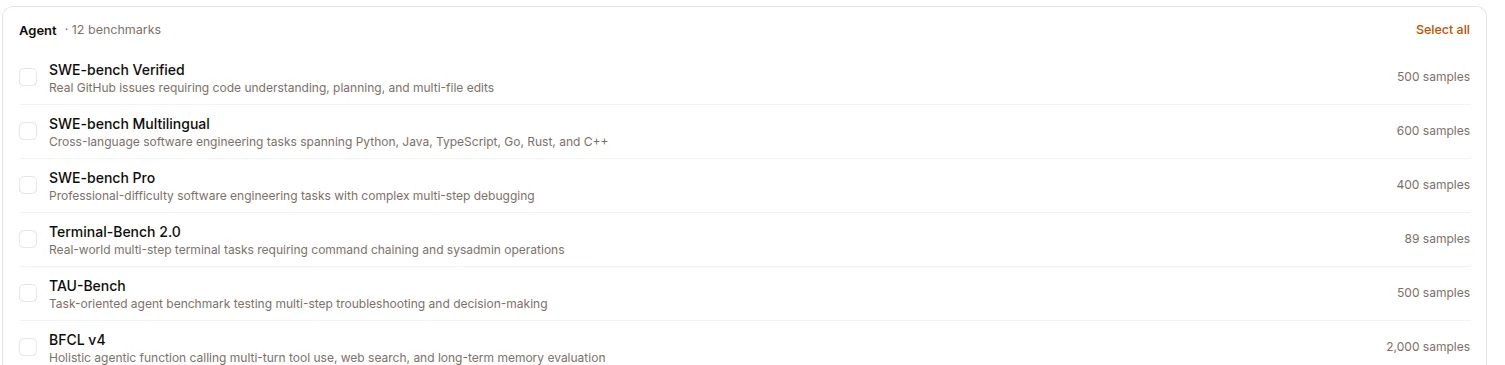
When the built-in benchmarks don’t match your use case, score one of your own datasets instead. NEW EVALUATION → Custom Benchmark.
- Name and Description — what the benchmark tests.
- Dataset — pick one of the project’s datasets (typically a 👎 corpus or hand-crafted edge cases), then its split.
- Columns — which column holds the prompt and which holds the expected answer. The picker reads the real columns out of the dataset.
- Scoring — how each answer is judged:
| Scoring | How it decides |
|---|---|
| Contains | The expected answer appears anywhere in the model’s output. |
| Exact match | The whole output equals the expected answer, after formatting cleanup. Trailing punctuation still counts as different. |
| Regex | A pattern pulls the answer out of the output, then compares it exactly. |
| LLM judge | A model scores each answer against the expected one, against criteria you write. |
Save (POST /api/benchmarks) and the benchmark joins your catalog, advertising the dataset’s row count as its sample size. It runs from the config you stored, so a run picks up the same dataset, columns and scoring every time.
There’s no judge-model field here: the judge is configured once per run, not per benchmark, so an LLM-judge benchmark takes whichever judge that run is given.
Archiving and deleting
Section titled “Archiving and deleting”Archive hides a benchmark from the catalog while past runs keep working. It’s the reversible option, and the one to reach for once a benchmark has been used.
Delete is only offered while nothing has ever used the benchmark, so it’s the way out for one you created by mistake. Once any run has referenced it — running or long finished — deleting refuses and points you at archive instead, because removing it would strip it out of those runs’ benchmark lists and orphan their results.
The 3-step NEW EVALUATION wizard
Section titled “The 3-step NEW EVALUATION wizard”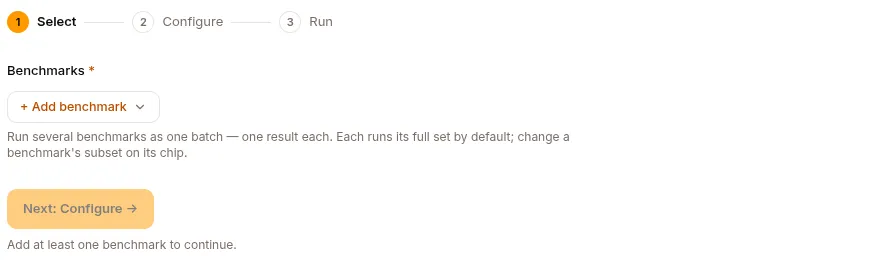
Whether built-in or custom:
Step 1 — Select
Section titled “Step 1 — Select”Pick the benchmark(s). You can select multiple to run in batch.
Step 2 — Configure
Section titled “Step 2 — Configure”- Target — the model or agent being evaluated.
- Compare model — an optional second target. Set one and the run scores both, and the report gains per-subset deltas between them. See A/B evaluation.
- Judge LLM — if the benchmark uses an LLM judge (most do for subjective metrics):
- External — OpenRouter / Anthropic / OpenAI / your endpoint, with a base URL and an API key.
- Colocated — a model already in the platform’s Models page.
- Per-benchmark options — sample limit for a quick run (e.g. 100 instead of the full set), few-shot count, and subsets where the benchmark has them.
- MCP service credentials — benchmarks that drive real services (MCPMark, for one) ask for a credential per service.
Judge API keys and MCP credentials are stored server-side and never sent back to the browser — the form shows only whether a key is set, so re-opening a run doesn’t reveal it. Copying a run therefore doesn’t carry the judge key over; re-enter it on the copy.
Step 3 — Run
Section titled “Step 3 — Run”Confirm the target + judge + benchmark. Click Start evaluation.
Run lifecycle
Section titled “Run lifecycle”Creating and running are two steps: the wizard first saves the run as a draft (POST /api/eval-runs), then launches it (POST /api/eval-runs/{id}/start). Both boundaries are gated: 402 if the project’s plan doesn’t include evaluations, or if it’s out of ML-compute credits.
- Edit — a run stays editable until it’s running;
PATCHreturns409on a running one. Switching a run’s target between a model and an agent clears the one you moved away from. - Stop —
POST /api/eval-runs/{id}/stophalts a running eval. - Copy —
POST /api/eval-runs/{id}/copyclones a run’s configuration into a fresh draft, which is the quick way to re-run against a different target. The judge API key doesn’t come along. - Delete — removes the run.
A benchmark that fails is recorded as failed, not as a zero score, so a crashed benchmark can’t be mistaken for a model that answered everything wrong. Logs are at GET /api/eval-runs/{id}/logs, with credentials scrubbed out of them.
What an evaluation produces
Section titled “What an evaluation produces”A run report with:
- Overall score — pass rate / accuracy / weighted score
- Per-sample breakdown — which samples passed/failed, with the model’s actual output
- Comparison — if you ran the same benchmark on a previous model, side-by-side scores
- Drift detection — when re-running on the same model, alerts on regressions
Export a report
Section titled “Export a report”A finished run can be exported as a standalone report via GET /api/eval-runs/{id}/export?format=html (or format=md). The download bundles the run’s scores, compare/previous deltas, and metadata (model, judge, compute, duration) into a single HTML or Markdown file you can share outside Studio.
Leaderboard
Section titled “Leaderboard”GET /api/leaderboard aggregates completed eval runs across the project (or a single project scope) into a ranked view, so you can see how each model/agent stacks up on the benchmarks you’ve run without opening each run individually.
Side-by-side: A/B evaluation
Section titled “Side-by-side: A/B evaluation”A common pattern: compare two versions of your agent. This is built into a single run rather than something you assemble from two.
- Build a Custom Benchmark from your 👎 corpus.
- Start a run against
agent-v1(current production), and setagent-v2(the candidate) as the compare model in Step 2. - The run scores both targets against the same benchmark.
- The report breaks results down per subset, with the delta between the two, so you can see where v2 wins and where it regresses.
If v2 net-improves and doesn’t regress on critical cases, promote it.
See Use cases → A/B evaluation.
LLM judge — when you need one
Section titled “LLM judge — when you need one”Many benchmarks have objective metrics (test passes/fails, math answer matches). But subjective benchmarks (helpfulness, tone, completeness) need an LLM judge:
- Higher-capability judge → better discrimination but more expensive
- Same judge across all your evals → comparable scores over time
- Be transparent about the judge’s prompt — the judge’s bias is your bias
REST API
Section titled “REST API”Runs live under /api/eval-runs; the benchmark catalog under /api/benchmarks; the ranked view under /api/leaderboard. Create and start are separate calls.
| Method | Endpoint | Purpose |
|---|---|---|
GET |
/api/eval-runs |
List runs |
GET |
/api/eval-runs/{id} |
Run detail |
POST |
/api/eval-runs |
Create (draft) — 402 if the plan lacks evaluations |
PATCH |
/api/eval-runs/{id} |
Edit a run — 409 while it’s running |
DELETE |
/api/eval-runs/{id} |
Delete a run |
POST |
/api/eval-runs/{id}/copy |
Clone the config into a new draft |
POST |
/api/eval-runs/{id}/start |
Launch — 402 if out of ML-compute credits |
POST |
/api/eval-runs/{id}/stop |
Stop a running eval |
GET |
/api/eval-runs/{id}/scores |
Per-benchmark scores |
GET |
/api/eval-runs/{id}/samples |
Per-sample breakdown |
GET |
/api/eval-runs/{id}/logs |
Run logs, with credentials scrubbed |
GET |
/api/eval-runs/{id}/export |
Export report (?format=html or md) |
GET |
/api/eval-runs/history/scores |
Score history across runs |
GET |
/api/benchmarks |
Benchmark catalog (?project_id, ?include_archived) |
POST |
/api/benchmarks |
Create a custom benchmark |
POST |
/api/benchmarks/{id}/archive |
Archive a custom benchmark |
POST |
/api/benchmarks/{id}/restore |
Restore an archived benchmark |
DELETE |
/api/benchmarks/{id} |
Delete — 409 if any run has used it |
GET |
/api/leaderboard |
Ranked cross-run leaderboard |
What’s next
Section titled “What’s next”Hub for versioned eval reports. Use cases for end-to-end recipes.