

Redeploy phase — rolling out the changes
Config changes are cheap. Model changes are slightly more involved. The runtime is built so neither drops traffic.
What kind of change am I rolling out?
Section titled “What kind of change am I rolling out?”| Change | Mechanism | Downtime |
|---|---|---|
| SOUL.md edit | Save CONFIG | None — applies to new sessions |
| Attach / detach skill | Click ATTACH/DETACH | None — applies to new sessions |
| Attach / detach KB | Click ATTACH/DETACH | None — applies to new sessions |
| Attach / detach MCP server | Click ATTACH/DETACH | None — but new MCP sessions need a security re-scan if the server changed |
| Tool allowlist / denylist | Save CONFIG | None — reaches live sessions on their next wake |
| Web & browser egress rules | Save CONFIG | None — reaches live sessions on their next wake |
| Channel toggle (Slack on/off) | Save CHANNELS | Seconds — the adapter pod’s connection cycles |
| Model swap | Save CONFIG → Model | New sessions use new model. Existing sessions finish on old model. |
| Expert endpoint swap | POST /v1/skills/{name}/activate with new endpoint |
None — base LLM picks up the new endpoint immediately |
| Replica count change (SCALE) | Click SCALE → new min/max | Pod-level rollout (~30s per replica) |
| Helm chart change (advanced) | Helm upgrade | Pod cycle (~30-60s per pod) |
The per-wake freeze is the key safety property: the governance gate is composed once per wake and frozen for that wake, so nothing that happens mid-turn (including prompt injection) can weaken protection. Governance edits are projected into the agent’s runtime config with a version bump and a cache invalidation, so a live session picks up the new policy at its next wake — no coordinated rollout needed.
Hub versioning
Section titled “Hub versioning”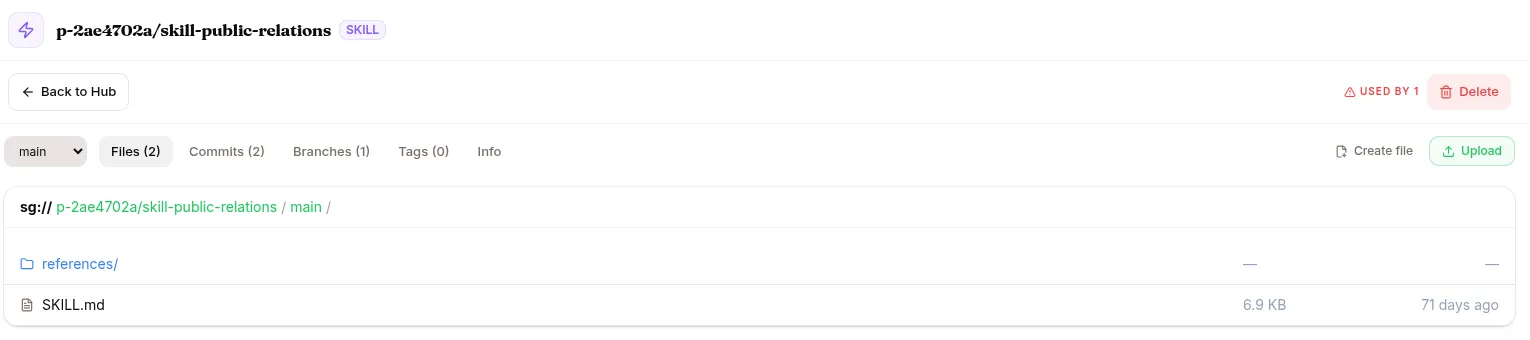
Every artifact (skill, KB, dataset, model, environment) is a Hub repo. That means:
- Every change has a commit with author + message
- You can roll back to a previous tag (
v0.2.0→v0.1.0) - Branches let you test before merging to
main - You can see the diff between any two versions
For skills: when you PUBLISH, you tag a version. The agent uses the tagged version, not main — so editing the skill in main doesn’t immediately roll out.
Roll back a skill version
Section titled “Roll back a skill version”If a new skill version regresses:
- Open the agent → KNOWLEDGE & TOOLS → click the attached skill.
- Click Change version → pick the previous tag.
- Save. New sessions use the older version.
Same mechanism for KBs and MCP servers — pick a previous tag if available.
Roll back a model
Section titled “Roll back a model”For the agent’s main model: CONFIG → Model → switch back to the previous selection. For an expert: re-activate with the previous endpoint URL.
SCALE — handling traffic
Section titled “SCALE — handling traffic”The SCALE button at the top of the agent detail. Three values:
- Replicas (current) — how many pods are running this agent right now
- Min — auto-scaling minimum
- Max — auto-scaling maximum
Auto-scaling target: 40 active sessions per replica.
When you scale up, new pods start in ~30 seconds. Existing pods continue serving in-flight sessions. New sessions get distributed across the new fleet.
When you scale down, the platform drains pods (lets active sessions finish) before terminating.
STOP / START
Section titled “STOP / START”Three reasons to STOP an agent:
- Pausing for maintenance — you want users to get a “down for maintenance” response
- Billing pause — you want to stop incurring runtime costs
- End-of-trial — you’re winding down
STOP drops replicas to 0. Sessions in-flight finish; new ones aren’t accepted. The agent’s URL responds with a maintenance message. All config (skills, KBs, MCPs) stays attached.
START brings replicas back to the configured min. Sessions can resume.
DELETE
Section titled “DELETE”The DELETE button on the agent detail. A pre-flight check warns you:
- How many attached skills will be detached
- Any in-flight synthetic runs targeting this agent (cancel them first)
- Whether end-users on this agent will lose access
CANCEL is focused by default — you have to deliberately click DELETE.
DELETE tombstones the agent. Sessions are kept for audit; the URL stops responding. Slug is freed (you can reuse it later if you want).
Multi-tenant rollout
Section titled “Multi-tenant rollout”If your tenant has multiple agents that share a skill or KB (the skill is at the org-DB layer, the KB is attached to several agents): updating that shared resource affects all of them on the next session.
To gate the rollout per-agent: clone the skill or KB, give each agent a unique copy, then update one at a time.
What’s next
Section titled “What’s next”You’ve completed one loop. Either:
- Loop back to Observe phase with the new version, or
- Dig into a specific feature: Agents, Skills & Experts, Knowledge Bases, MCP & Vault, Models, Datasets, Training, Evaluations, or
- Jump to Use cases for end-to-end multi-step recipes.