

Models
The Models page is where you register and serve the LLM endpoints your agents call. Click DEPLOY MODEL at the top of the page to open the deploy flow: first a source picker, then a per-source form, then the model’s detail page where you configure and start it.
The four sources
Section titled “The four sources”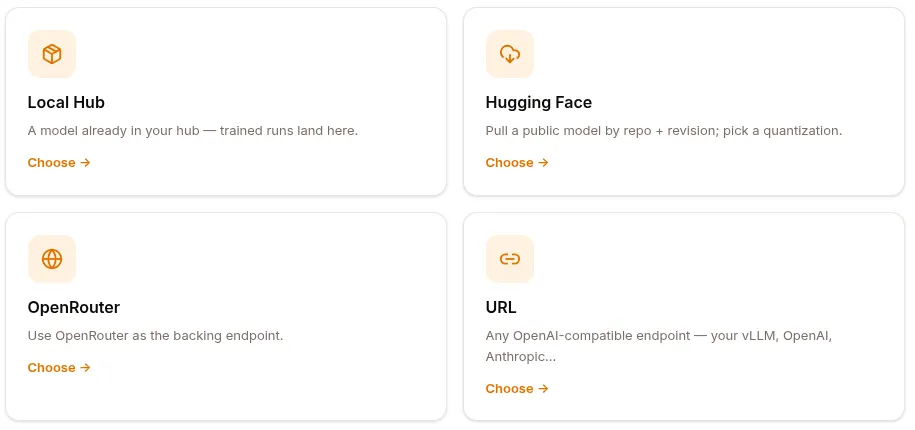
The deploy flow opens on “Where is the model coming from?” — four cards:
| Source | What it is | When to use |
|---|---|---|
| Local Hub | A model already in your tenant’s Hub | After a training run completes, the trained model lands here |
| Hugging Face | Pull a public model from HF Hub by repo + revision | Public bases, quantized variants |
| OpenRouter | Use OpenRouter as the backing endpoint | Mix-and-match commercial models through one key |
| URL | Any OpenAI-compatible endpoint | Your own vLLM server, Anthropic, OpenAI direct, etc. |
The split that matters: Local Hub and Hugging Face are served models — Surogate provisions GPUs and runs an inference server (vLLM / llama.cpp) for them, so they have a start/stop lifecycle. OpenRouter and URL are proxy models — Surogate just forwards to an endpoint someone else runs, so there’s no GPU, no CONFIG compute step, and they’re usable the moment you save.
Every form ends with a Display name (shown in the models list and to your agents; defaults to the last path segment of what you picked) and a Deploy → button. The back arrow returns to the source picker; Cancel returns to the models overview.
Local Hub
Section titled “Local Hub”Serve a model that already lives in your hub — this is where trained runs land.
| Field | Required | Notes |
|---|---|---|
| Model | yes | Dropdown of the model-type repos in your hub. Empty state: “No models in your hub yet.” |
| Revision | — | A commit or tag in that repo. The dropdown groups Branches and Tags (each shows its short commit); defaults to the repo’s default branch. |
| Display name | — | e.g. support-sft-001. |
Registered with source local_hub and a hub_ref of repo@revision.
Hugging Face
Section titled “Hugging Face”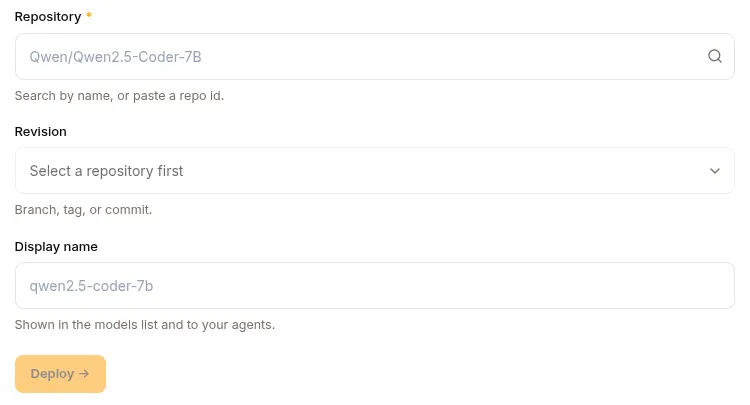
Pull a public base or fine-tune from the HF Hub.
| Field | Required | Notes |
|---|---|---|
| Repository | yes | Type ≥3 characters to search HF, or paste a repo id directly (owner/name, e.g. Qwen/Qwen2.5-Coder-7B). |
| Revision | — | Branch, tag, or commit — the dropdown lists the repo’s refs (grouped Branches / Tags), defaulting to main. |
| Quantization | — | Segmented control: fp16 · int8 · int4 · GGUF. Lower precision = less GPU memory, slightly lower quality. |
| Display name | — | e.g. qwen2.5-coder-7b. |
Registered with source huggingface, the chosen quantization, and a revision in the serving config when it isn’t main.
OpenRouter
Section titled “OpenRouter”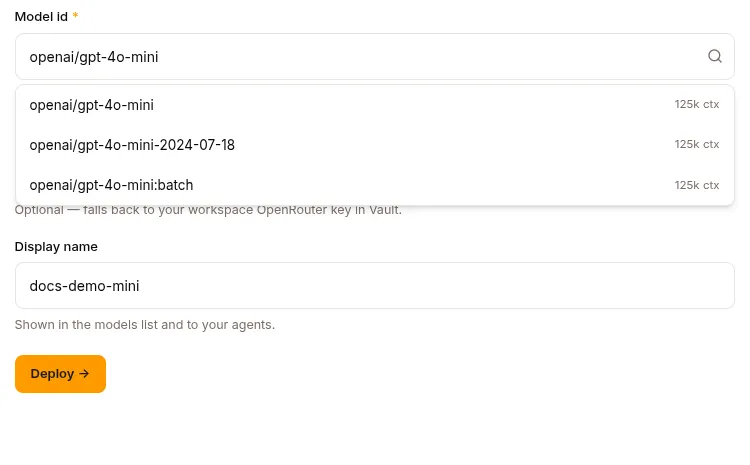
Point at a model hosted by OpenRouter and use it as the backing endpoint.
| Field | Required | Notes |
|---|---|---|
| Model id | yes | Type to filter OpenRouter’s catalog (shows each model’s context length) or paste an id — e.g. openai/gpt-4o, anthropic/claude-3.5-sonnet. |
| OpenRouter API key | — | Optional. Left blank, it falls back to your workspace OpenRouter key in the Vault. Stored masked. |
| Display name | — | e.g. gpt-4o (judge). |
Registered with source openrouter, engine openrouter, and the API key (if given) in the serving config’s Vault-backed secret. This is a proxy model — no GPU, no serving config.
Point at any OpenAI-compatible endpoint you already run.
| Field | Required | Notes |
|---|---|---|
| Endpoint URL | yes | Your vLLM, OpenAI, Anthropic, or any OpenAI-compatible server — e.g. https://expert-pool.your-cluster.svc:8000/v1. |
| Model name | — | Passed verbatim to the endpoint (e.g. expert-router). |
| API key | — | Optional; stored in the Vault. Shown masked. |
| Display name | — | e.g. expert-pool. |
Registered with source url, engine openai_compat, and the endpoint (plus API key if given) in the serving config. Also a proxy model — usable immediately.
The model detail page
Section titled “The model detail page”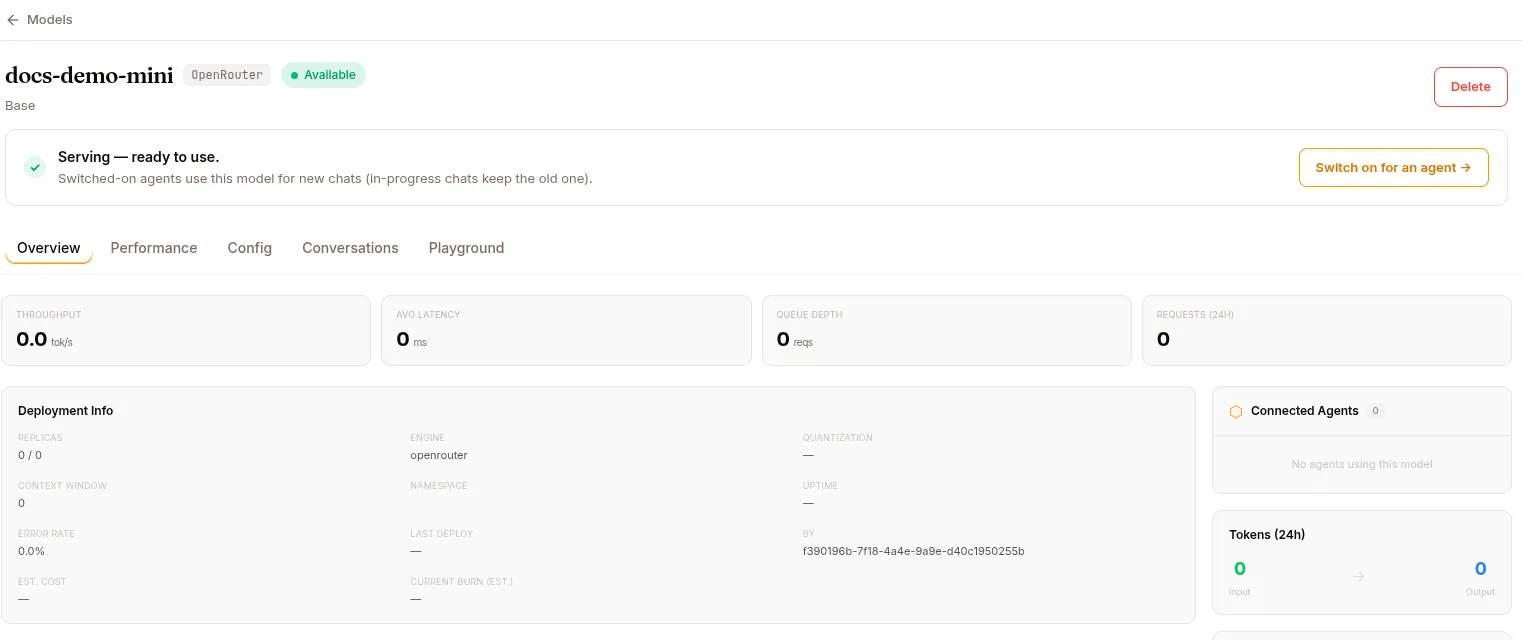
Deploying drops you on the model’s detail page. The header shows the display name, a source badge, and a status pill — Creating (amber), Serving (green), Stopped, or Error; proxy models show a permanent Proxy pill. Action buttons live top-right: Stop / Start (or Restart after an error), View job (jumps to the serving job in the workload queue), and Delete. When a served model is up, a green “Serving — ready to use” banner offers to switch it on for an agent.
Up to six tabs:
Overview
Section titled “Overview”- KPIs: Throughput (tok/s), Avg Latency (ms), Queue Depth, Requests (24h), each with a sparkline.
- GPU Resources (served models, while running): GPU-utilization and VRAM gauges, plus GPU type/count, VRAM used/total, tensor-parallel size, batch size. Shows “no GPU allocated” when stopped.
- Deployment Info: replicas (current / desired), engine, quantization, context window, namespace, uptime, error rate, last deploy, deployed-by.
- Connected Agents, Tokens (24h) (input → output), and a Model Card (family, parameters, base, hub ref).
Performance
Section titled “Performance”Period selector (Last hour / Last 24h / Last 30d) driving five KPIs — Tokens/sec, Avg Latency, Total Tokens, Requests, Success Rate — sparkline charts for throughput / latency / total tokens / requests, and a prompt-vs-completion token breakdown.
Config
Section titled “Config”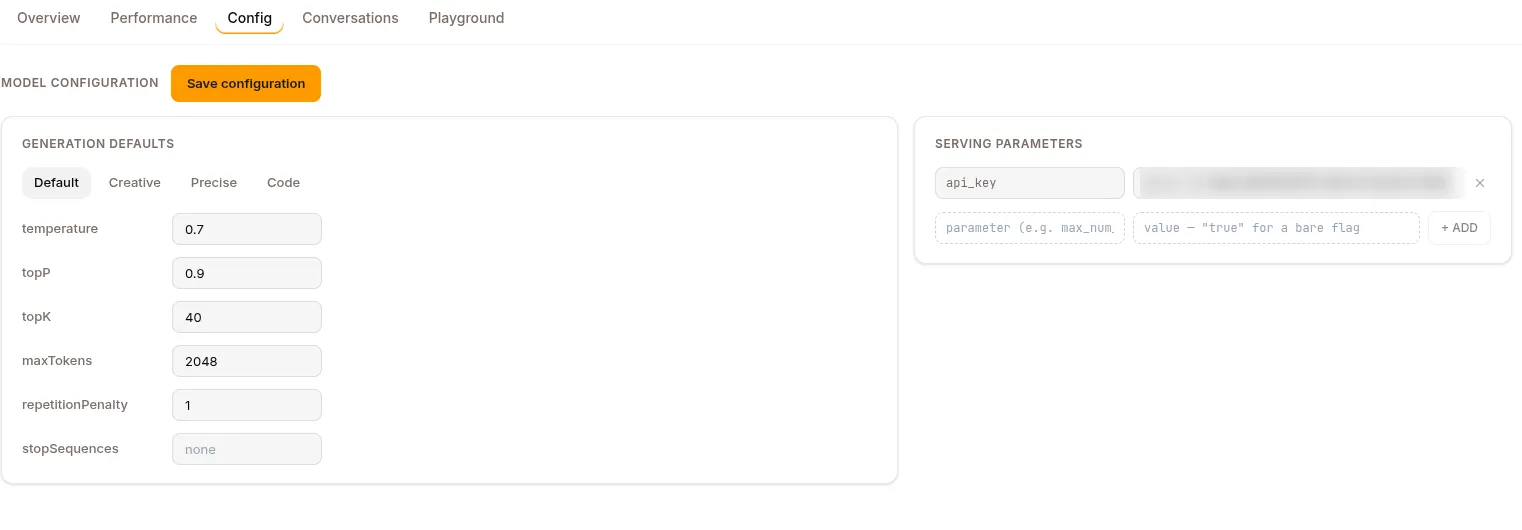
The serving configuration. For served models it has three parts:
- Deployment configuration
- Compute — pick a provider and instance offer (or a Modal GPU).
kubernetesandsshback-ends use pre-existing nodes and skip the offer picker. - Engine — vLLM or llama.cpp. Modal serving is vLLM-only.
- Compute — pick a provider and instance offer (or a Modal GPU).
- Generation defaults — presets (Default / Creative / Precise / Code) plus editable rows: temperature, topP, topK, maxTokens, repetitionPenalty, stopSequences.
- Serving parameters — engine flags as key/value rows. vLLM seeds
max_model_len,tensor_parallel_size,gpu_memory_utilization,quantization,enforce_eager,attention_backend,reasoning_parser,tool_call_parser; llama.cpp seedsctx_size,threads,reasoning_format. You can add arbitrary parameters — each is passed to the serving command as--kebab-cased-key. On Modal, an extra card exposes snapshot mode (CPU+GPU / CPU / off), scale-to-zero window, startup timeout, and max concurrent requests per replica.
A yellow “Required before serving” note spells out the gate: Compute, Engine, and quantization must be set before a model can START. Settings lock while the model is serving or starting — Stop to edit.
Proxy models (OpenRouter / URL) have no compute or engine to configure — CONFIG only carries generation defaults and the endpoint/API-key serving fields, and it never locks.
Conversations
Section titled “Conversations”Sessions that used this model, filterable and searchable — useful for seeing the model against real production traffic.
Fine-tunes
Section titled “Fine-tunes”Served models only. Lists the fine-tuned models derived from this base — each row shows its training run, success rate, and status — with a + NEW FINE-TUNE button to launch another training run from this base.
Playground
Section titled “Playground”Send prompts to the model right from the detail page. Proxy models work immediately; a served model has to be running first (otherwise you get a “start to test” prompt).
Starting a model
Section titled “Starting a model”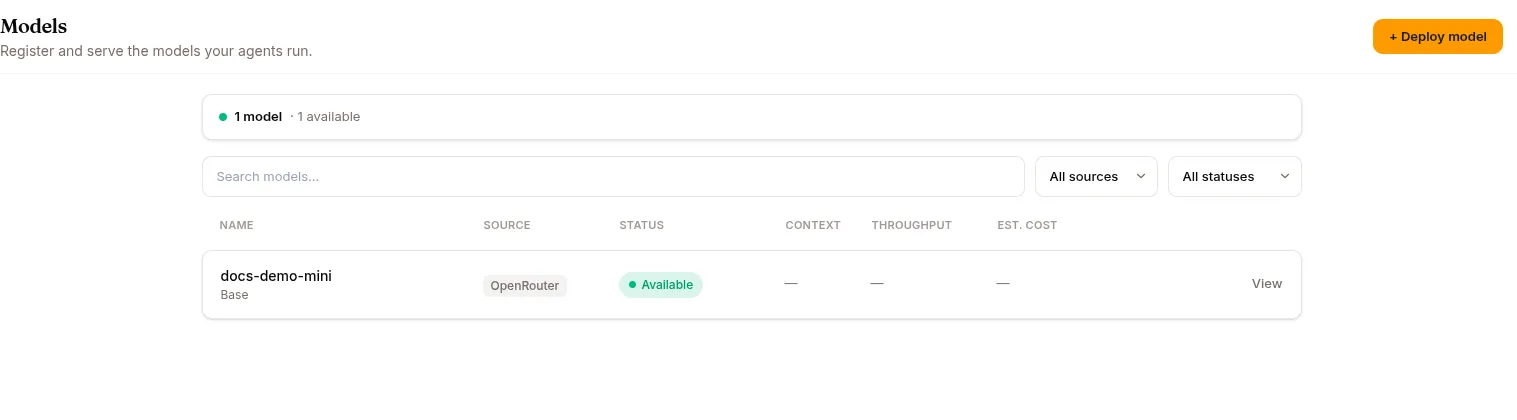
Start is disabled until CONFIG is complete — for served models that means an engine plus a GPU (or a kubernetes/ssh/llama.cpp setup where the GPU is resolved at schedule time). Then:
- Click Start and confirm.
- The platform provisions compute on the selected backend — dstack (Kubernetes / cloud) or Modal.
- The model is downloaded, loaded, and exposed at an endpoint.
- Status moves
creating→serving, usually 1–10 minutes (HF download + load can be slow, and it costs money while it runs).
The endpoint then becomes available to your agents (via the agent’s model selection) and to any skill that references it.
Stopping a model
Section titled “Stopping a model”Stop drops the model’s replicas to 0 and the endpoint stops responding. The model record is retained — Start again brings it back; cached model files mean it usually doesn’t re-download.
Scaling replicas
Section titled “Scaling replicas”For high-traffic models, scale up in CONFIG (or via the scale endpoint). Each replica is a full GPU pod; the platform serves across them.
Connecting a model to an agent
Section titled “Connecting a model to an agent”Open the agent → CONFIG → Model section and pick the model from the dropdown.
- New sessions use the new model.
- In-progress sessions keep their old model (session-start freeze).
The “Switch on for an agent →” button on a serving model’s banner takes you straight there.
Models for experts
Section titled “Models for experts”A served model can also back an expert — a skill (type: expert) the base LLM delegates to when a request matches its trigger. The expert runs its own mini agent loop on this model and hands the answer back, so you can drop an LLM that’s specialised in one thing (a fine-tuned coder, a domain classifier) inside an ordinary agent. The expert references the model + its endpoint; it can’t be activated until the model is actually serving. See Skills & Experts for the expert setup.
BYO LLM
Section titled “BYO LLM”If you run your own provider end-to-end (not Surogate-served models), enable BYO LLM in Settings → Billing. Your agents route LLM calls through your own provider and you pay them directly; Surogate charges only for platform usage. See BYO LLM.
REST API
Section titled “REST API”All routes are mounted at /api/models.
| Method | Endpoint | Purpose |
|---|---|---|
GET |
/api/models |
List models (filters: project_id, status, search, limit ≤ 200) |
GET |
/api/models/{id} |
Model detail |
POST |
/api/models |
Register a model (any source) |
PATCH |
/api/models/{id} |
Update serving / generation config |
POST |
/api/models/{id}/start |
Provision and serve |
POST |
/api/models/{id}/stop |
Drop replicas |
POST |
/api/models/{id}/restart |
Restart a serving model |
POST |
/api/models/{id}/scale |
Update replica count |
GET |
/api/models/{id}/in-use |
Active + historical references to the model |
DELETE |
/api/models/{id} |
Unregister (409 if anything still references it) |
GET |
/api/models/artifacts |
List indexed model artifacts (filters incl. project_id, hub_repo, hub_ref, source_kind, limit ≤ 500) |
GET |
/api/models/artifacts/{artifact_id}/lineage |
Artifact plus its parents/children |
POST |
/api/models/artifacts/{adapter_id}/merge |
Merge an adapter into its base and publish to the hub |
POST |
/api/models/artifacts/{adapter_id}/promote |
Promote train-time-merged weights into their own repo |
What’s next
Section titled “What’s next”Skills for how to reference a served or fine-tuned model from a skill. Training for producing a fine-tuned model of your own.