

The builder loop
Every agent improvement cycle has four phases:
┌──────────────────────────────────────────────────────────┐│ ││ 1. BUILD Design the agent: persona (SOUL.md), ││ attached skills/KBs/MCPs, tool envelope, ││ governance, channels. ││ ││ 2. OBSERVE Run traffic. Watch sessions, mark good/ ││ bad turns, find failure modes in EVENTS. ││ Build evaluation sets from bad sessions. ││ ││ 3. TRAIN For task-specialised improvements: ││ collect → build dataset → train expert ││ → activate → measure with evals. ││ ││ 4. REDEPLOY Apply the changes: update agent config, ││ swap in new expert endpoints, roll out ││ to channels. ││ ││ (loop) Back to step 2 with the new version. ││ │└──────────────────────────────────────────────────────────┘What each phase is about
Section titled “What each phase is about”You’re declaring what the agent is: its identity, its tools, its data sources, its boundaries. Most of this happens on the agent’s Configure page (Identity / Skills / Knowledge Bases / MCP Servers sections) and its Publish page (Channels, Users), with deeper knobs on Develop mode’s CONFIG and KNOWLEDGE & TOOLS tabs. See Build phase.
OBSERVE
Section titled “OBSERVE”You’re collecting signal about what the agent does. The Sessions surface is the source of truth — every conversation, tool call, governance decision is recorded. You’ll mark good and bad sessions to drive everything downstream. See Observe phase.
You’re improving the agent’s behaviour on specific tasks. Two flavours:
- Skill / prompt iteration (the cheap, fast path): edit SKILL.md content, update SOUL.md, change tool allowlists. Works for most improvement.
- Expert fine-tuning (the expensive, slow path): collect successful trajectories, train a model on them, activate the expert. Use when the base LLM consistently fails on a specific class of task.
See Train phase.
REDEPLOY
Section titled “REDEPLOY”You’re rolling out the changes. Surogate makes this cheap — config changes apply to new sessions immediately, expert endpoints can be swapped via a single API call. See Redeploy phase.
How long the loop takes
Section titled “How long the loop takes”| Change type | End-to-end time |
|---|---|
| SOUL.md edit | 30 seconds |
| Attach a new skill | 1 minute |
| Compile a new KB and attach | 5-30 minutes |
| Add an MCP server | 5-15 minutes |
| Fine-tune an expert from your traffic | 1-7 days (training is external) |
| Run a comparative evaluation | 30 minutes to several hours |
| Roll out a new agent version | Seconds (config-only) to minutes (Helm rollout for serving changes) |
The cheap changes are the ones you’ll do most. The expensive ones earn their cost back over time on tasks you do repeatedly.
Where in the UI
Section titled “Where in the UI”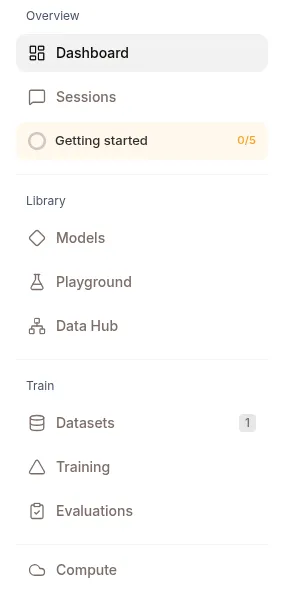
Each phase touches different parts of ops.surogate.ai:
| Phase | UI surfaces |
|---|---|
| BUILD | Develop dashboard → Quick Actions; Agents page → Configure (Work mode) or CONFIG / KNOWLEDGE & TOOLS tabs (Develop mode); Library (Skills, KBs, MCP & Vault, Models, Hub) |
| OBSERVE | Sessions list + detail (all 6 tabs); Agent OVERVIEW; Develop dashboard’s Recent Conversations feed |
| TRAIN | Datasets; Training Runs; Evaluations; Hub for artifact versioning |
| REDEPLOY | Agent → SAVE (config); SCALE; STOP/START; the Hub rolls forward; Models for swapping expert endpoints |
Start with Build phase — what you configure when you create or update an agent.