Search
For staff who look for documents: the search box and the words it understands, the filters, the advanced builder, and saved searches that appear in the sidebar. Search finds words inside the files as well as in titles and metadata.
Search
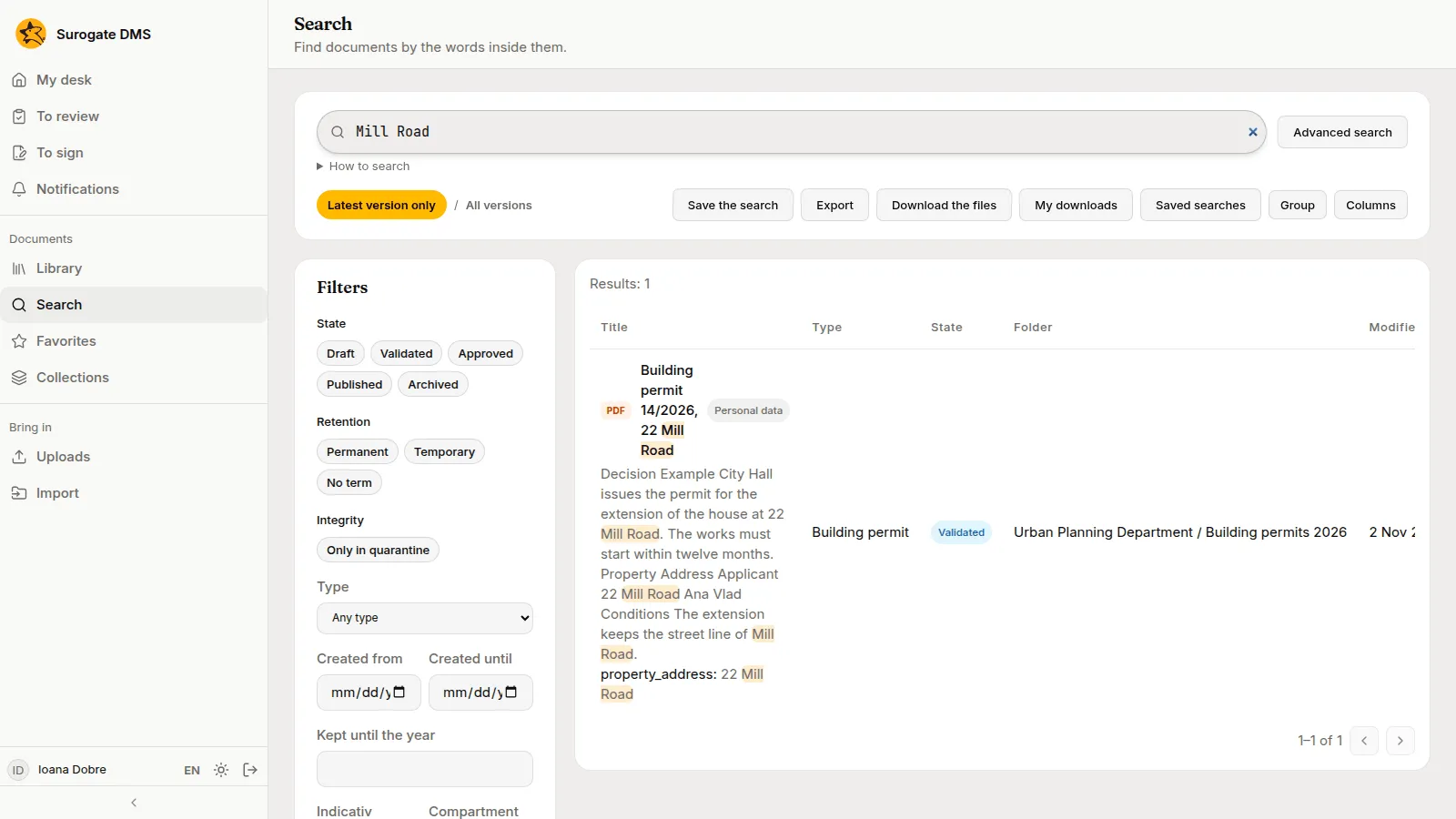
Section titled “Search”Choose Search, type in the box and press Enter. Search shows only documents you may read. Open How to search under the box for what you can type.
What to type
Section titled “What to type”The card Search tips on the page lists the words the box understands. The field names are the ones the card prints.
| Type | To find |
|---|---|
a b | both words |
a OR b | either word |
-plata | without the word |
"plata se face" | the exact phrase |
titlu:raport | the word in the title |
tip=Contract | documents of a type |
creat>=01.10.2026 | documents by date |
semnat:da | signed versions |
semnatar:"Ana Pop" | what a person signed |
pastrare=permanent | documents kept permanently |
pastrare_pana<=2030 | documents whose term ends by 2030 |
indicativ=II-1 | documents in dosare with that indicativ |
sursa:api | documents filed through the API |
preluare:neconform | documents filed not conforming at capture |
referinta="1234/2026" | documents filed by another system with that reference |
What you type is kept in the audit log for 12 months; when the month is archived, the text is not kept.
Filters
Section titled “Filters”The Filters card narrows the results: State, Retention, Type, the dates Created from and Created until, Kept until the year, and Indicativ and Compartment. Each filter writes its part into the box.
Capture has one button, Not conforming at capture. It lists the documents filed from a capture whose data failed a check and that nobody has marked as checked since; see Checking the data read from forms.
Latest version only and All versions switch between the current version of each document and every version.
Advanced search
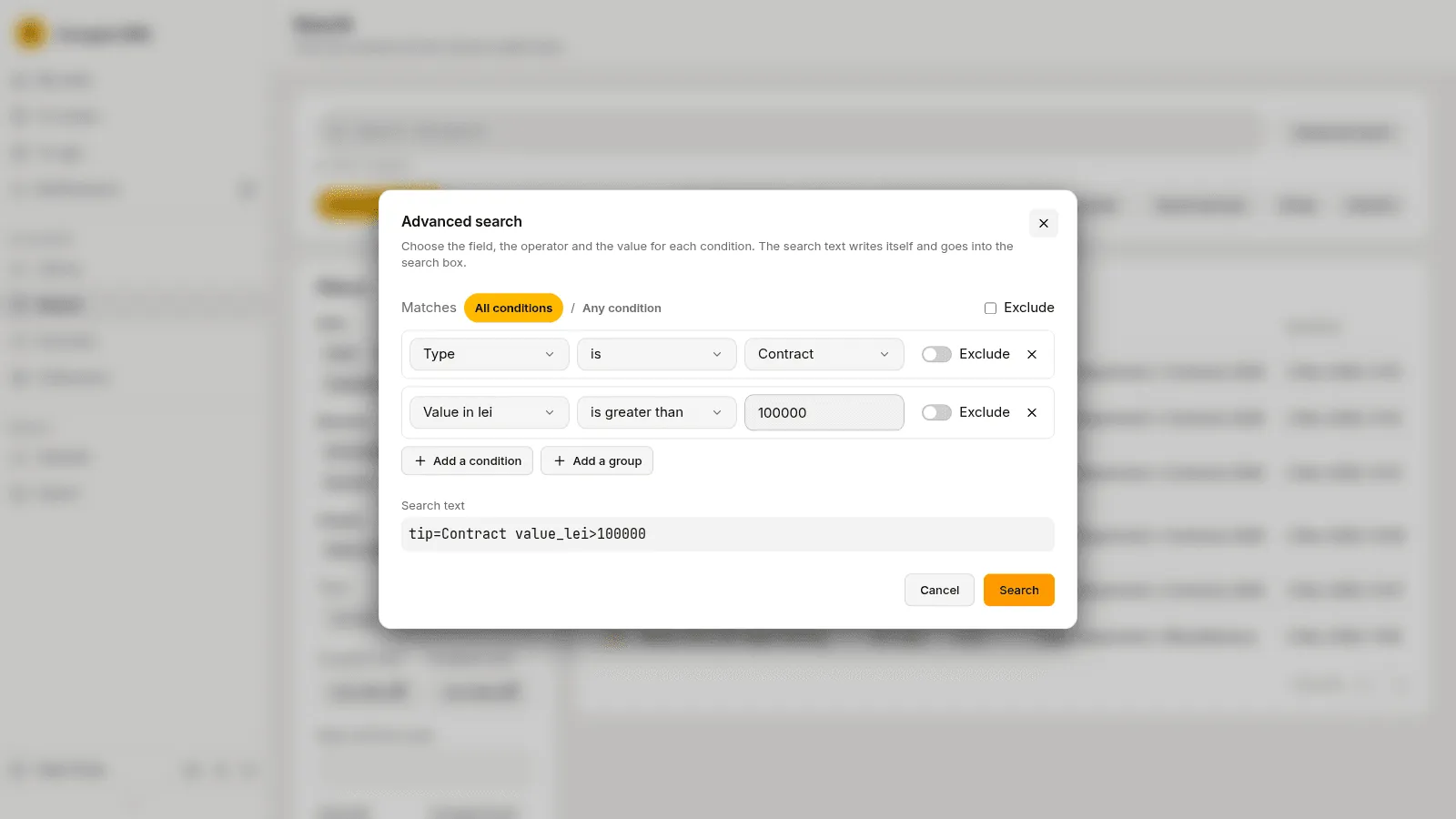
Section titled “Advanced search”Advanced search builds the query for you. Choose a field, an operator and a value for each condition, add more conditions or groups, and choose whether all or any must match. The search text writes itself and goes into the box.
The results
Section titled “The results”The table shows the title, the type, the state, the folder and the date. Columns chooses the columns and Group groups the rows. Export saves the results, and Download the files prepares them as a download you find under My downloads.
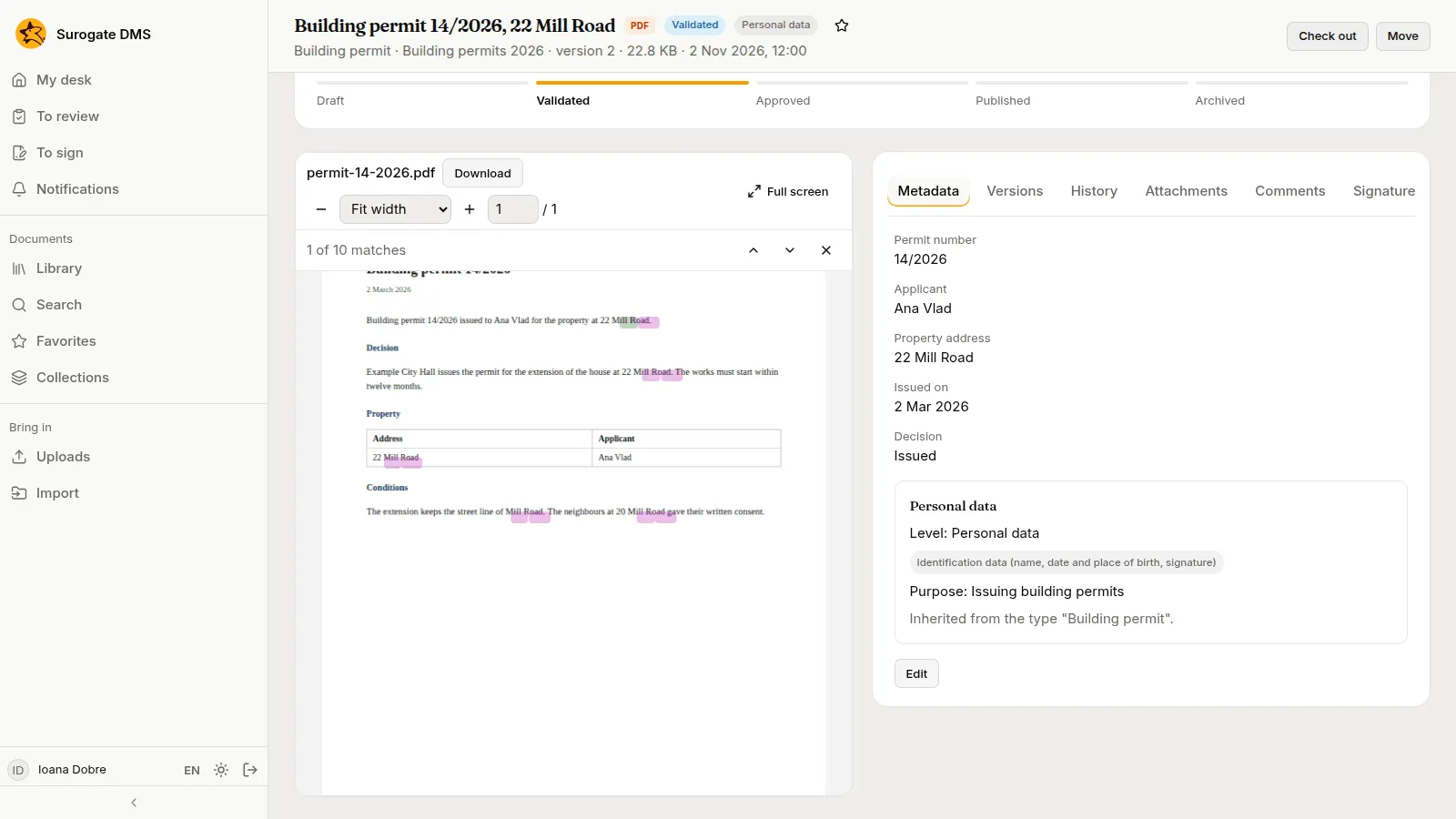
Open a result and the viewer marks the matches; the bar over it says “1 of 10 matches” and steps through them.
Save a search
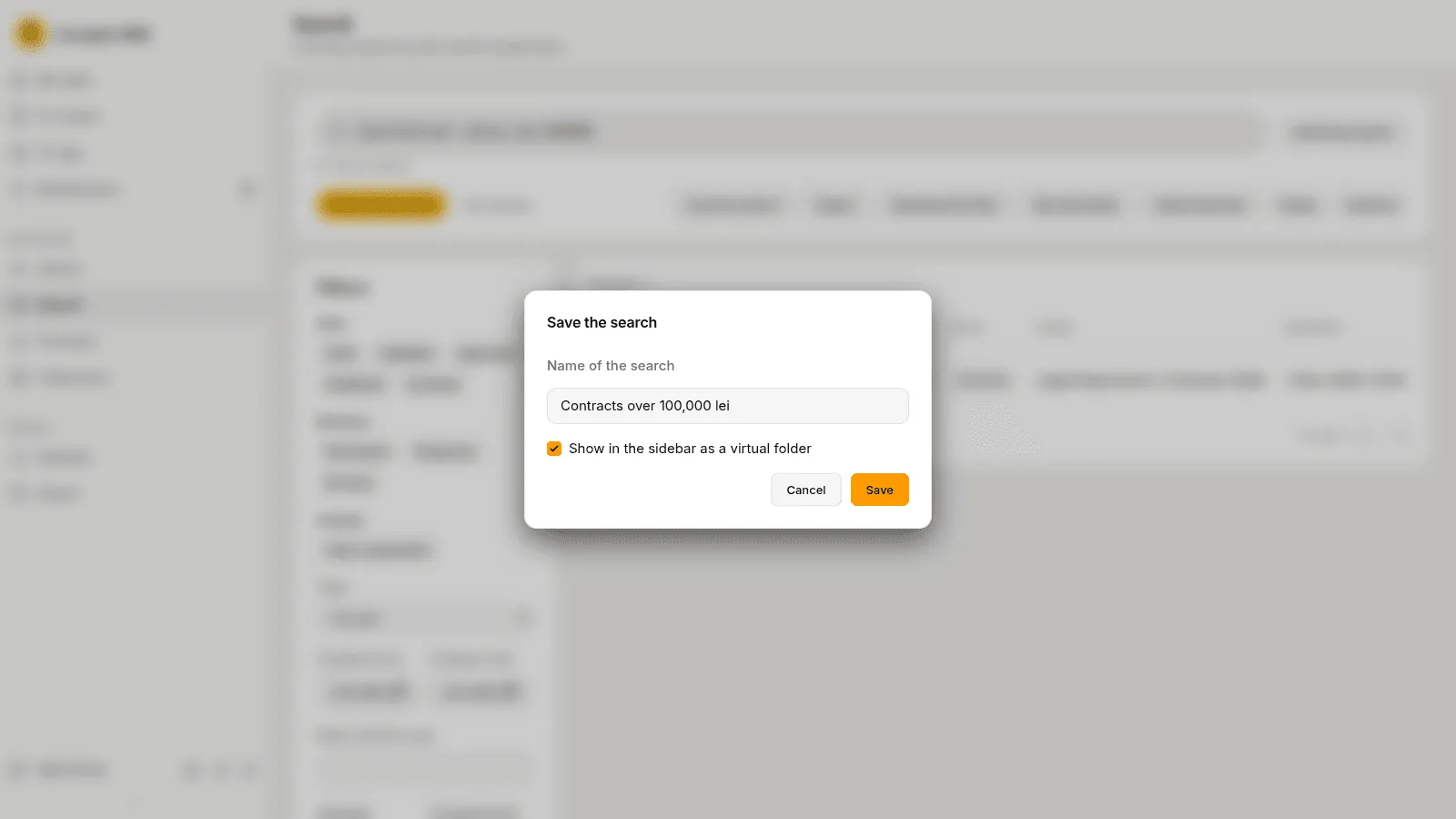
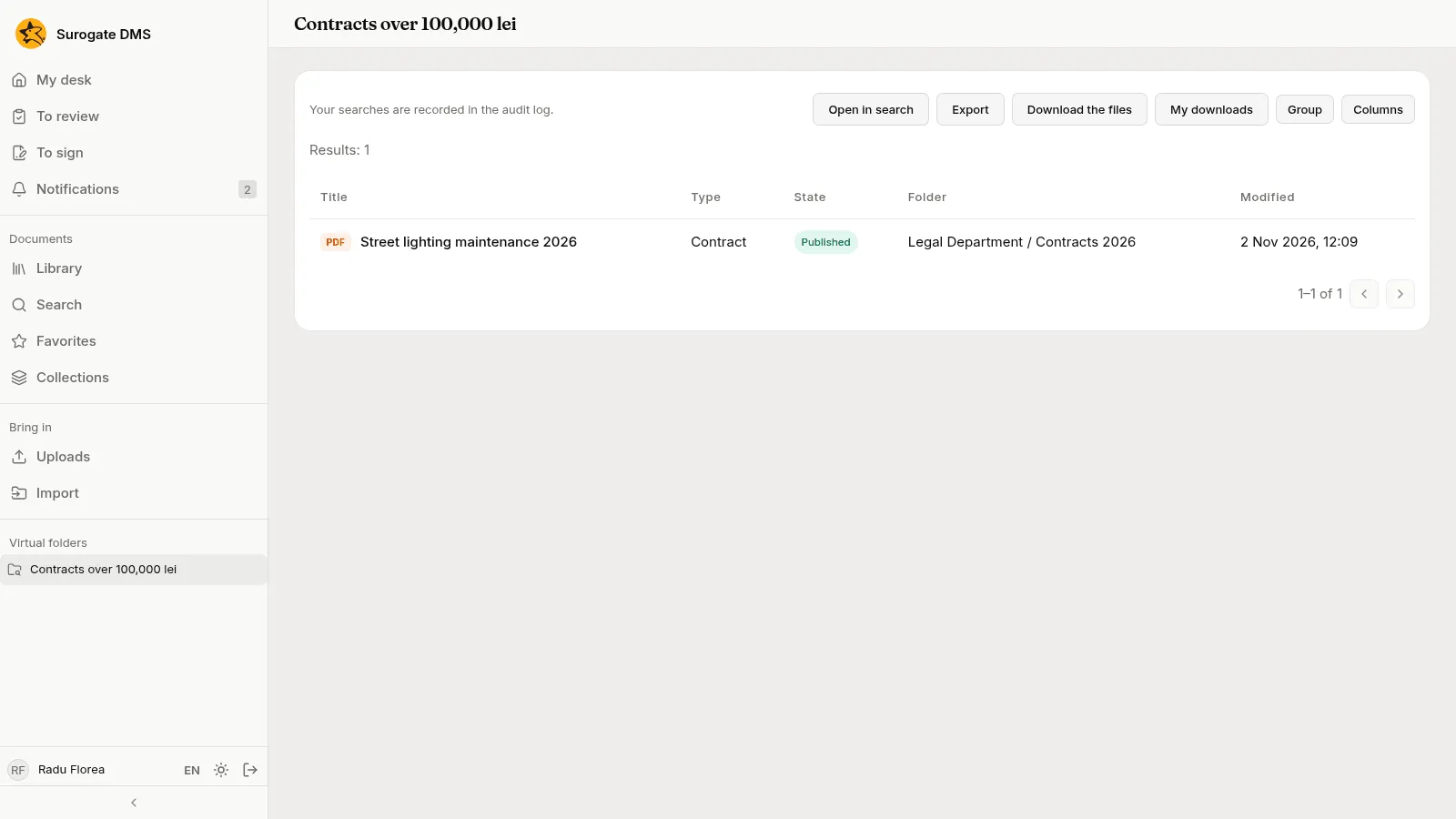
Section titled “Save a search”Save the search keeps the query under a name. Tick Show in the sidebar as a virtual folder to find it under Virtual folders in the sidebar. Saved searches lists the ones you made.