Correspondents
For staff who register: how to find the person, company or institution a registration comes from or goes to, how to add one, what the checks on a CNP and a CUI say, and how to change or deactivate a row.
The directory
Section titled “The directory”A correspondent is the person, company or institution a registration comes from or goes to. The directory keeps one row for each, so the next registration finds it by searching. A registration keeps the copy of the correspondent as it was when you saved it. When the row has changed since, the page of the registration says “The directory’s data changed since.”
Find a correspondent
Section titled “Find a correspondent”In the registration form, type in Search by CNP, CUI or name. The DMS offers up to twenty rows. A CNP or a CUI finds its row exactly. A name finds the rows with a word that starts with what you typed, whatever the case and the accents. Use the button Choose beside a row to pick it, and Change to go back to the search.
Registry › Correspondents lists the whole directory.
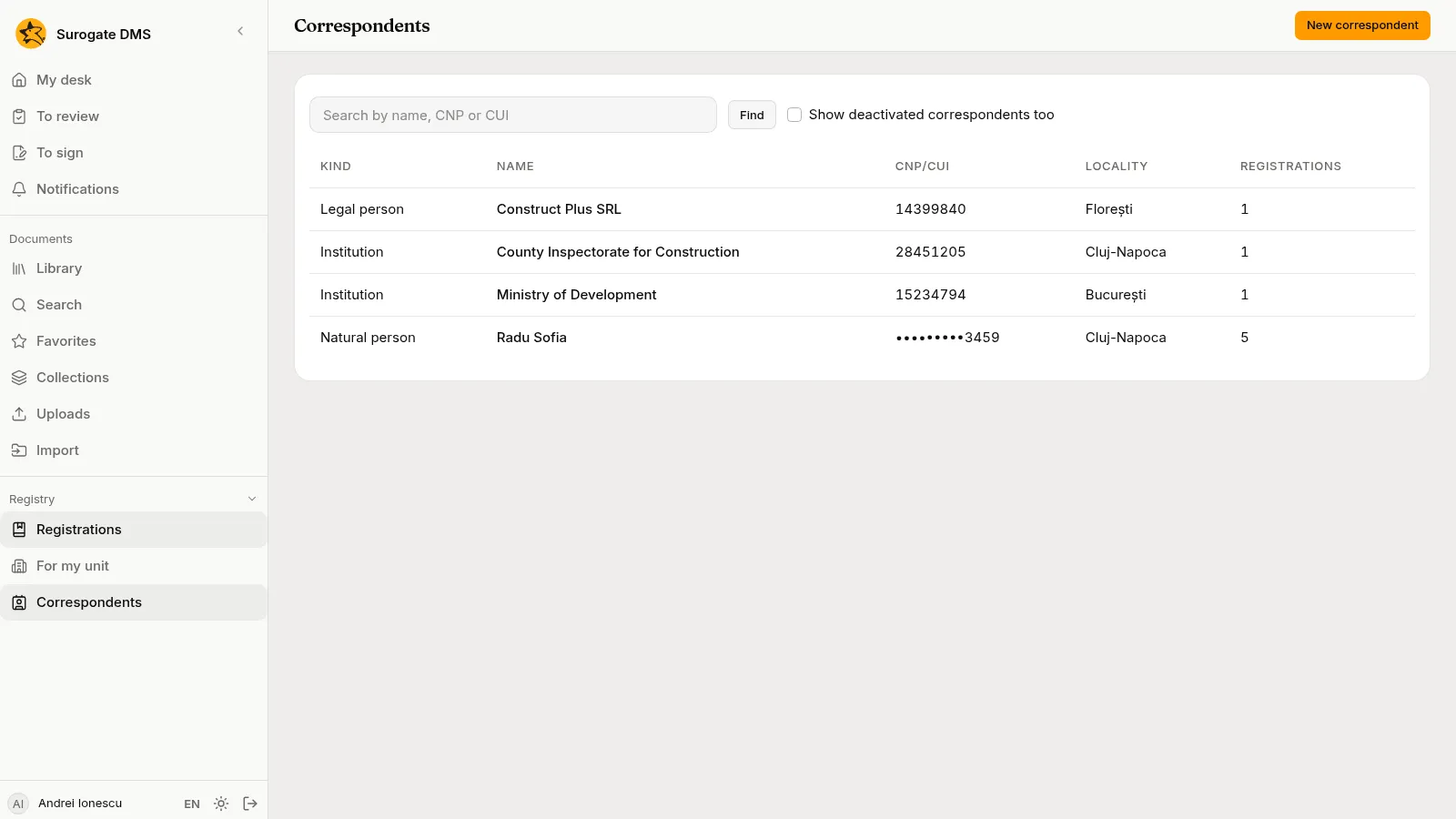
Search by name, CNP or CUI and choose Find. Show deactivated correspondents too adds the rows that were switched off. A row opens a page with the details and This correspondent’s registrations. You see the page of Correspondents if you may register documents, manage the registers or see the personal-data register.
Add a correspondent
Section titled “Add a correspondent”Choose New correspondent in the directory or in the registration form, then the Kind of correspondent:
- Natural person: Last name, First name, Personal number (CNP), and the identity document: Identified by (Old identity booklet, Identity card, Provisional identity card or Electronic identity card) with its Series, Number, Issued by and Issued on.
- Legal person and Institution: Name, Tax id (CUI), Trade register number and the Legal representative.
Then the address: the Country and, for Romania, the County. Choose the Locality from the list, which offers only the localities of the county you chose, or type in Search the locality to find one among many. Add the Street, No., Bldg., Entr., Floor, Apt., the Postal code (six digits in Romania), Other details, and the Mobile phone, Landline and E-mail.
What the checks say
Section titled “What the checks say”The CNP has 13 digits and is checked: its first digit, the date of birth, the county code, the serial number and the check digit. The CUI has two to ten digits, with or without RO in front, and a check digit. When a rule fails, the message says which one.
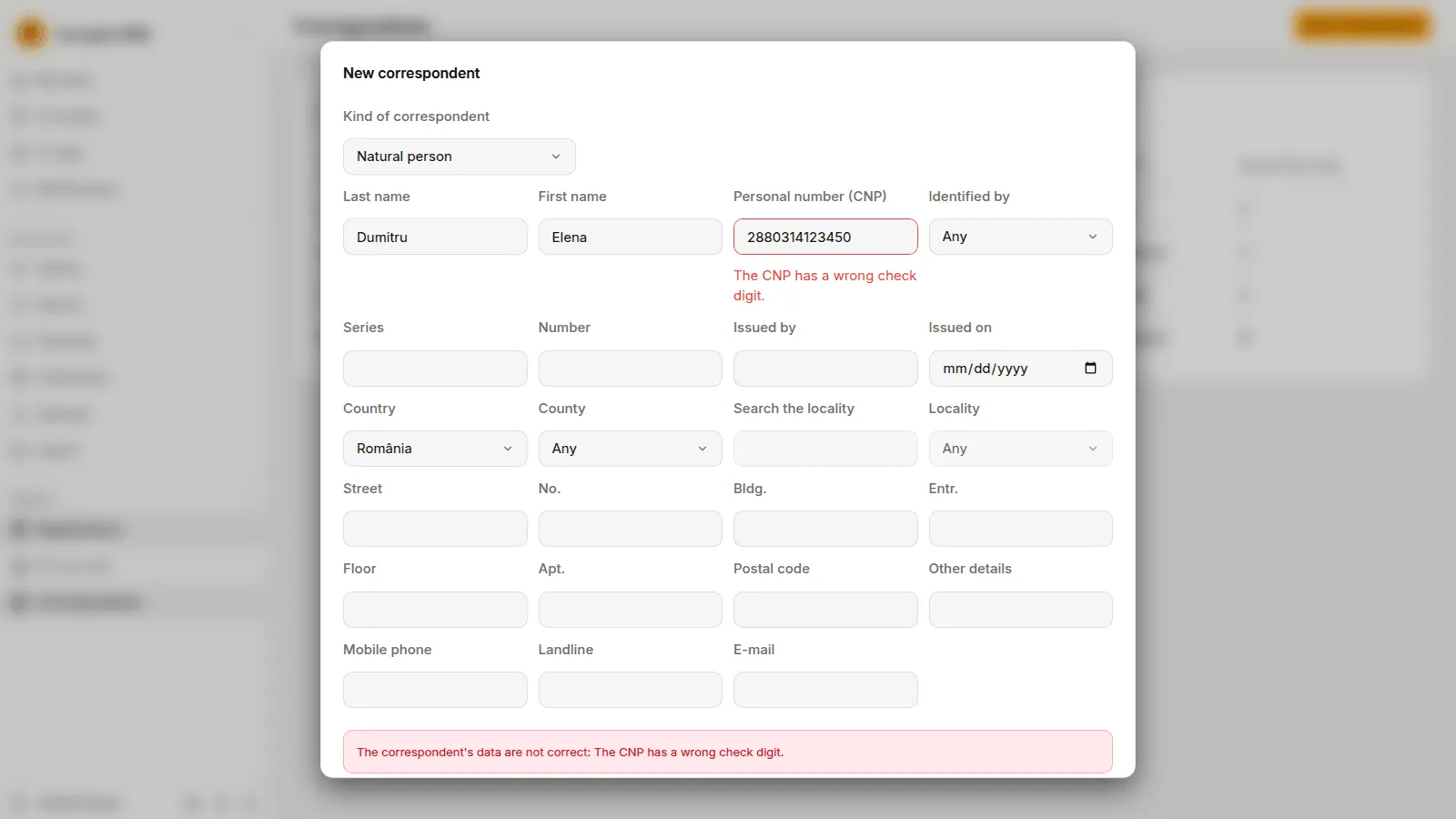
A CNP and a CUI can be in the directory only once. When you type one that is already there, the message in the registration form offers that row: use it instead of making a second.
Change and deactivate
Section titled “Change and deactivate”Open a row and choose Edit to correct its data. In a registration form, Correct the details changes the row for that registration and the next ones, and Keep the details as they are leaves it. The registrations already made keep the copy they were saved with.
A correspondent is never deleted. A person who may manage the registers can Deactivate a row: it is no longer offered in the search of the form, and its registrations keep it. Activate offers it again.
What is recorded
Section titled “What is recorded”Making, changing and opening a correspondent are written in the audit log with the id of the row, never with a name, a CNP or an address. See The audit log.