Example: select and hand over dosare
Carmen Pavel, an archivist, closes an old dosar, selects the dosare whose term has ended, issues the proces-verbal and schedules the deletion. She then hands a permanent dosar over to the National Archives. The example is for archivists.
The pictures were taken in a demo city hall, Example City Hall, with made-up people and documents.
Part 1: select dosare for elimination
Section titled “Part 1: select dosare for elimination”1. Close the dosar
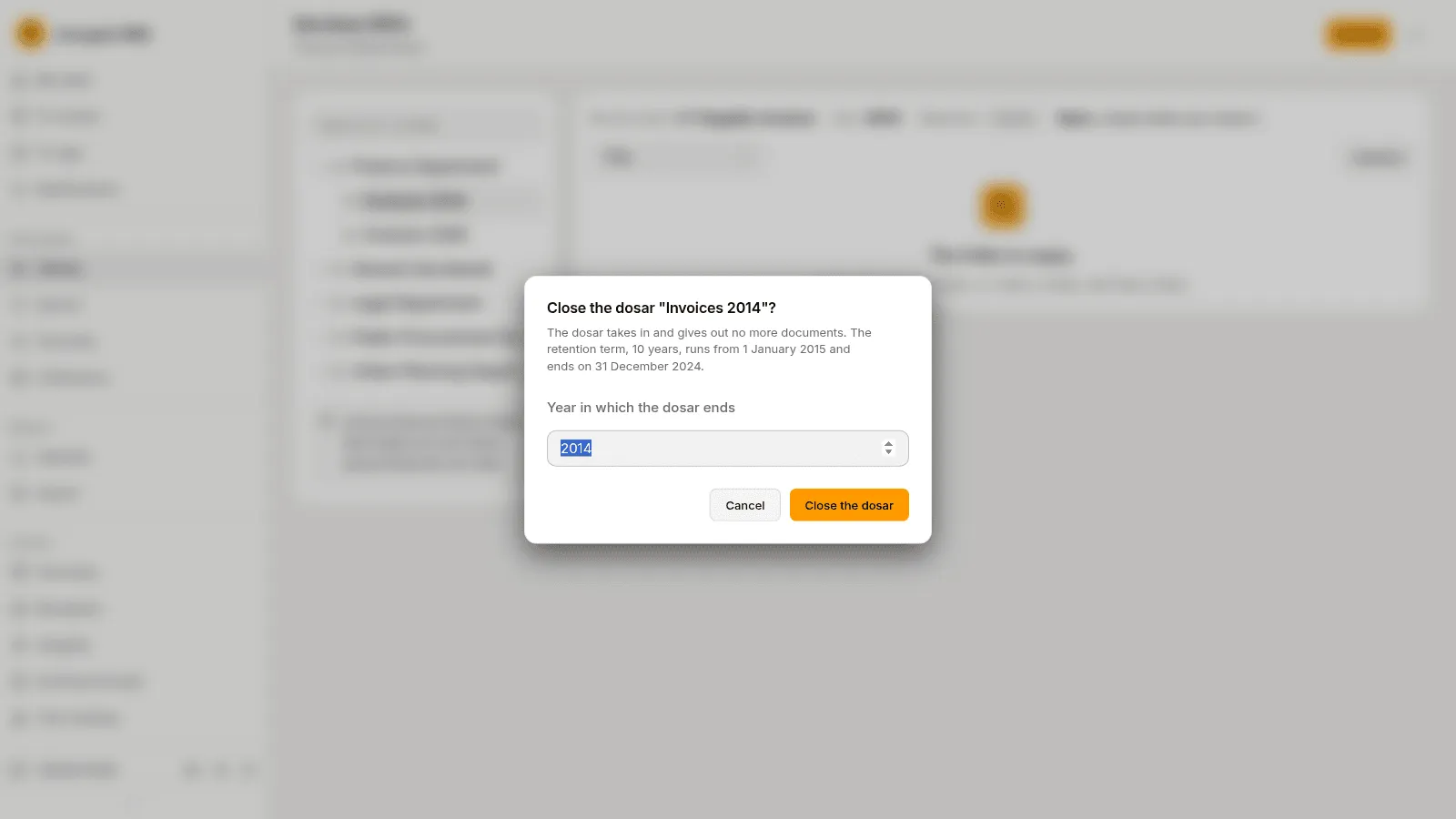
Section titled “1. Close the dosar”A dosar that spans several years is closed by hand. Carmen opens the dosar Invoices 2014, chooses Folder actions › Close the dosar and types the Year in which the dosar ends, 2014. From then on the dosar takes in and gives out no documents, and its retention term runs from the year after.
2. Find the dosare whose term has ended
Section titled “2. Find the dosare whose term has ended”Under Archive › Selection, the Term ended tab lists the closed dosare whose retention term is over. The picture lists three dosare: Petitions 2019 and 2020, and Invoices 2015.
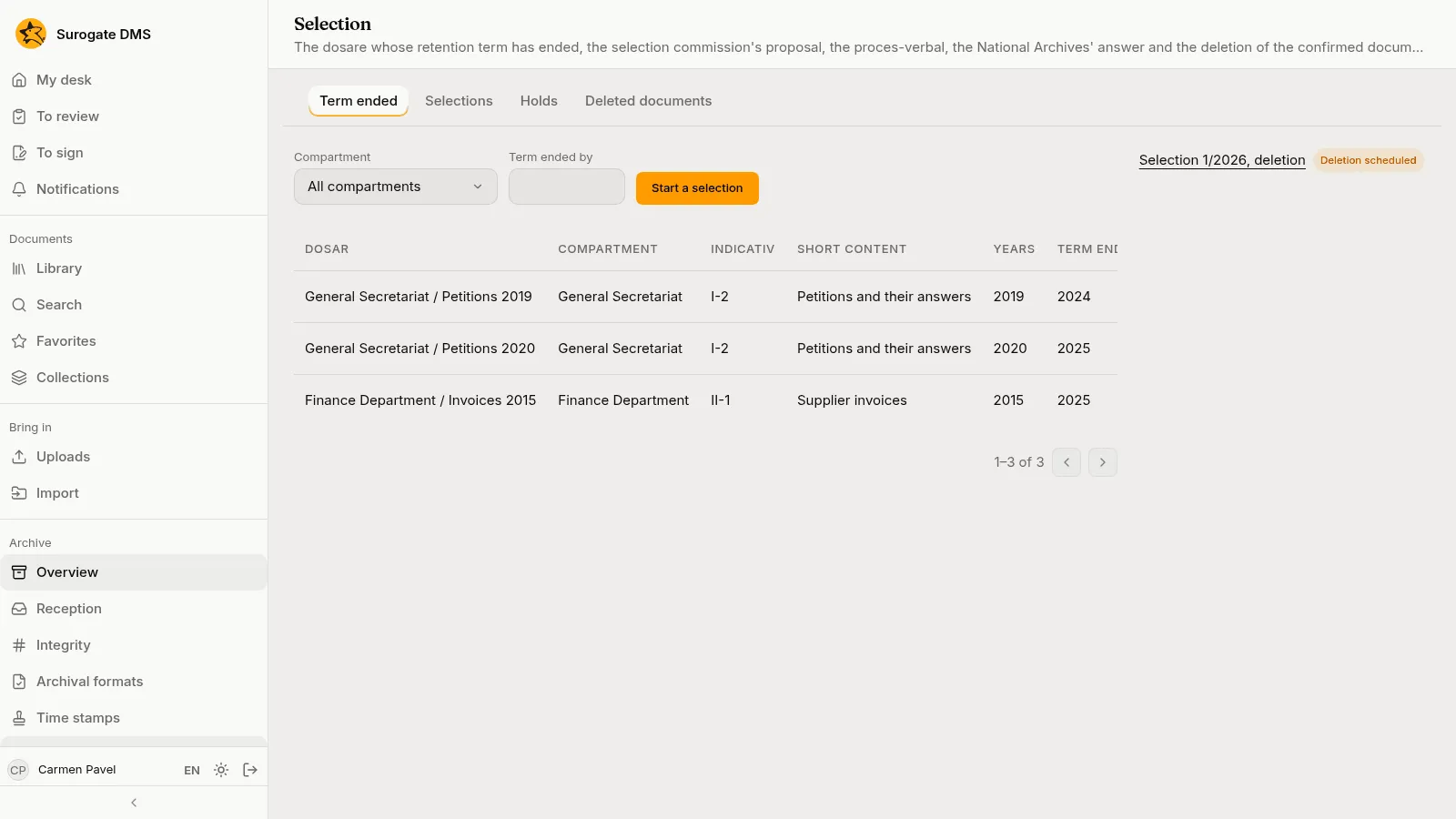
Pressing Start a selection makes a proposal that holds the dosare listed.
3. Work the proposal
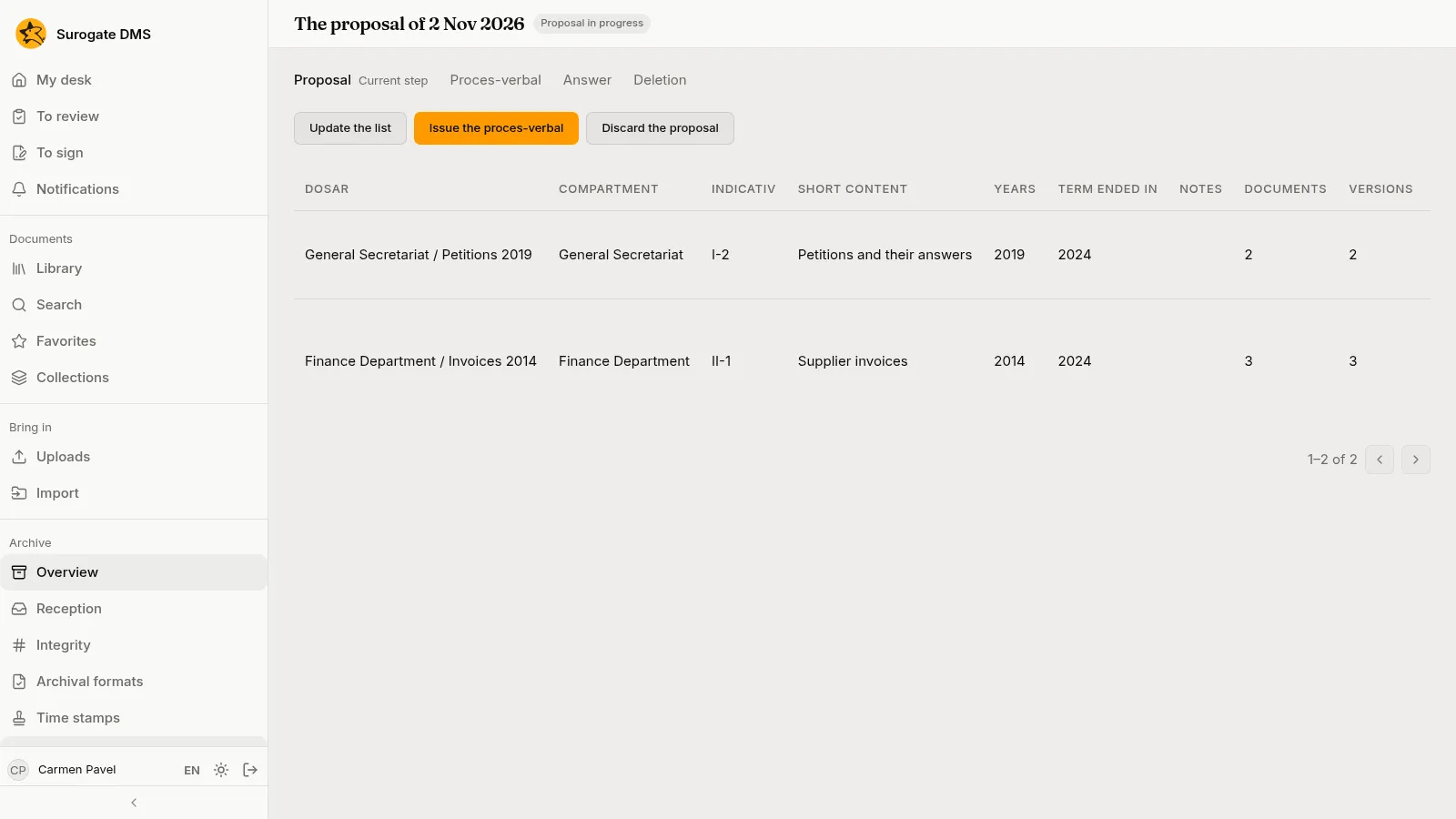
Section titled “3. Work the proposal”The proposal lists each dosar with its entry, years, term and size. For each one Carmen can Leave out (the commission keeps it for now, with a reason) or Propose permanent keeping. She leaves Petitions 2019 out, because the petitions are still needed for an appeal.
4. Issue the proces-verbal
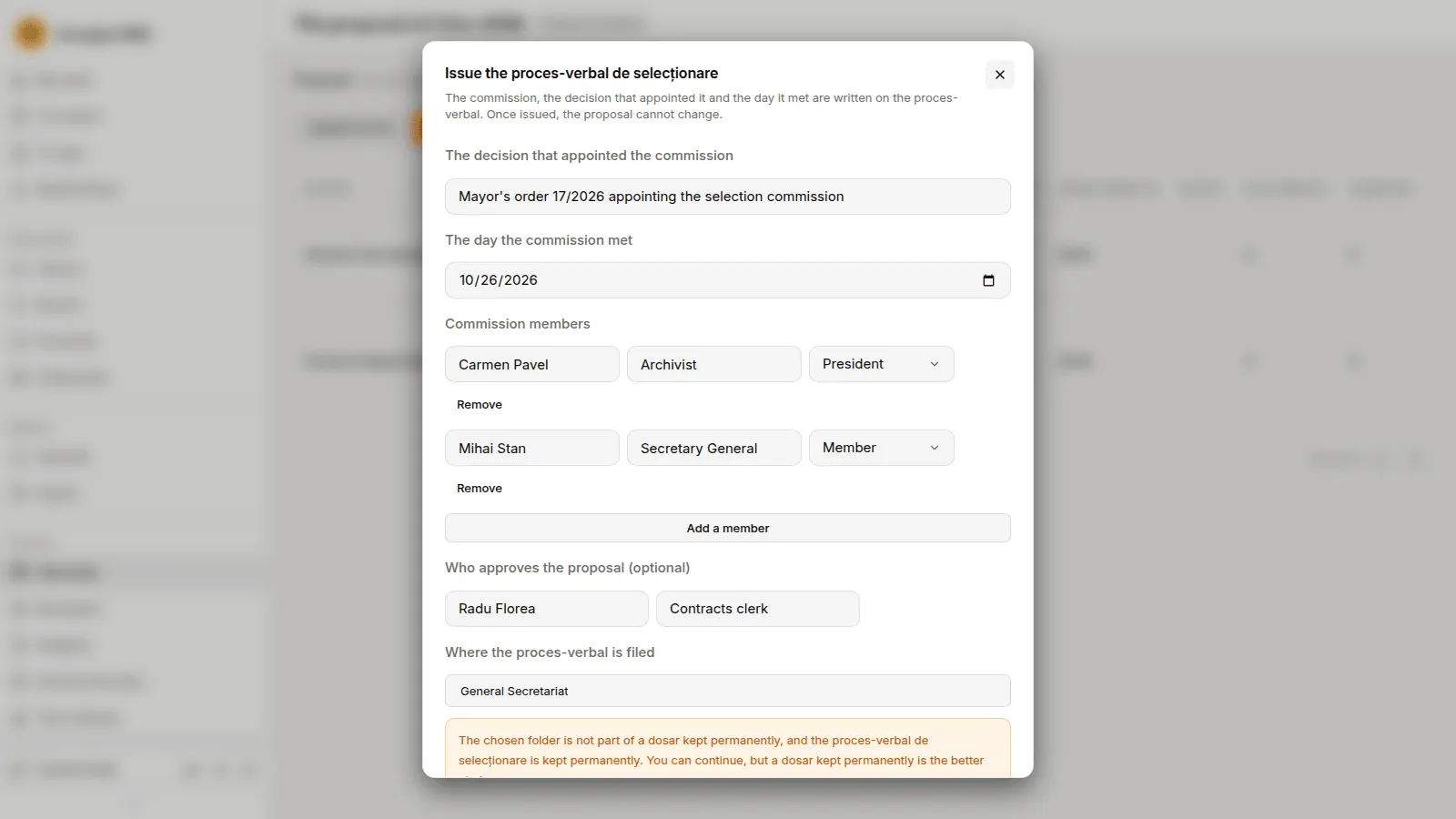
Section titled “4. Issue the proces-verbal”Issue the proces-verbal asks for the decision that appointed the commission, the day the commission met, its members with their roles, who approves the proposal (optional) and the folder where the proces-verbal is filed. Once it is issued the proposal cannot change.
5. Send it and record the answer
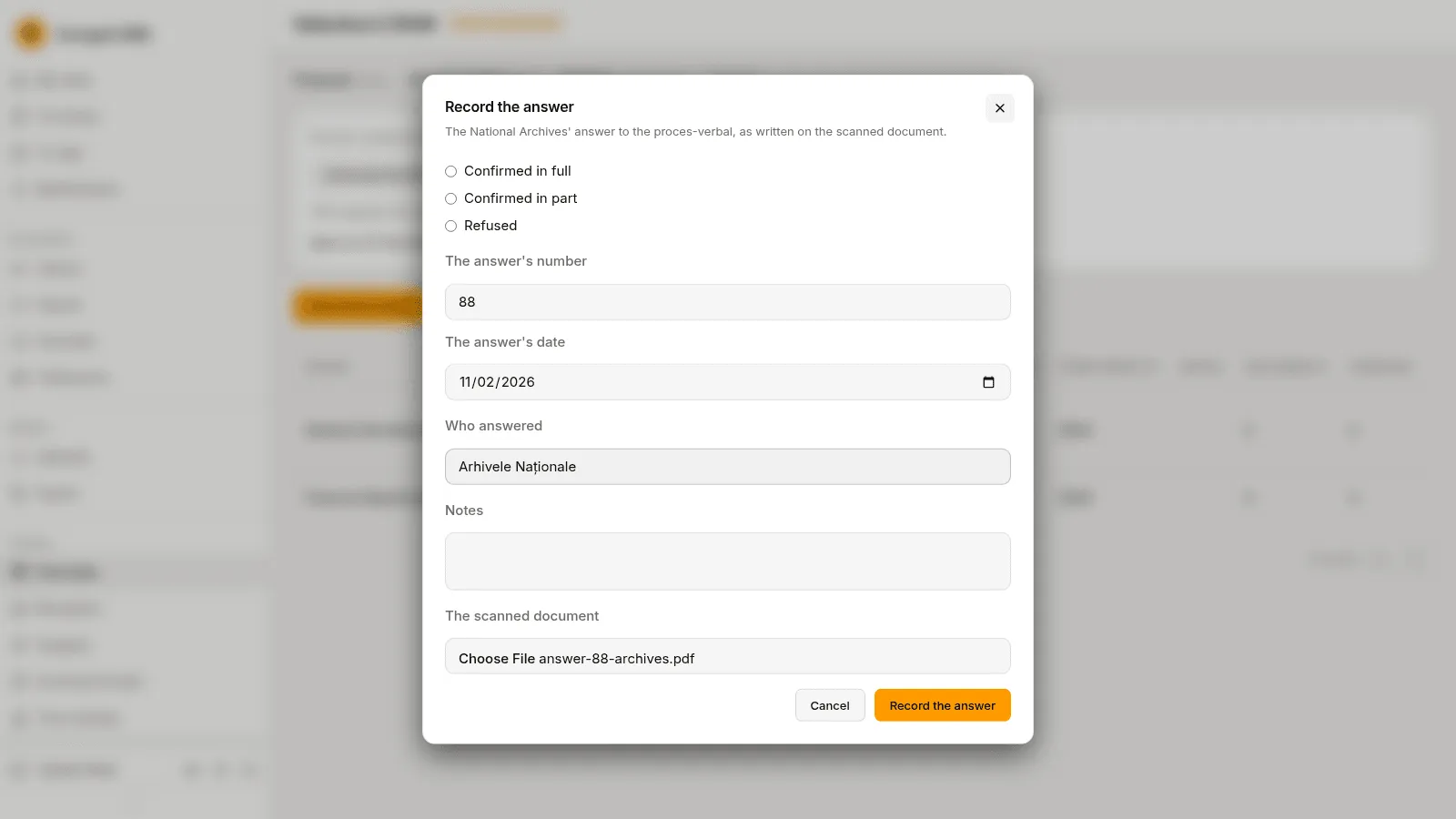
Section titled “5. Send it and record the answer”Mark as sent records the day the proces-verbal went to the National Archives and a registration number. When the answer comes, Record the answer: confirmed in full, in part or refused, the answer’s number and date, who answered and the scanned document.
6. Schedule the deletion
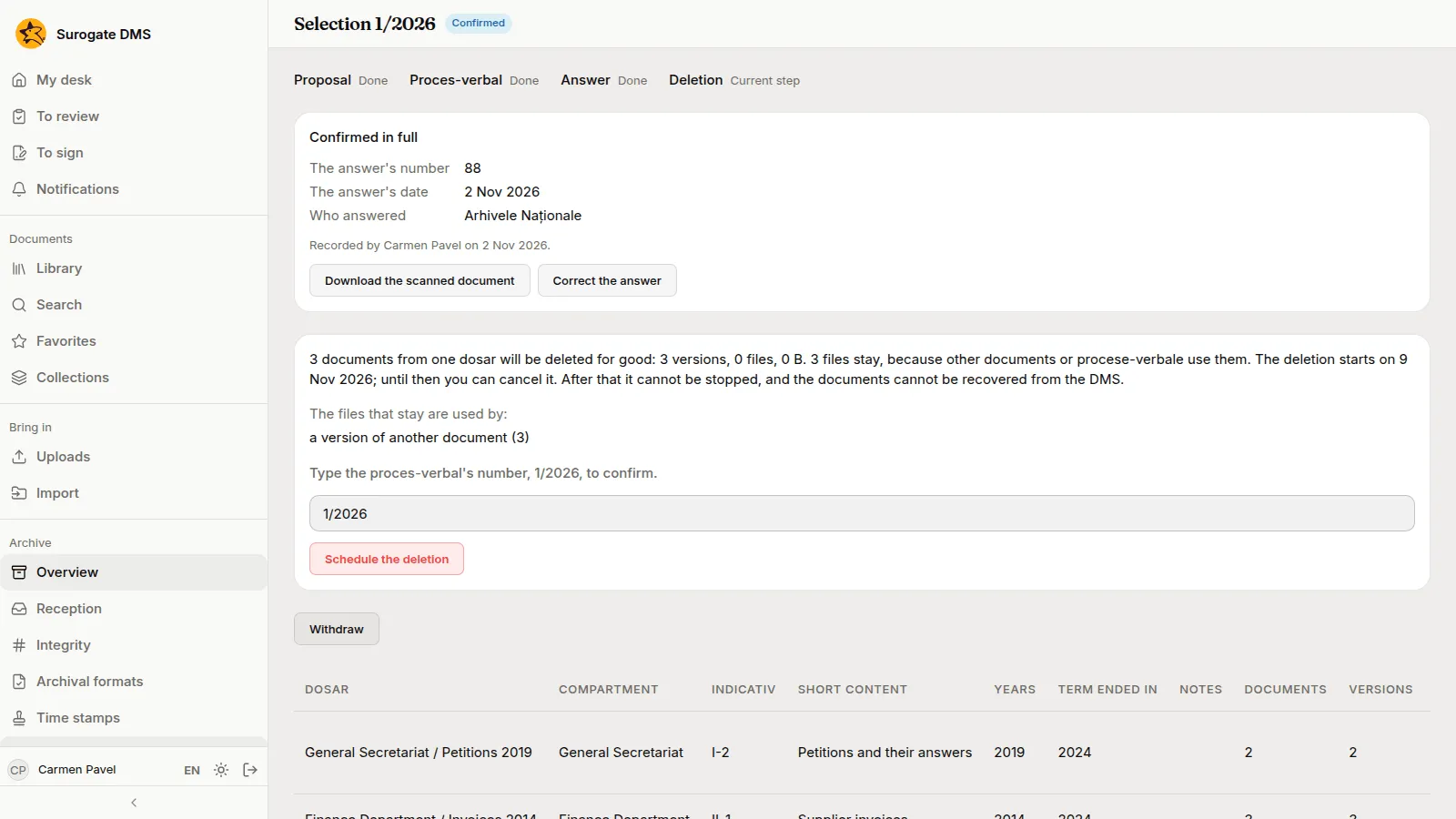
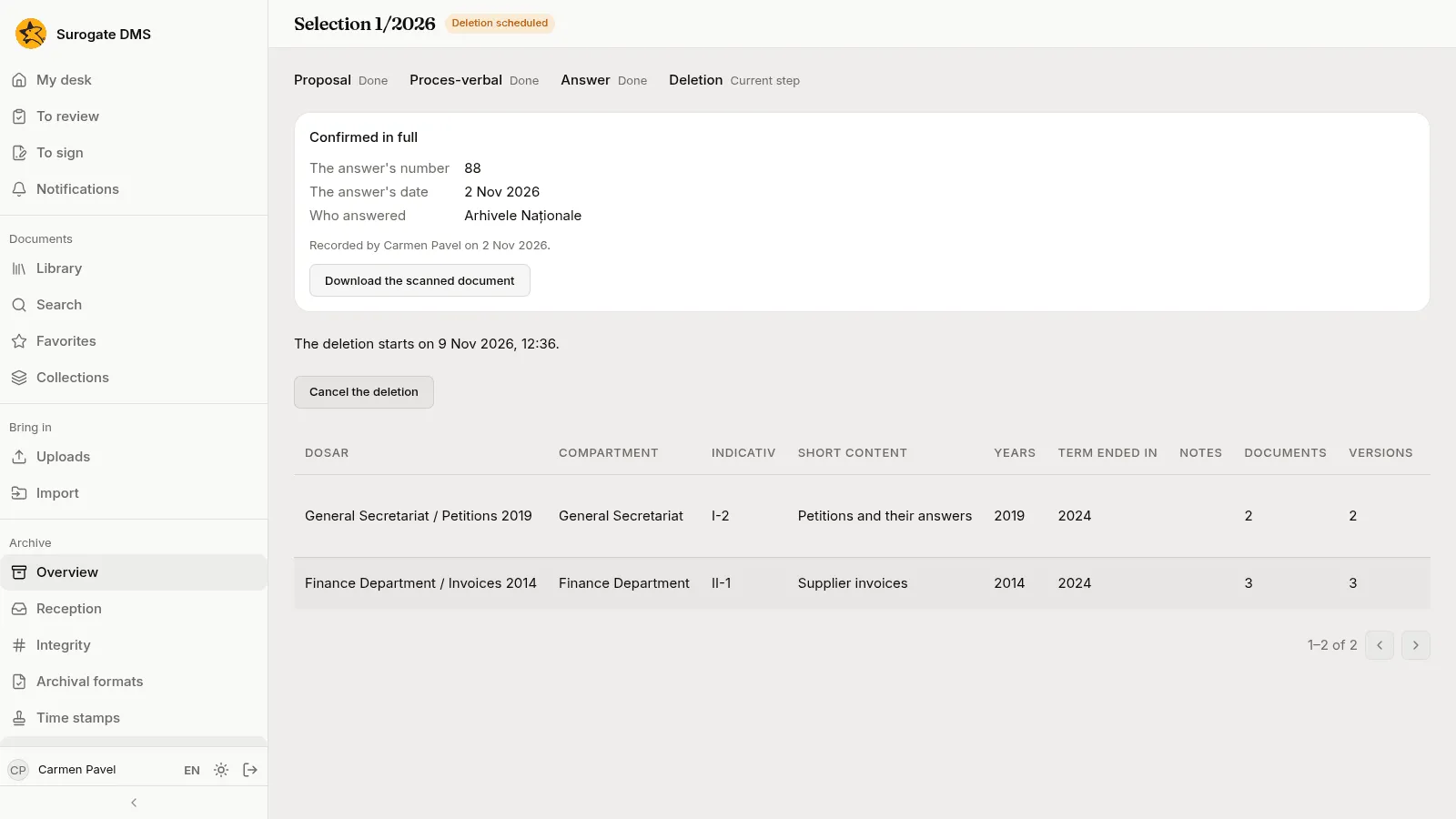
Section titled “6. Schedule the deletion”For a confirmed answer the page says how many documents will be deleted for good and asks you to type the proces-verbal’s number. Schedule the deletion starts a delay of seven days, during which Cancel the deletion is available.
Part 2: hand a permanent dosar over
Section titled “Part 2: hand a permanent dosar over”7. Start the handover
Section titled “7. Start the handover”Under Archive › Handover, the Permanent dosare tab lists the permanent dosare that can be handed over, with the year their handover is due.
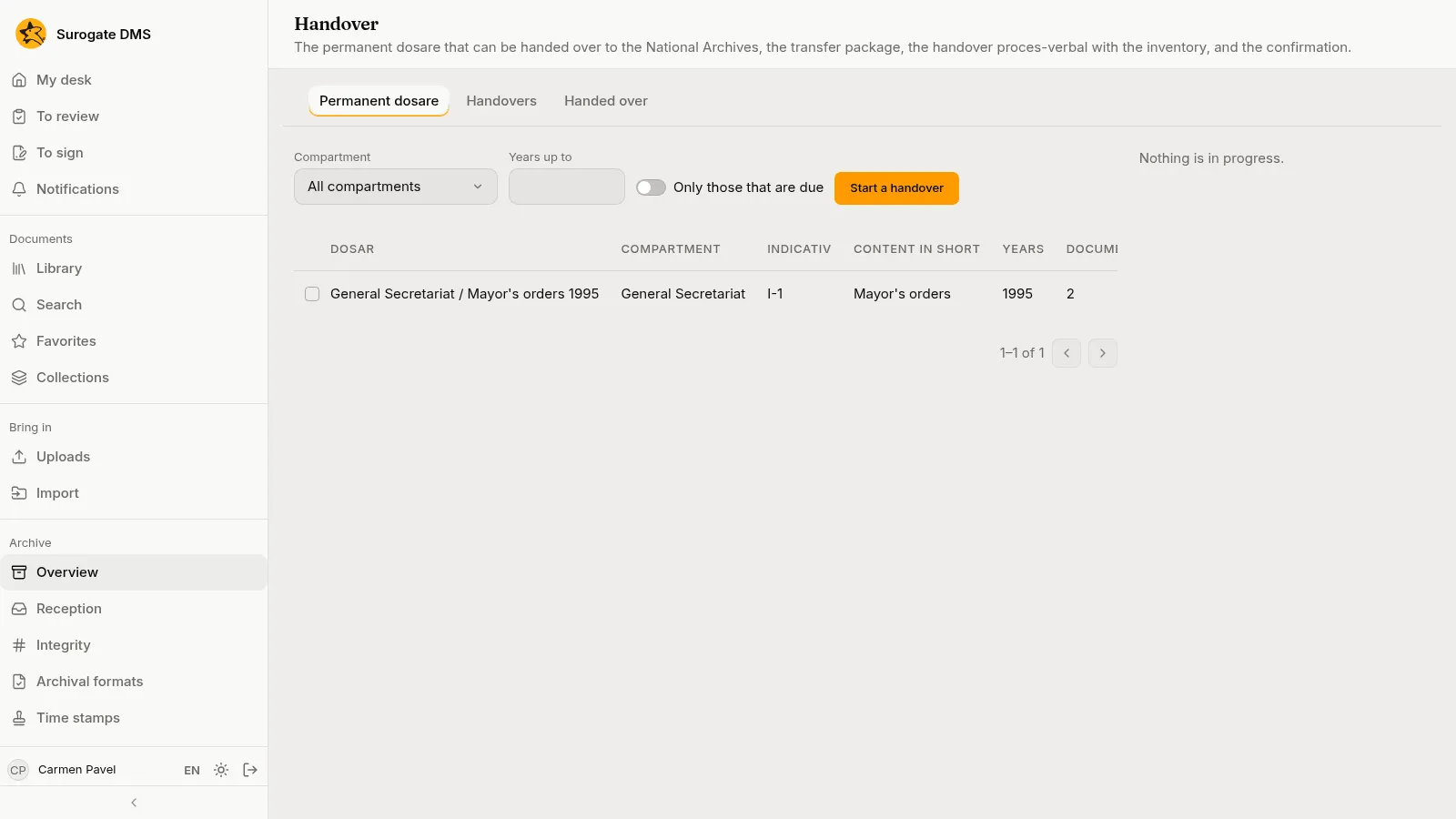
Carmen ticks the dosar and presses Start a handover. The proposal checks the dosare and tells her what to know before the handover.
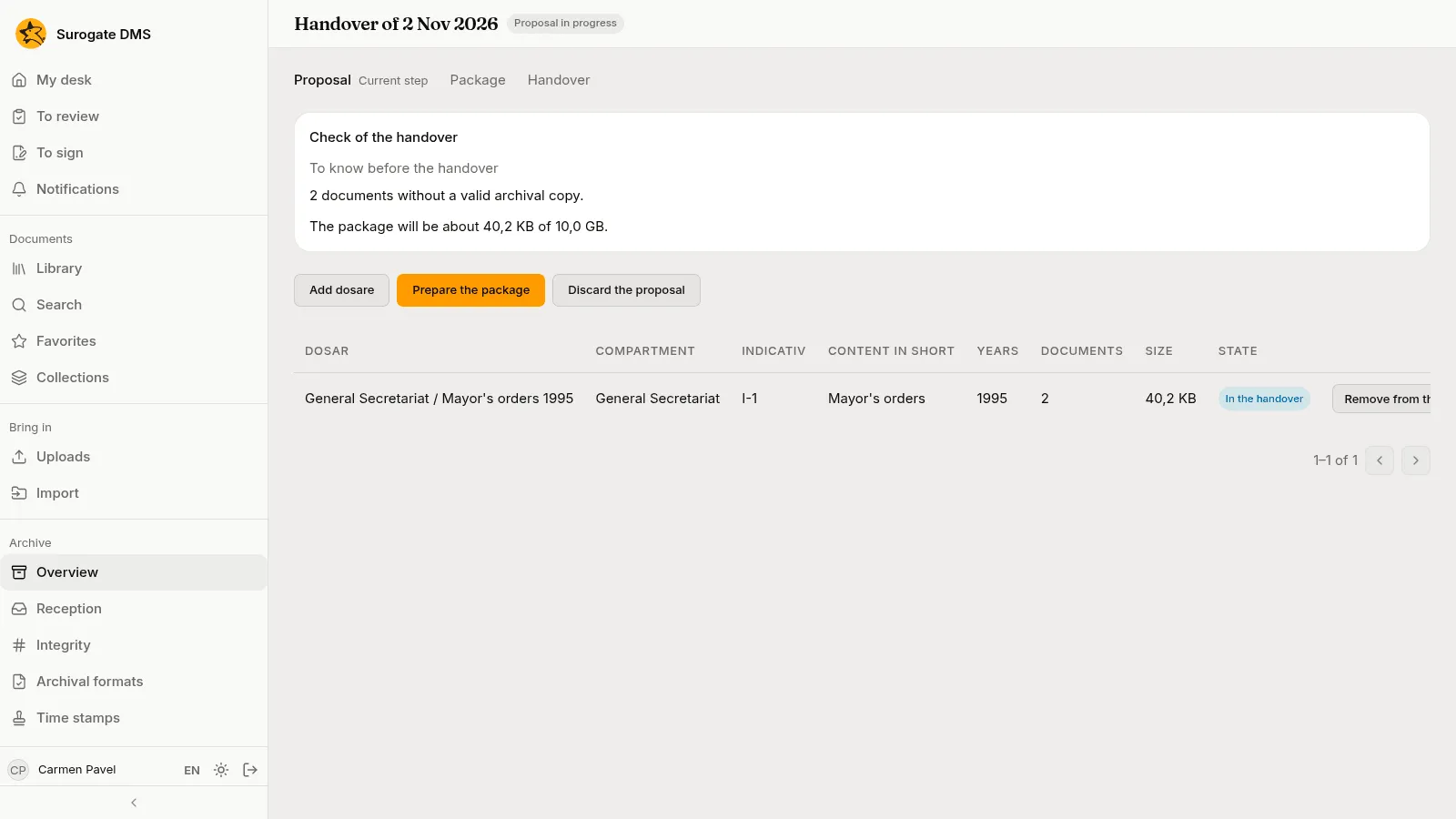
8. Prepare the package
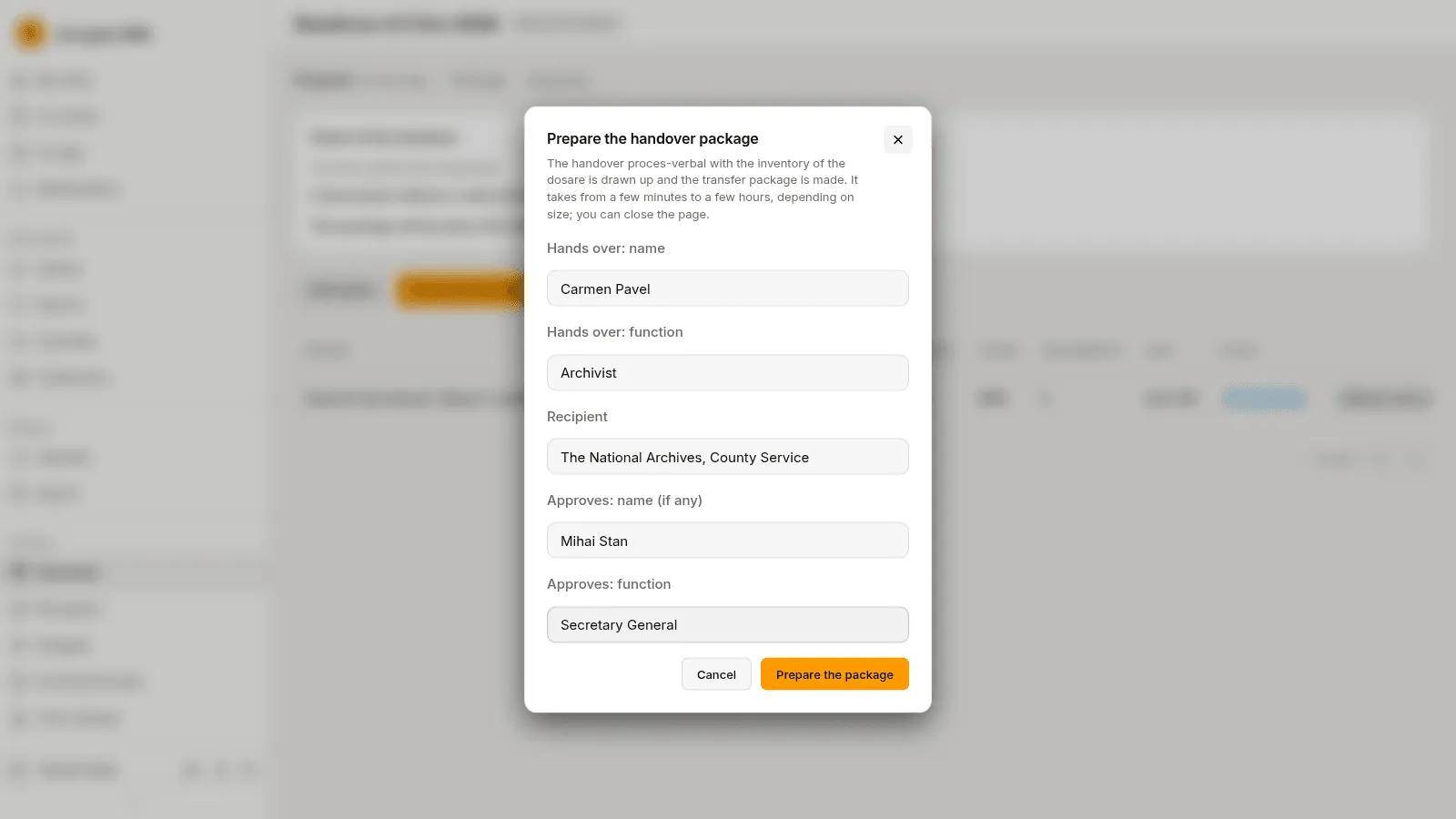
Section titled “8. Prepare the package”Prepare the package asks who hands over, the recipient and who approves. The DMS draws up the handover proces-verbal with the inventory and makes the transfer package; this takes from a few minutes to a few hours, and you can close the page.
When it is done the page shows “Package ready”, with Download the package and Record the confirmation.
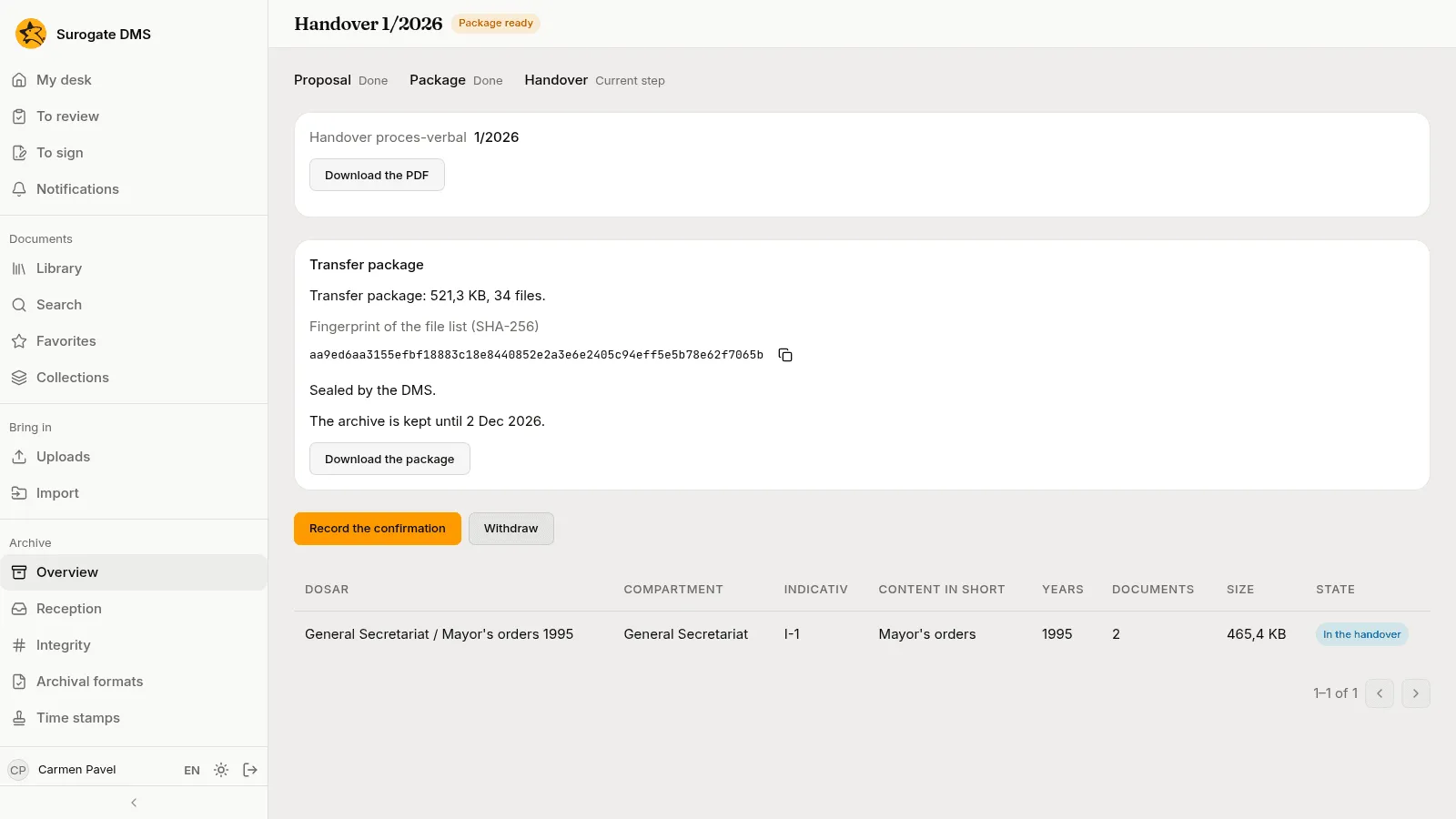
9. Record the confirmation
Section titled “9. Record the confirmation”When the National Archives confirm, Carmen presses Record the confirmation: received in full, in part or refused, the signed proces-verbal’s number and date, who received and its scan.
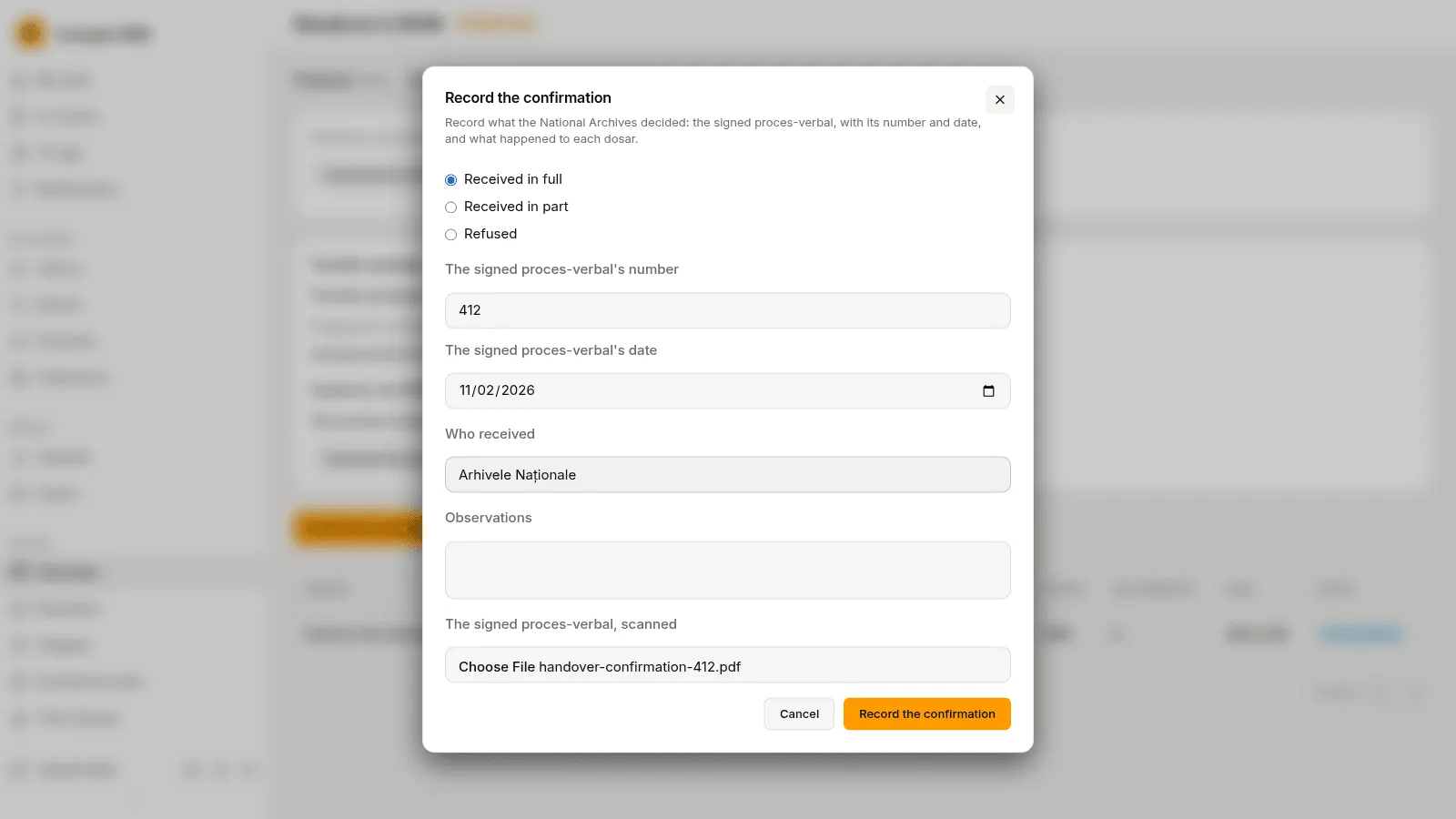
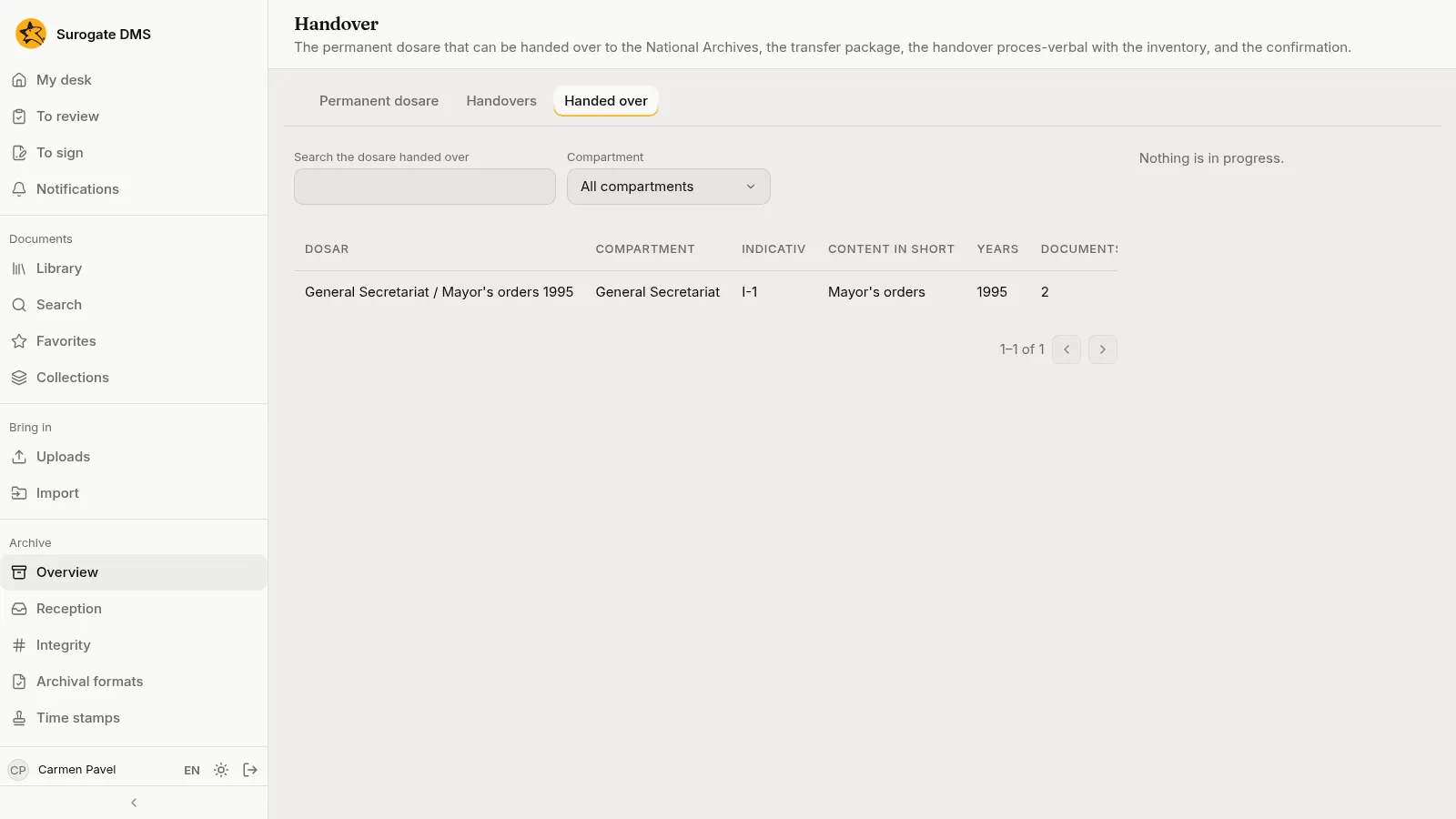
The dosar moves to the Handed over tab.