The audit log
For auditors and administrators who consult the audit log: what it records, how to filter and export it, and how to prepare an investigation bundle.
What it records
Section titled “What it records”The log records actions on documents (opening, downloading, changing, moving, signing, deleting), searches, administration and the DMS’s own work such as building a package. Each line has a date, the person and their roles, the action, the target and the result: Succeeded, Refused or Failed. Actions of the DMS itself show the system as the person. What you type into a search is kept for 12 months; the text of the search is not kept after the month is archived.
Entries
Section titled “Entries”Administration › Audit log opens on the Entries tab. Filter by Person, by the start of the Action, by Result, by From and Until dates, by Role, by Unit (with its sub-units), by Kind of target and Target id, by actions Through a service account, or by Text in the details. A search of the text covers at most 31 days. Filter applies them and Reset the filters clears them.
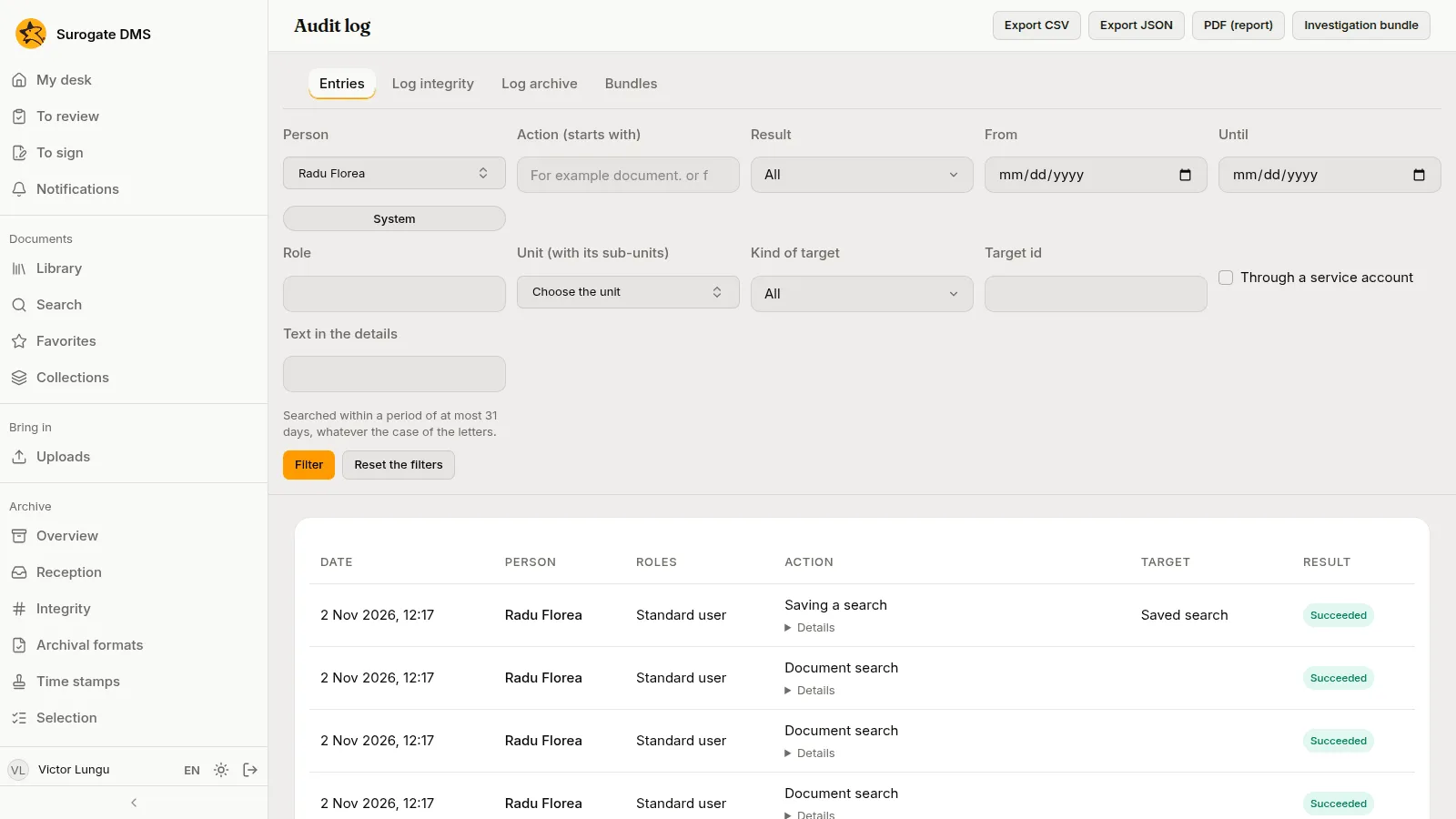
Each line has Details with the values that changed. Export CSV, Export JSON and PDF (report) save what the filters show.
Other tabs
Section titled “Other tabs”- Log integrity shows whether the log’s checks found a mismatch.
- Log archive lists the months of the log that were archived.
- Bundles lists the investigation bundles prepared.
Investigation bundle
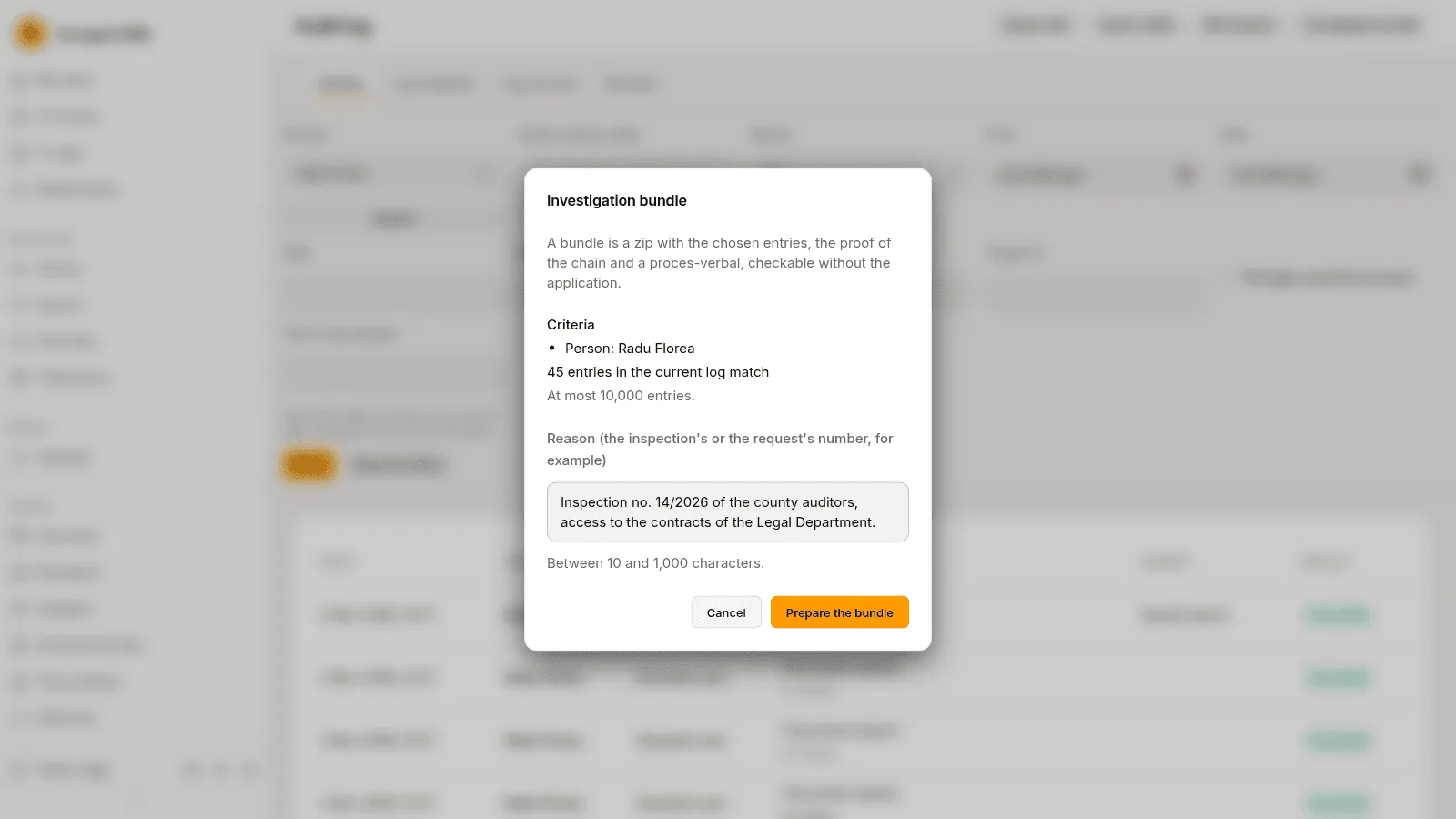
Section titled “Investigation bundle”Investigation bundle prepares a zip with the entries that match your filters (at most 10,000), the proof that the log was not altered and a proces-verbal, which an inspector can check without the application. Write the Reason, such as the inspection’s or the request’s number, between 10 and 1,000 characters, and press Prepare the bundle.
A document’s own log
Section titled “A document’s own log”A document’s last tab, Audit log, shows the entries about that document to people who may consult the log.