Folders and dosare
For administrators who manage folders: making the root folders of the library and the dosare inside them, setting a dosar’s entry, and closing and reopening dosare. Library folders belong to units; their dosare carry the retention terms.
The Folders page
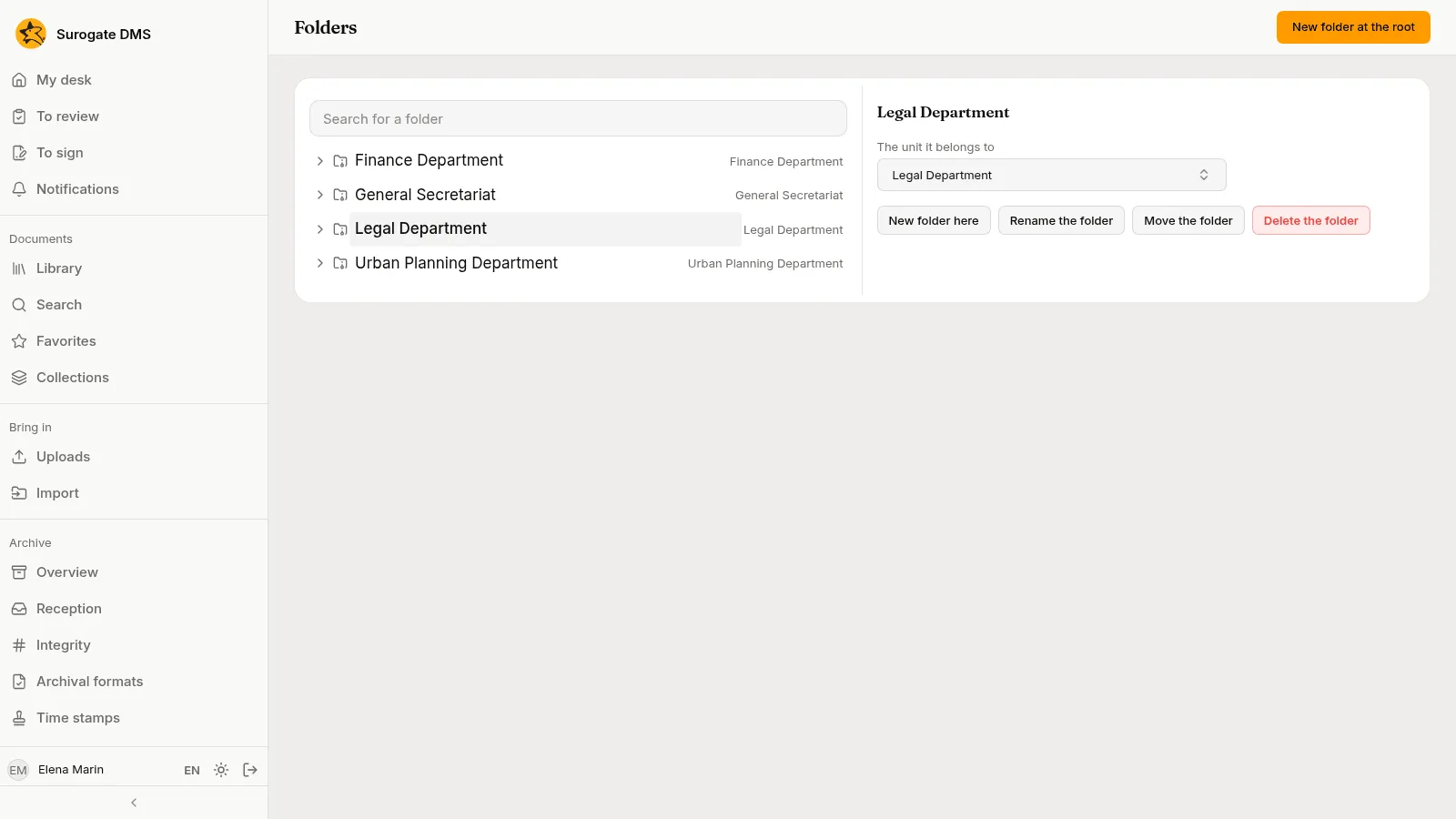
Section titled “The Folders page”Administration › Folders shows the tree of library folders on the left. Choose a folder and the panel The chosen folder shows the unit it belongs to and the buttons New folder here, Rename the folder, Move the folder and Delete the folder.
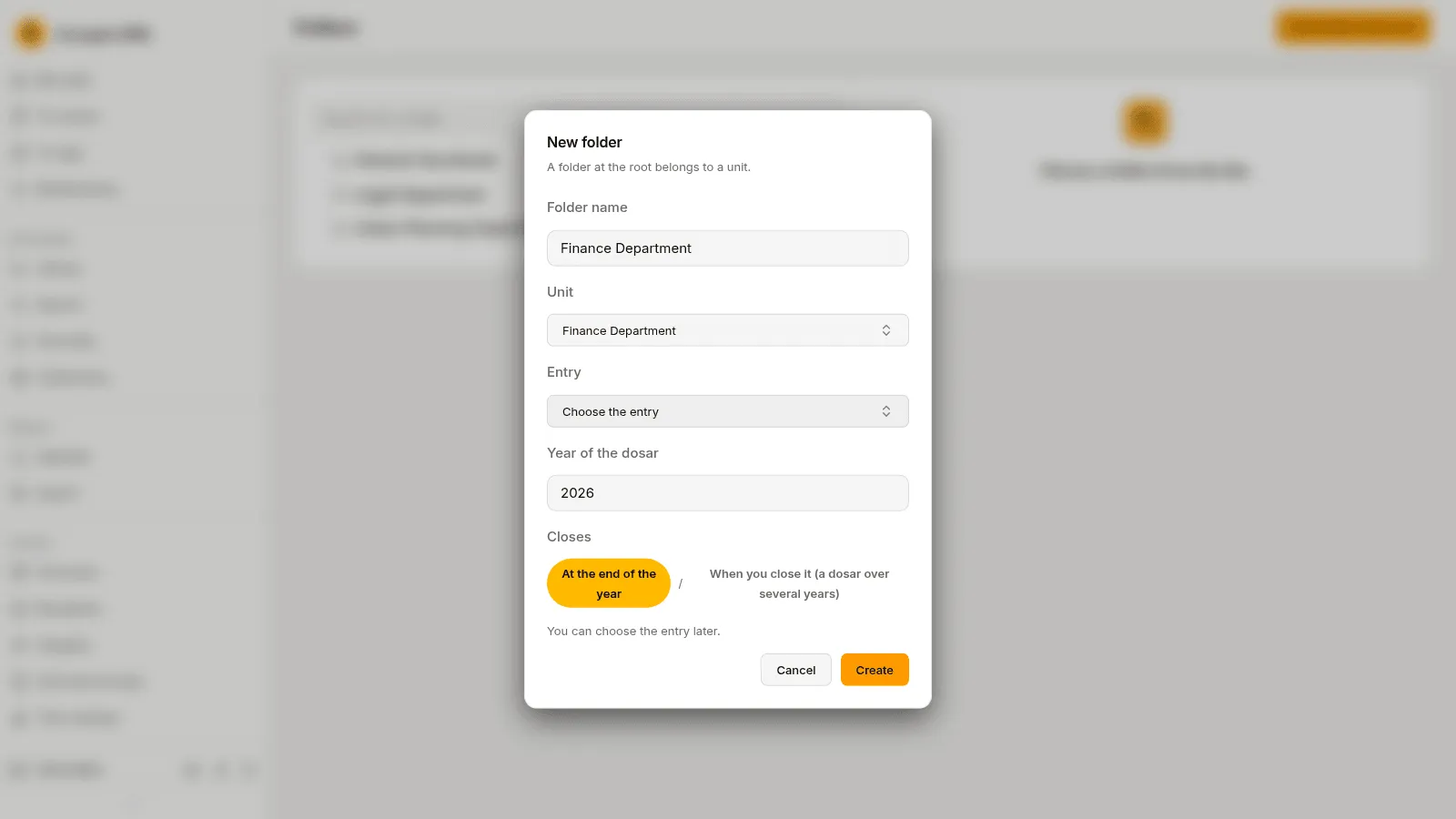
New folder at the root makes a folder at the top level. A folder at the root belongs to a unit: choose it under Unit. Inside a library folder you make dosare: give the Folder name, choose the Entry of the nomenclator, the Year of the dosar and when it Closes. You can leave the entry for later.
A dosar’s entry
Section titled “A dosar’s entry”On a folder’s page in the library, Folder actions › Choose the nomenclator entry (or Change the nomenclator entry) sets the dosar’s entry. Entry lists the entries of the edition in force, Year of the dosar is its year, and Closes is At the end of the year (a yearly dosar) or When you close it (a dosar over several years).
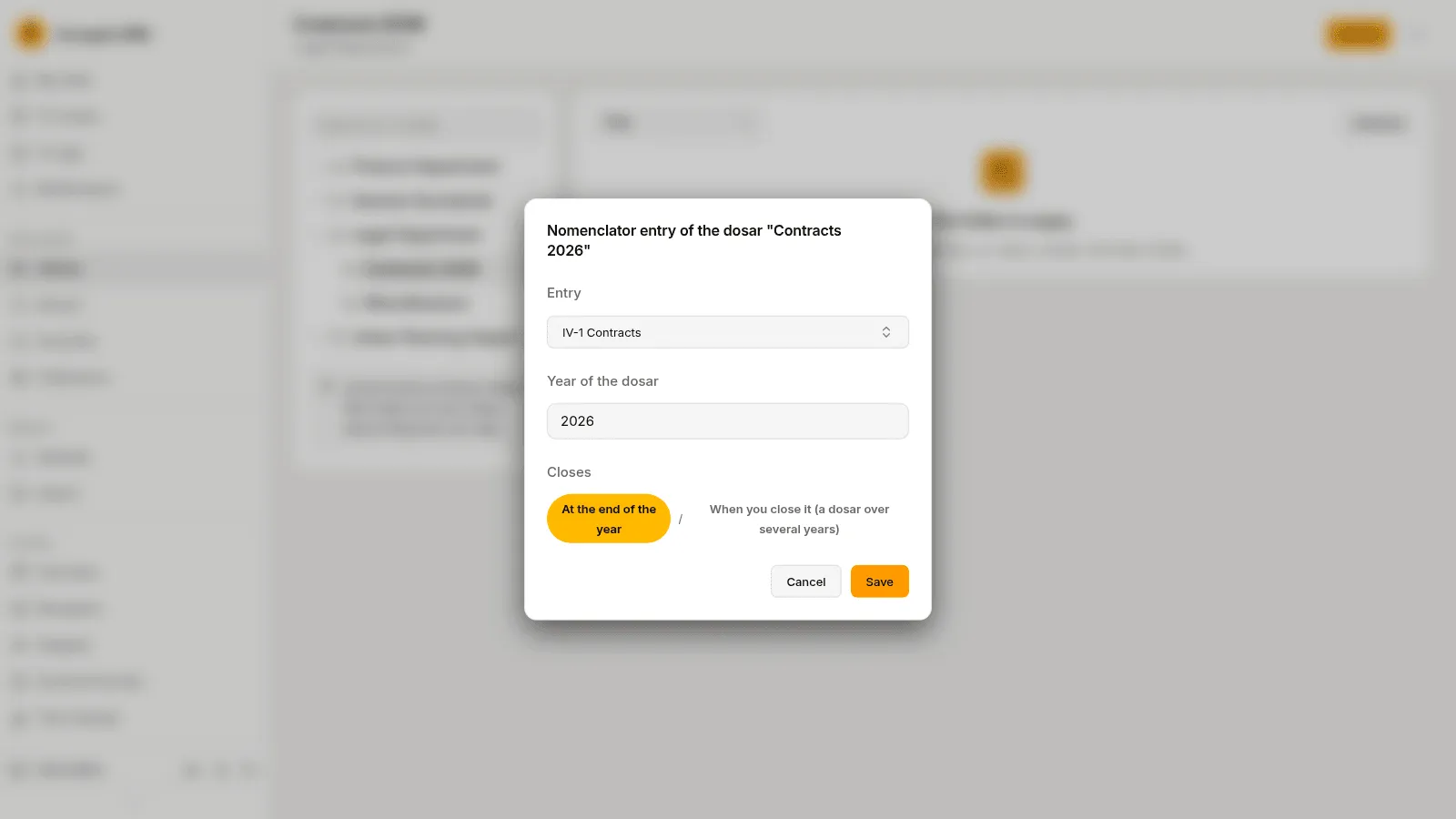
A dosar’s entry gives its documents their retention term. Documents in a folder without an entry have no term yet; the Archive overview lists such dosare.
Close and reopen a dosar
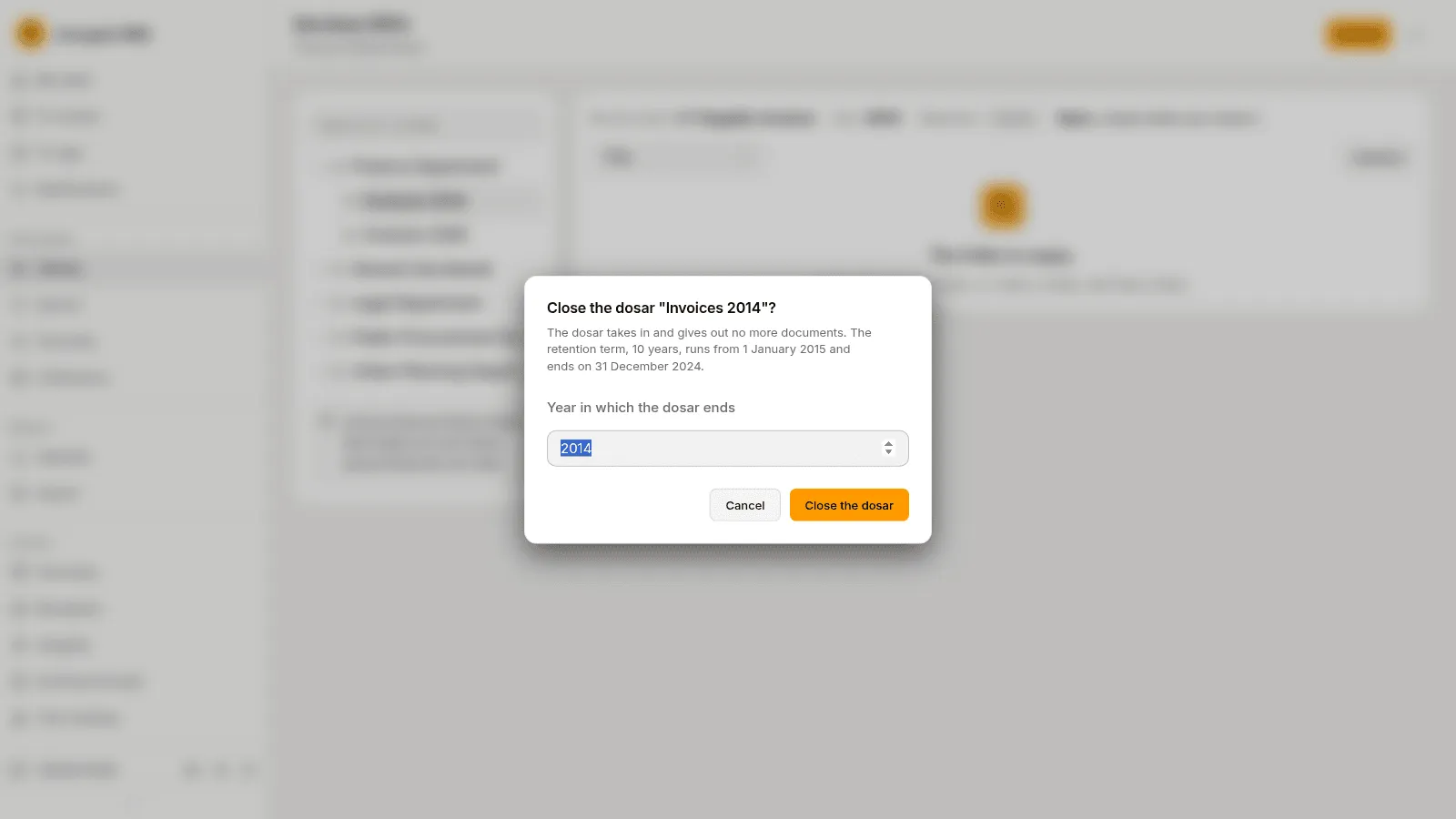
Section titled “Close and reopen a dosar”A yearly dosar closes by itself at the end of its year. A dosar over several years is closed by hand: Folder actions › Close the dosar, and type the Year in which the dosar ends. A closed dosar takes in and gives out no documents, and its retention term runs from the year after its end year.
Reopen the dosar asks Why you reopen it and opens the dosar again; until you close it again its term has no end year.
Open next year’s dosare
Section titled “Open next year’s dosare”On the Nomenclator page, The dosare of {year} makes the yearly dosare of the next year from those of this year, with their entry from the edition in force, and Open the dosare of {year} does it. Document types with a default folder move to the new dosar on 1 January.