Handover to the National Archives
For archivists: handing the dosare kept permanently over to the National Archives: which are due, the proposal, the package, the confirmation and what follows.
Which dosare are listed
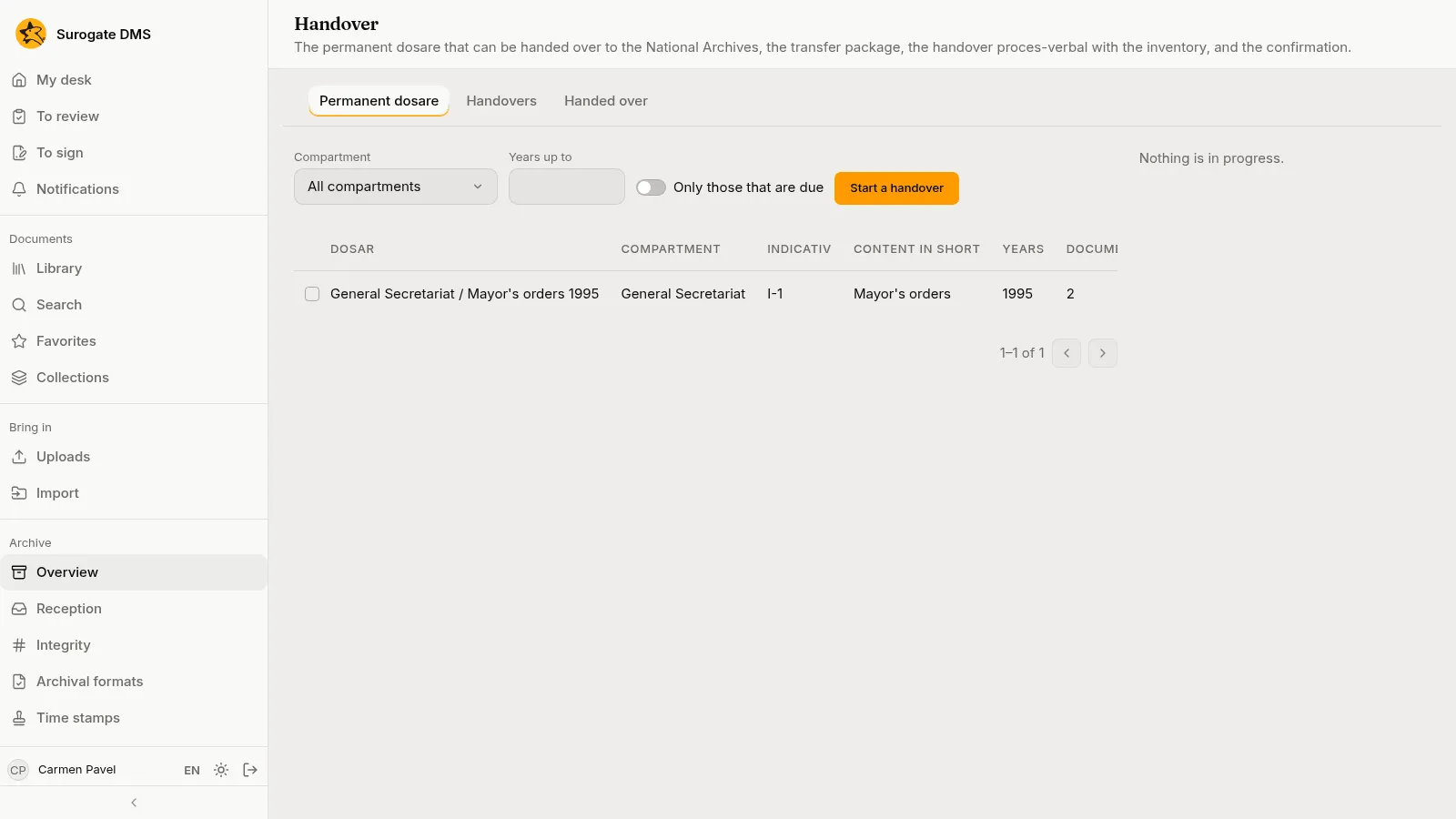
Section titled “Which dosare are listed”Archive › Handover has three tabs: Permanent dosare, Handovers and Handed over. The first lists the dosare kept permanently that can be handed over, with their years, documents, size and the year their handover is due, and Only those that are due narrows the list.
The steps
Section titled “The steps”Tick the dosare and press Start a handover. A handover has three steps: Proposal, Package and Handover.
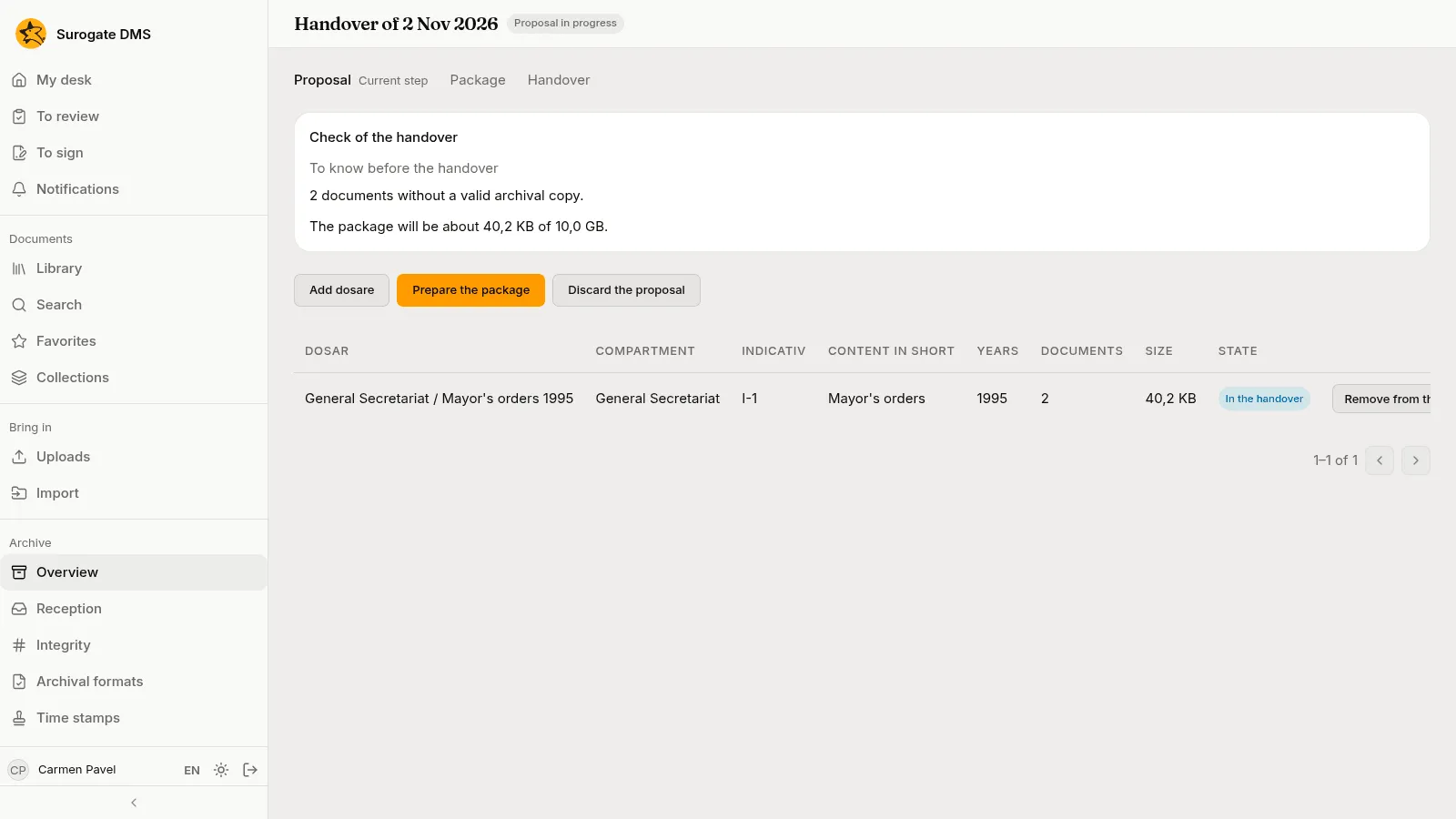
- Proposal. The page lists the dosare, with Add dosare and Remove from the handover. The Check of the handover says what stands in the way of the package (a file in quarantine, a held dosar, documents you may not read) and what to know before it (documents without a valid archival copy, a time stamp or a valid signature). Prepare the package continues; Discard the proposal drops the handover.
- Package. Prepare the package asks who hands over, the recipient and who approves. The DMS draws up the handover proces-verbal with the inventory of the dosare and makes the transfer package; this takes from a few minutes to a few hours and you can close the page.
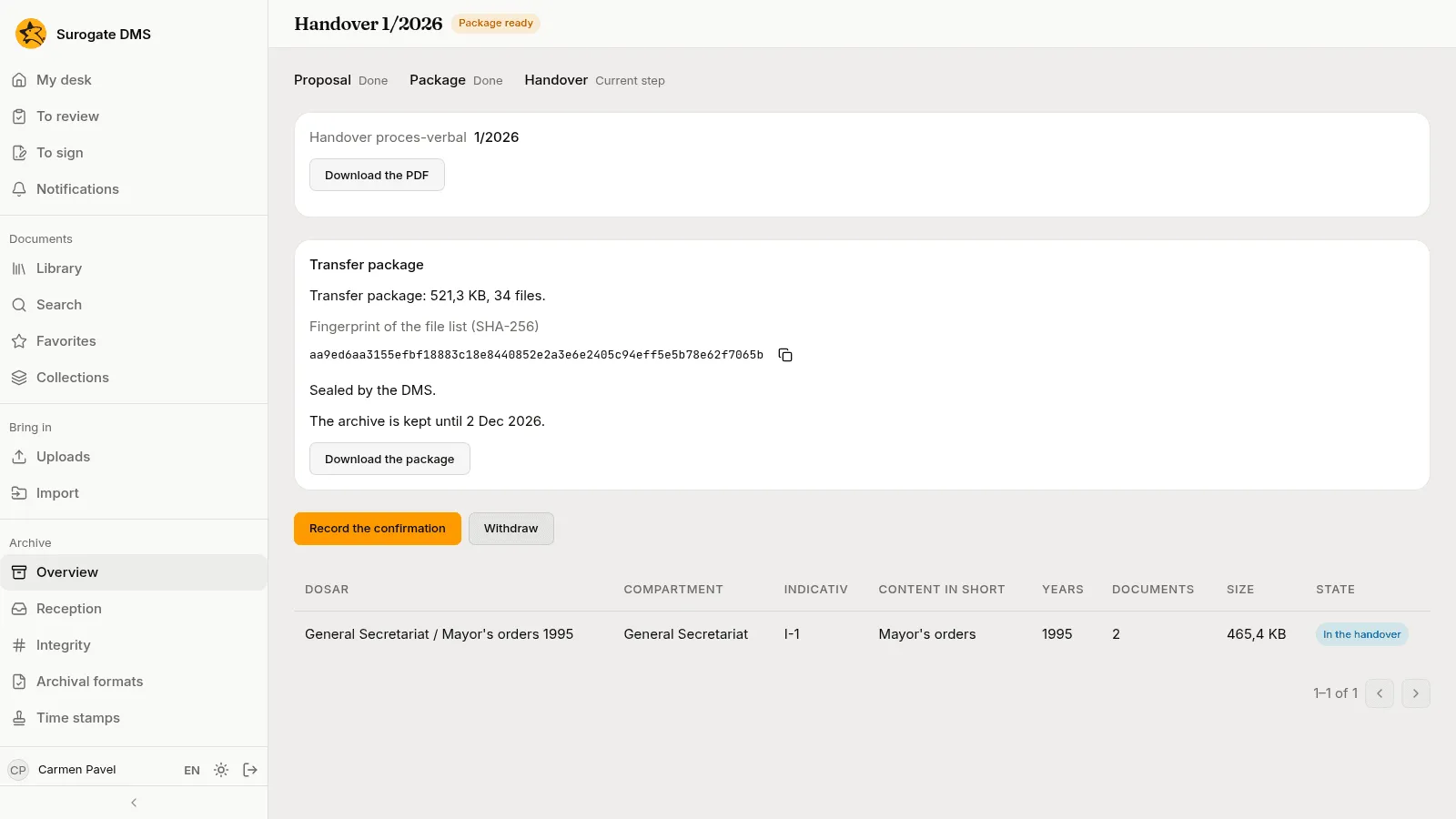
- Handover. When the page says “Package ready”, download the proces-verbal and the package, hand them over, and press Record the confirmation.
Record the confirmation
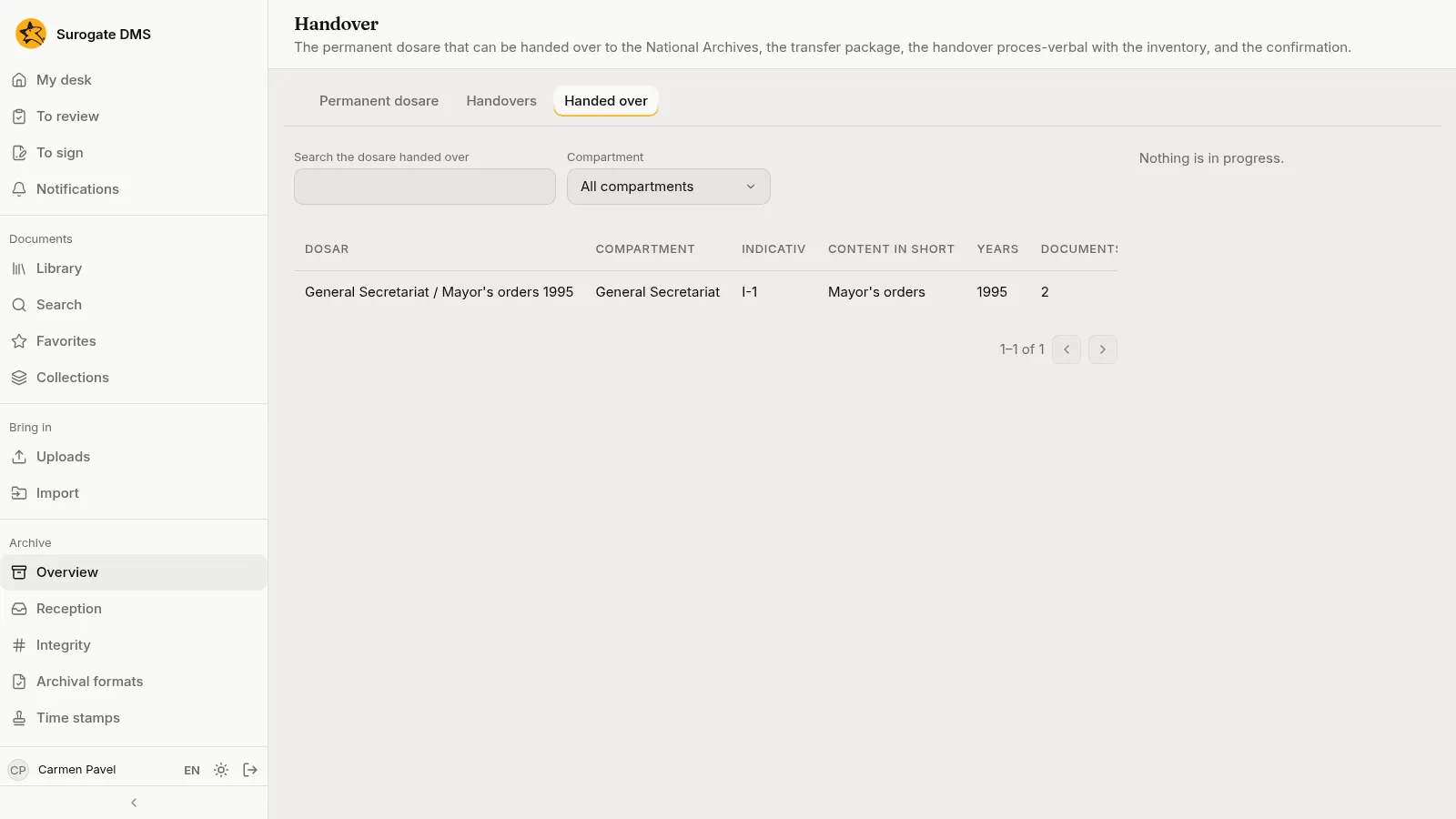
Section titled “Record the confirmation”Record the confirmation asks what the National Archives decided: received in full, in part or refused, the signed proces-verbal’s number and date, who received and the scan. The dosar then moves to the Handed over tab, where you can search it.
The evidence package and the export of a dosar
Section titled “The evidence package and the export of a dosar”Export the dosar on a folder’s Folder actions menu prepares a copy of a dosar to download. A document’s Versions tab has an Evidence package for each version.