The life of a document
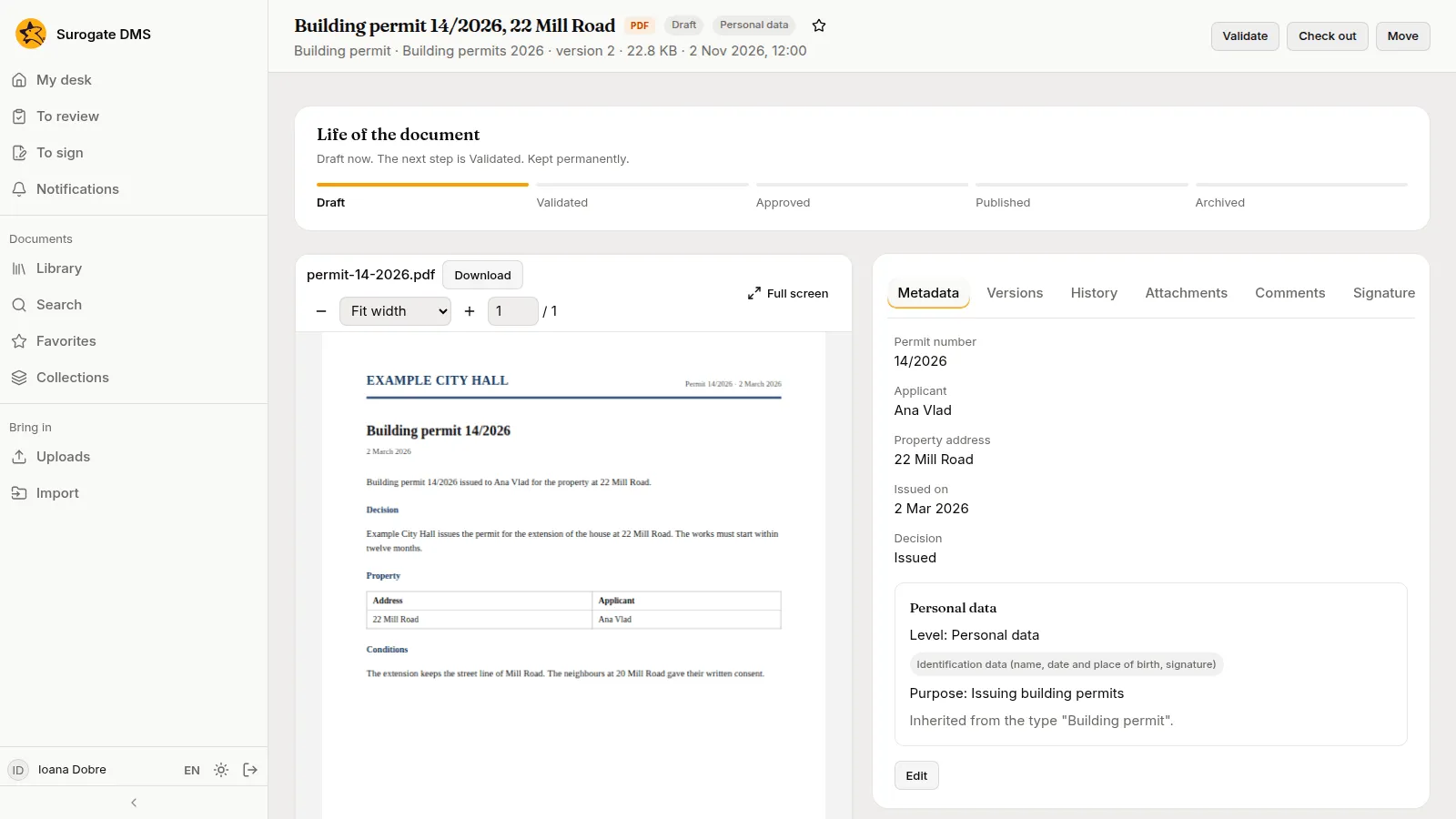
For everyone: the five states a document passes through, the button for each step and who holds it. A person moves a document on by hand; nothing routes it to someone.
The states
Section titled “The states”| State | Meaning |
|---|---|
| Draft | Where every new document starts. Its content can change. |
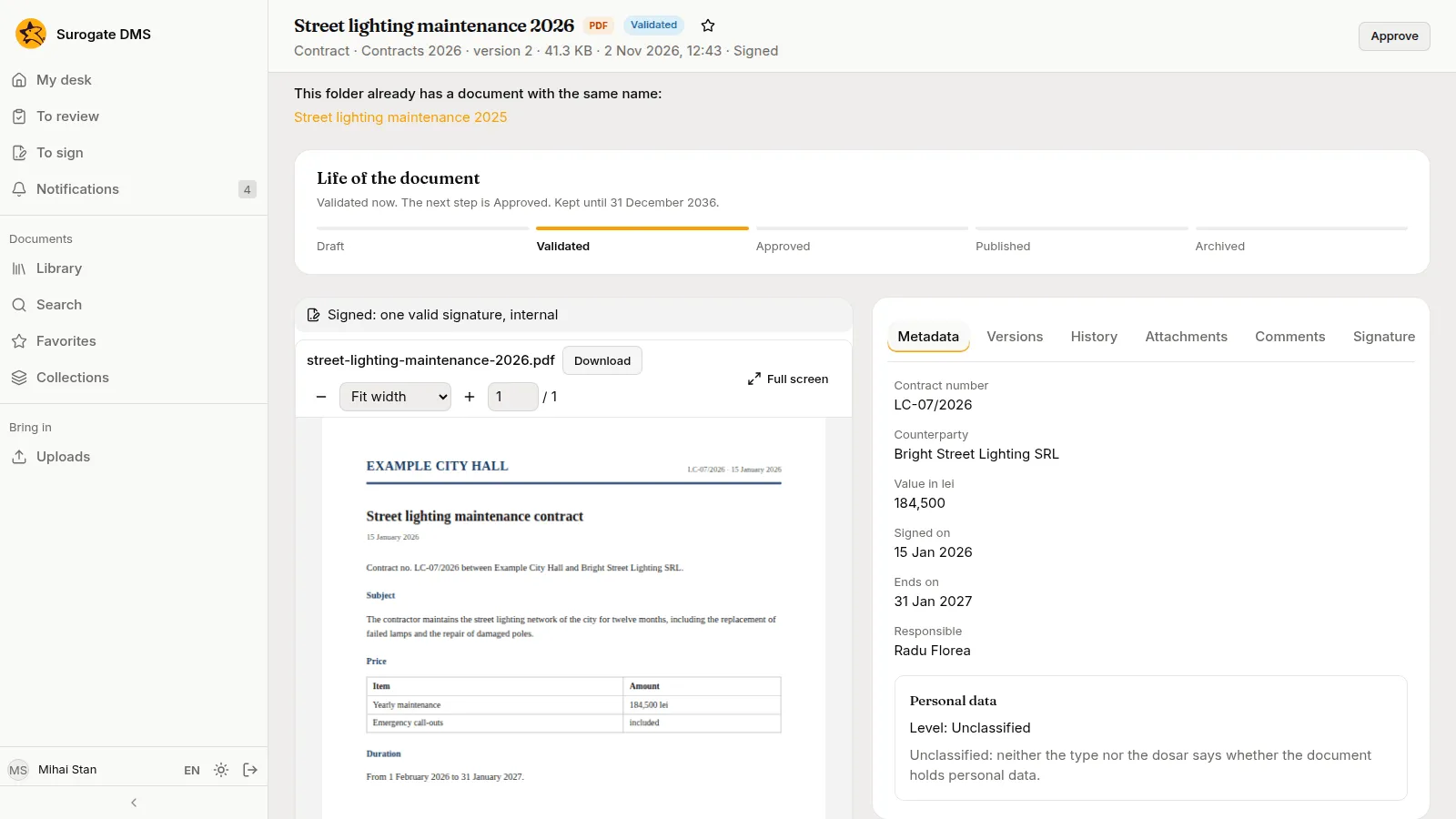
| Validated | Someone has checked that the type and the metadata are complete. Its content can still change. |
| Approved | Someone with the right has approved it. Its content is fixed. |
| Published | Released for use. Its content is fixed. |
| Archived | Closed. Its content, metadata and place are fixed; people can still comment on it. |
The card Life of the document on the document page shows the state, what the next step is and how long the document is kept.
The steps
Section titled “The steps”| From | To | Button | Held by default by |
|---|---|---|---|
| Draft | Validated | Validate | Standard user, Electronic archivist, Archive administrator |
| Validated | Approved | Approve | Electronic archivist, Archive administrator |
| Approved | Published | Publish | Electronic archivist, Archive administrator |
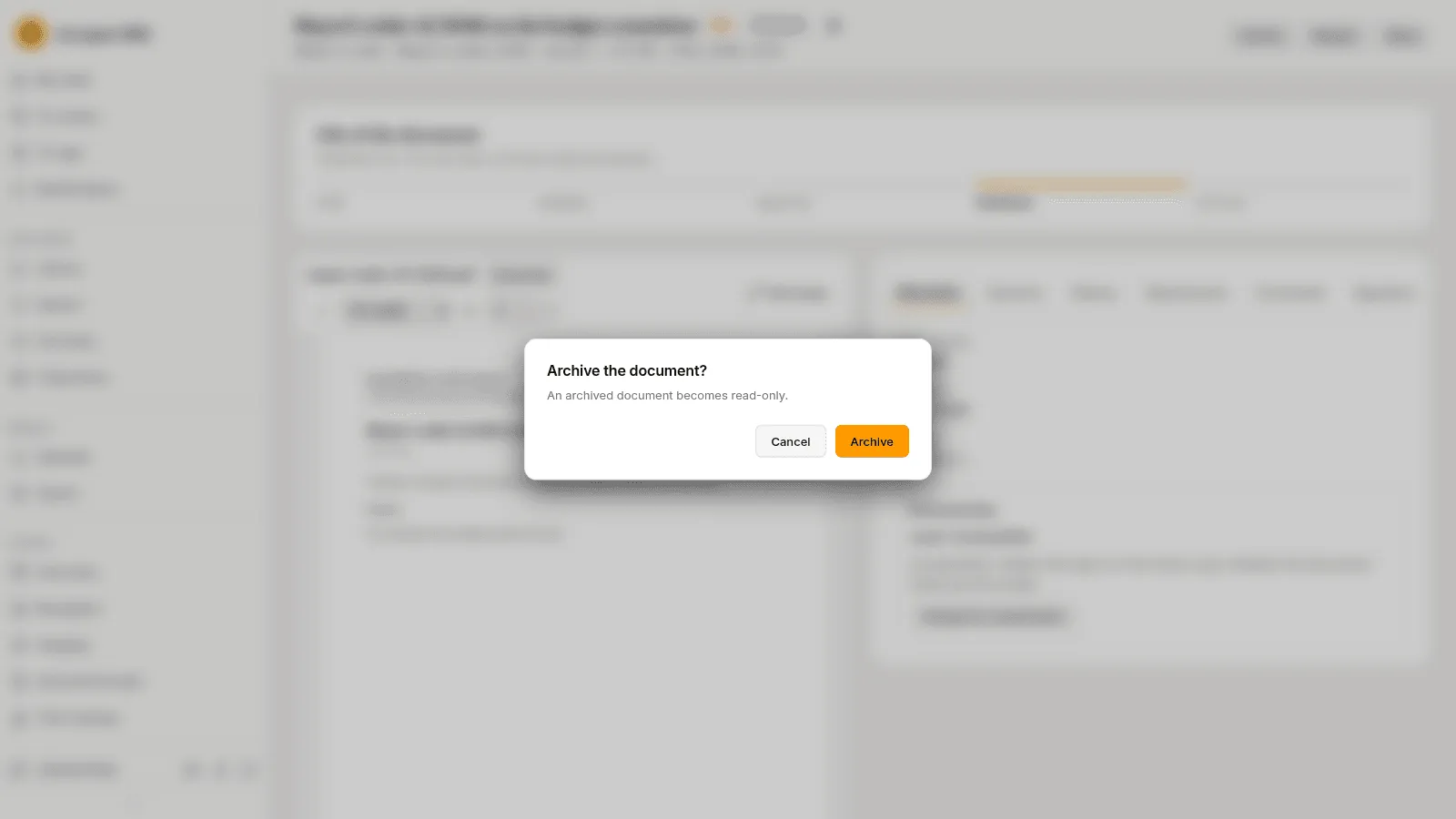
| Approved or Published | Archived | Archive | Electronic archivist, Archive administrator |
| Validated, Approved or Published | Draft | Reopen | Electronic archivist, Archive administrator |
The last column lists the built-in roles; your administrator may have changed them or made others, such as an Approver who validates, approves and publishes. You see only the buttons you may use, and a step cannot be skipped. A role can be limited to a unit, to some document types or to some states.
Rules for every step
Section titled “Rules for every step”- You must be able to read the document, and it must not be checked out.
- Validate needs a type and its required fields. The page says what is missing.
- Archive asks “Archive the document?” first and warns that an archived document becomes read-only. It also needs the document’s file to have passed its reception, which the Archive tab of the document shows.
- If a colleague moved the document first, the step is refused and the page reloads with the buttons that fit.
Every change of state is written to the History tab and to the audit log.
What each state allows
Section titled “What each state allows”| Action | Draft | Validated | Approved | Published | Archived |
|---|---|---|---|---|---|
| Read, download, compare versions | yes | yes | yes | yes | yes |
| Comment | yes | yes | yes | yes | yes |
| Edit title, type and metadata | yes | yes | no | no | no |
| Add a version or go back to one | yes | yes | no | no | no |
| Attach or detach a document | yes | yes | no | no | no |
| Check out | yes | yes | no | no | no |
| Move to another folder | yes | yes | yes | yes | no |
| Ask for signatures, sign or refuse | yes | yes | yes | yes | no |