The Archive overview
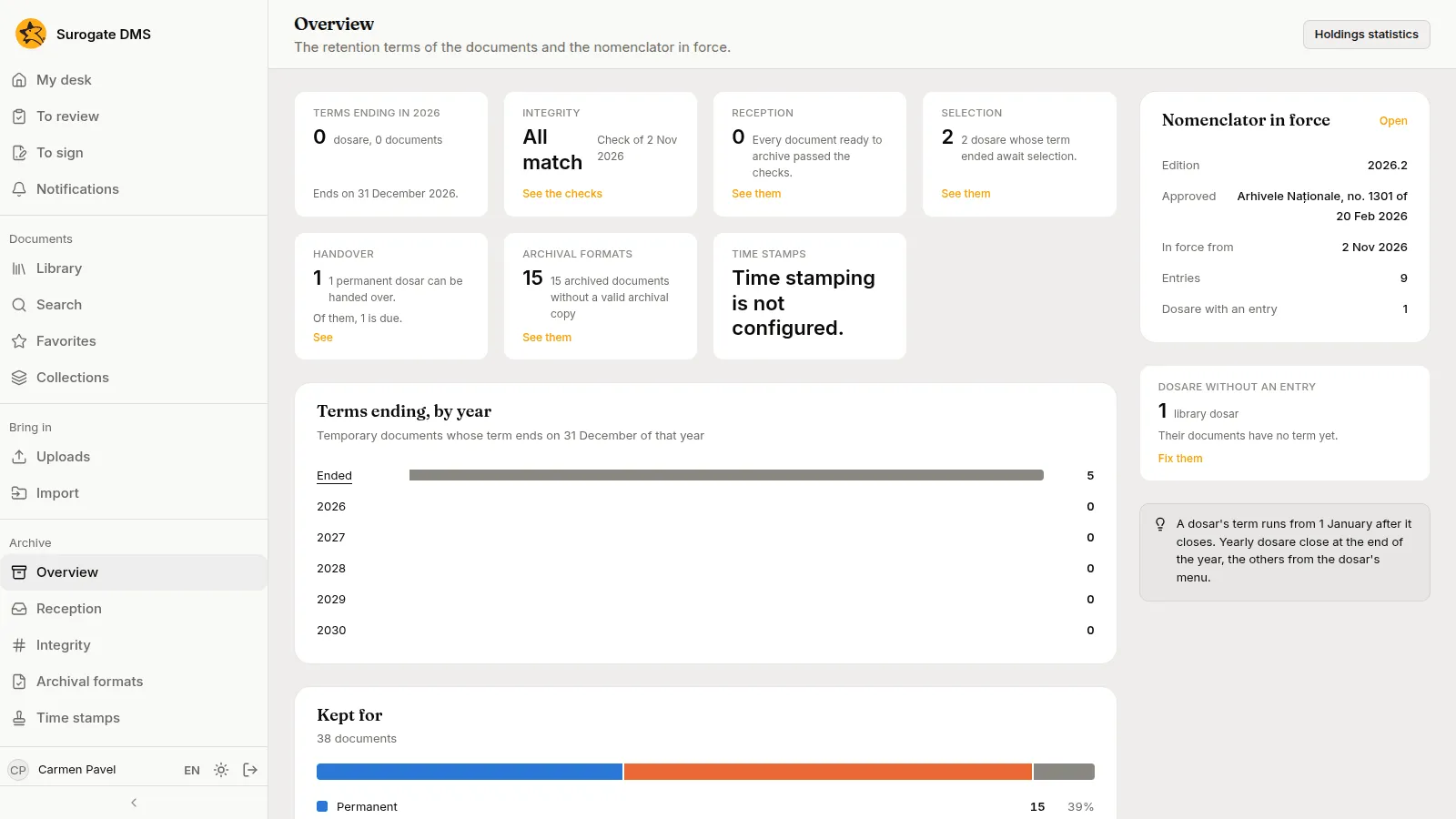
For archivists, administrators and auditors: the first page of the Archive section. It shows how long the institution’s documents are kept, what waits for an archivist and which nomenclator is in force.
The Archive group appears in the sidebar for people whose roles let them consult the archive: the Archive administrator, the Electronic archivist and the Auditor. Each page in it appears only if you hold its own permission.
The tiles
Section titled “The tiles”| Tile | What it shows |
|---|---|
| Terms ending in {year} | The dosare whose retention term ends on 31 December of this year, and their documents |
| Integrity | Whether the last check of the stored files found a mismatch, and when it ran |
| Reception | Documents ready to archive that failed their checks |
| Selection | Dosare whose term has ended and wait for a selection |
| Handover | Permanent dosare that can be handed over, and how many are due |
| Archival formats | Archived documents without a valid archival copy |
| Time stamps | The state of time stamping, or “Time stamping is not configured” |
The cards
Section titled “The cards”- Terms ending, by year: for each year, how many dosare end their term, and Ended for those already over.
- Kept for: how the documents divide between Permanent and Temporary, and those with no term yet.
- Nomenclator in force: the edition, its approval, the date it came into force and the number of entries.
- Dosare without an entry: library dosare that hold documents but have no nomenclator entry; their documents have no term yet.
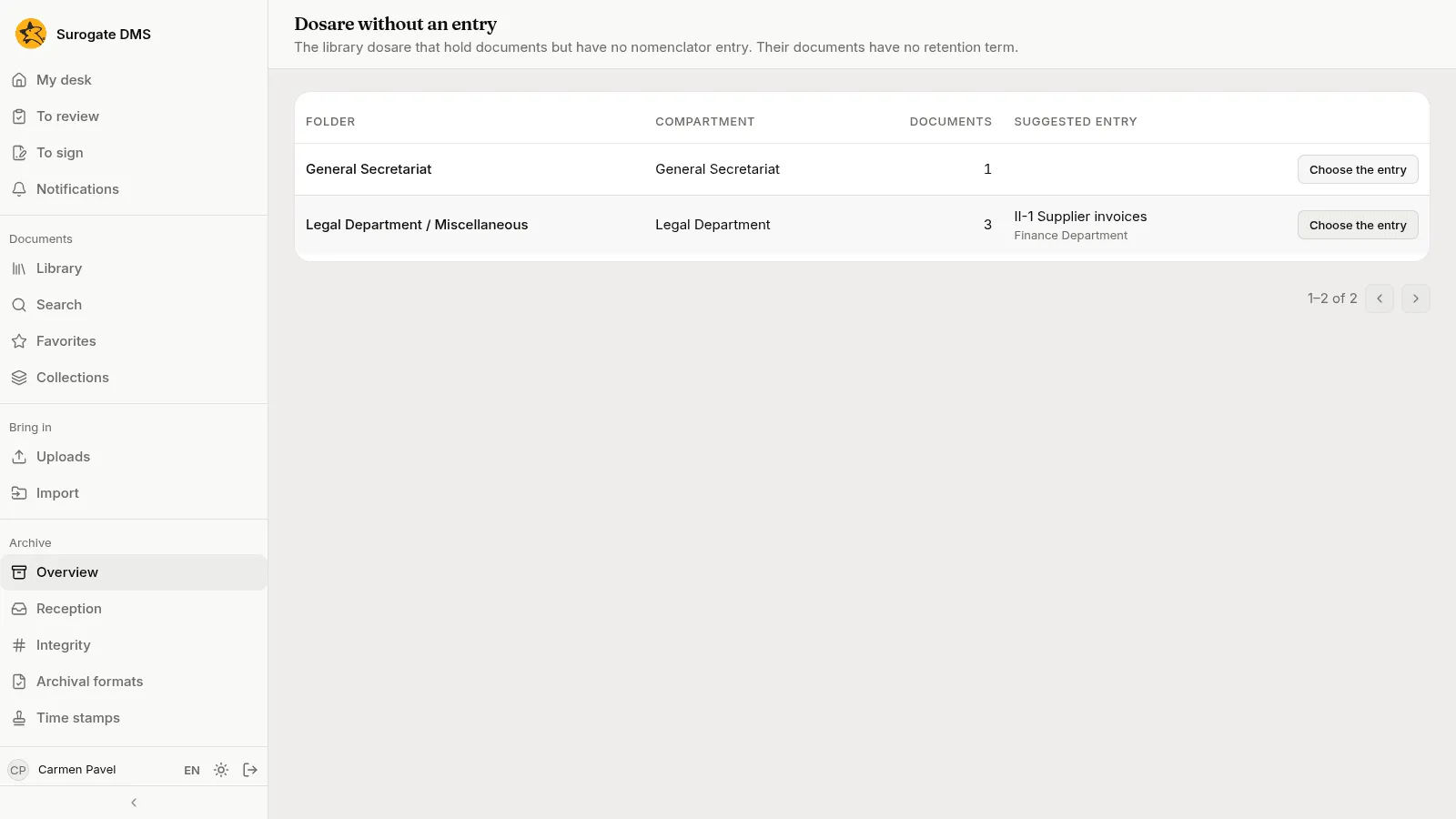
Dosare without an entry
Section titled “Dosare without an entry”Fix them opens the list of dosare that have no entry, with the number of documents in each and, where the DMS can tell, a suggested entry. Choose the entry opens the dialog where you set it.