Selection and deletion of dosare
For archivists: finding the dosare whose retention term has ended, proposing them for elimination, the proces-verbal, the answer of the National Archives and the deletion. Nothing is deleted without the answer and a delay of seven days.
Which dosare are listed
Section titled “Which dosare are listed”Archive › Selection has four tabs: Term ended, Selections, Holds and Deleted documents.
Term ended lists the dosare that are closed, kept for a number of years, whose term ended before this year, that hold a document, are not held and are not in another selection. You can filter by Compartment and by Term ended by.
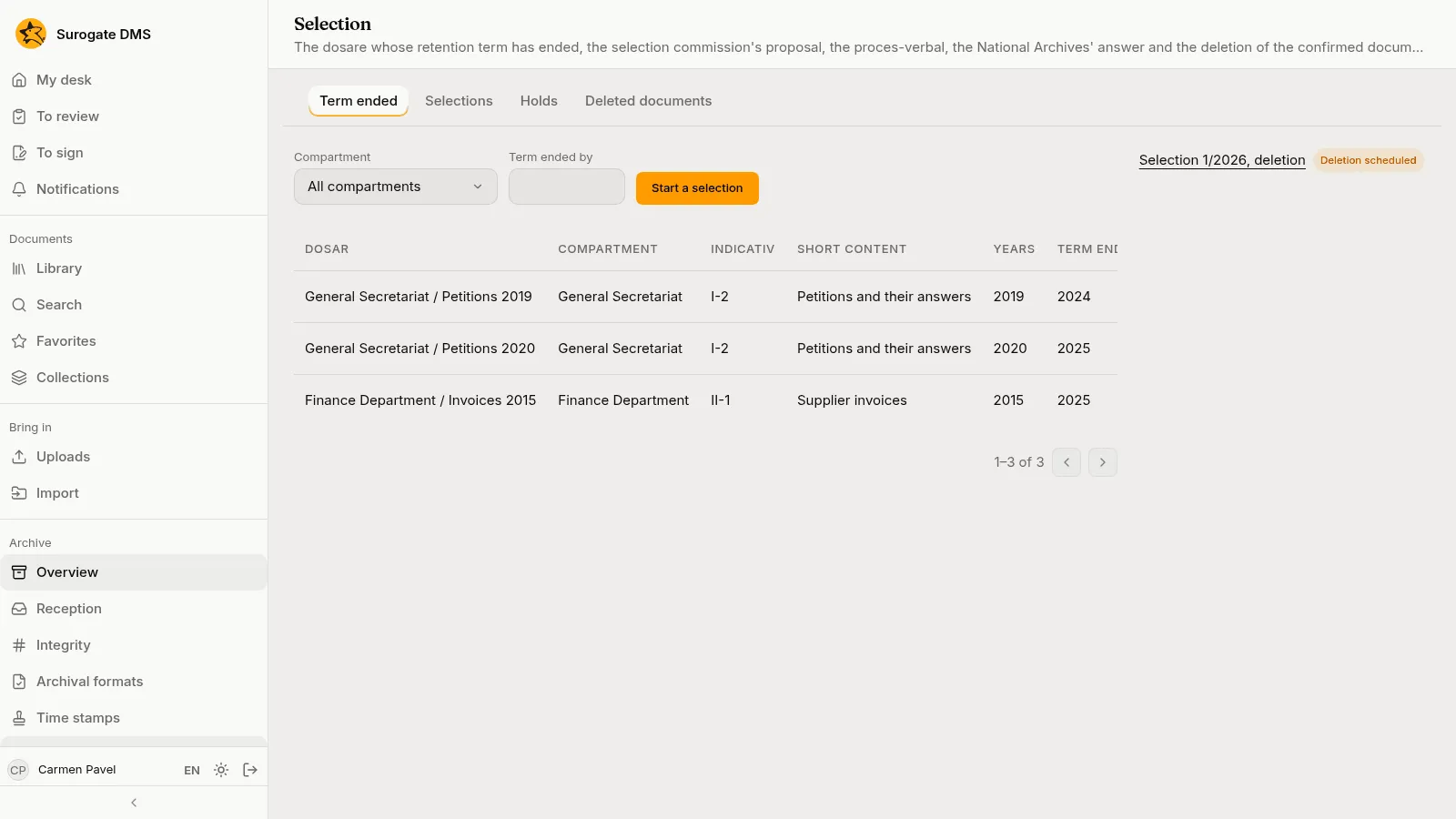
The four steps
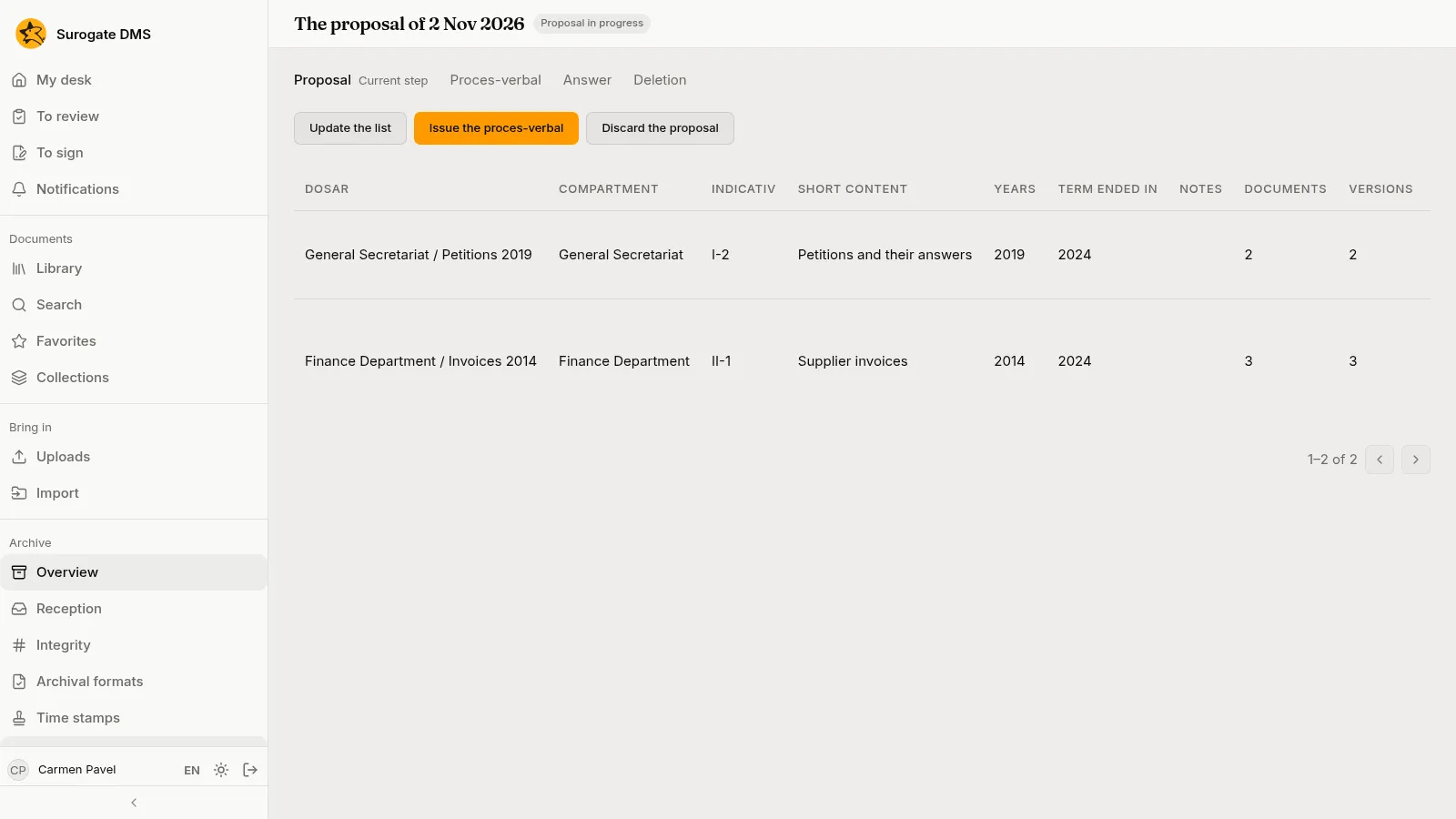
Section titled “The four steps”Start a selection makes a proposal with the dosare listed. A selection has four steps, shown at the top of its page: Proposal, Proces-verbal, Answer and Deletion.
| Step | What you do |
|---|---|
| Proposal | Per dosar: Leave out (with a reason) or Propose permanent keeping. Discard the proposal drops it. |
| Proces-verbal | Issue the proces-verbal: the commission, its decision and the folder where it is filed. Then Mark as sent with the date and a registration number. |
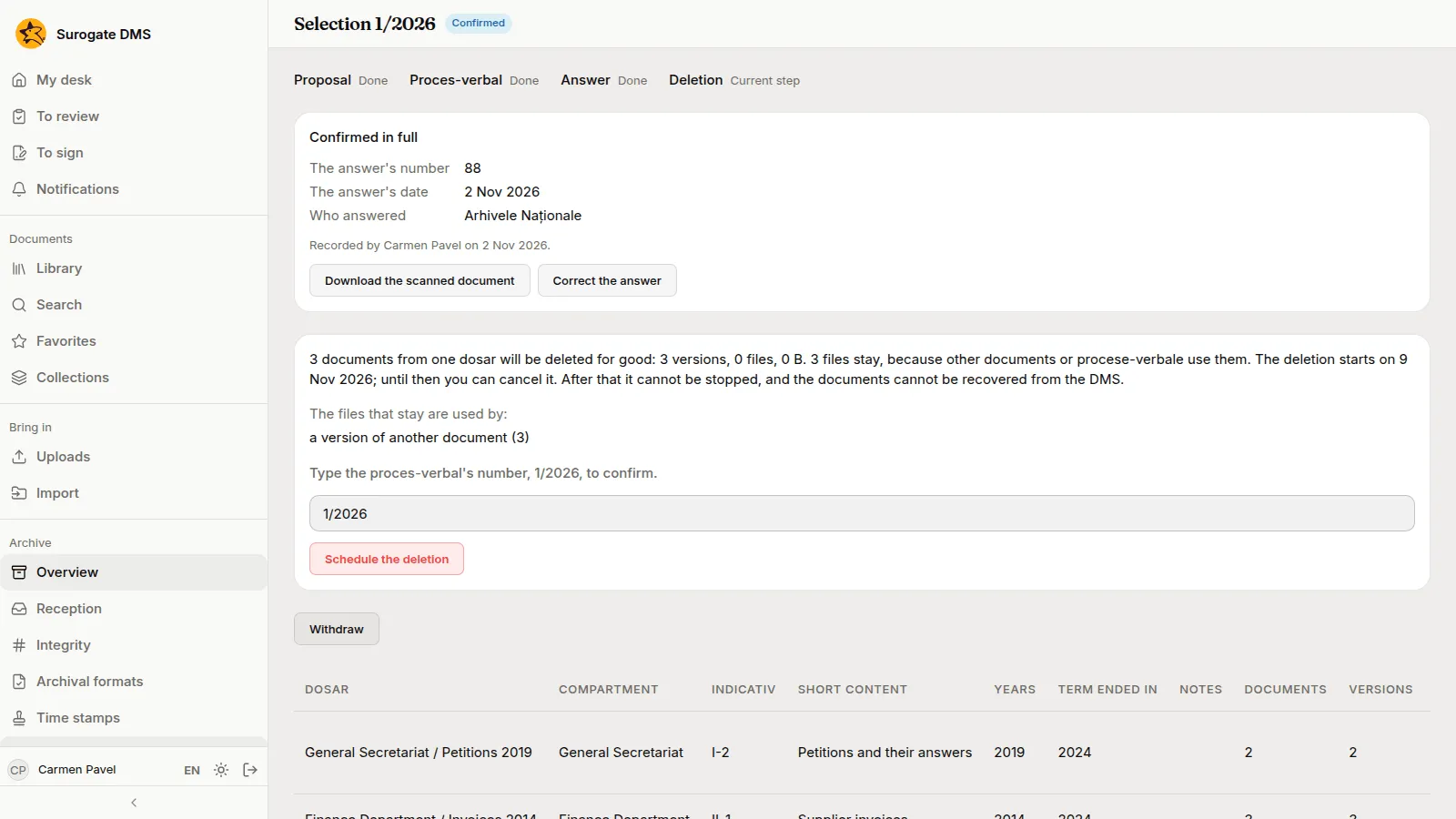
| Answer | Record the answer: confirmed in full, in part or refused, with its number, date, who answered and the scan. |
| Deletion | For a confirmed answer, Schedule the deletion, after typing the number of the proces-verbal. |
Before you schedule the deletion the page says how many documents will be deleted for good, how many files stay because other documents, time stamps or procese-verbale use them, and which. The deletion starts after seven days; until then Cancel the deletion stops it. After that it cannot be stopped, and the documents cannot be recovered from the DMS.
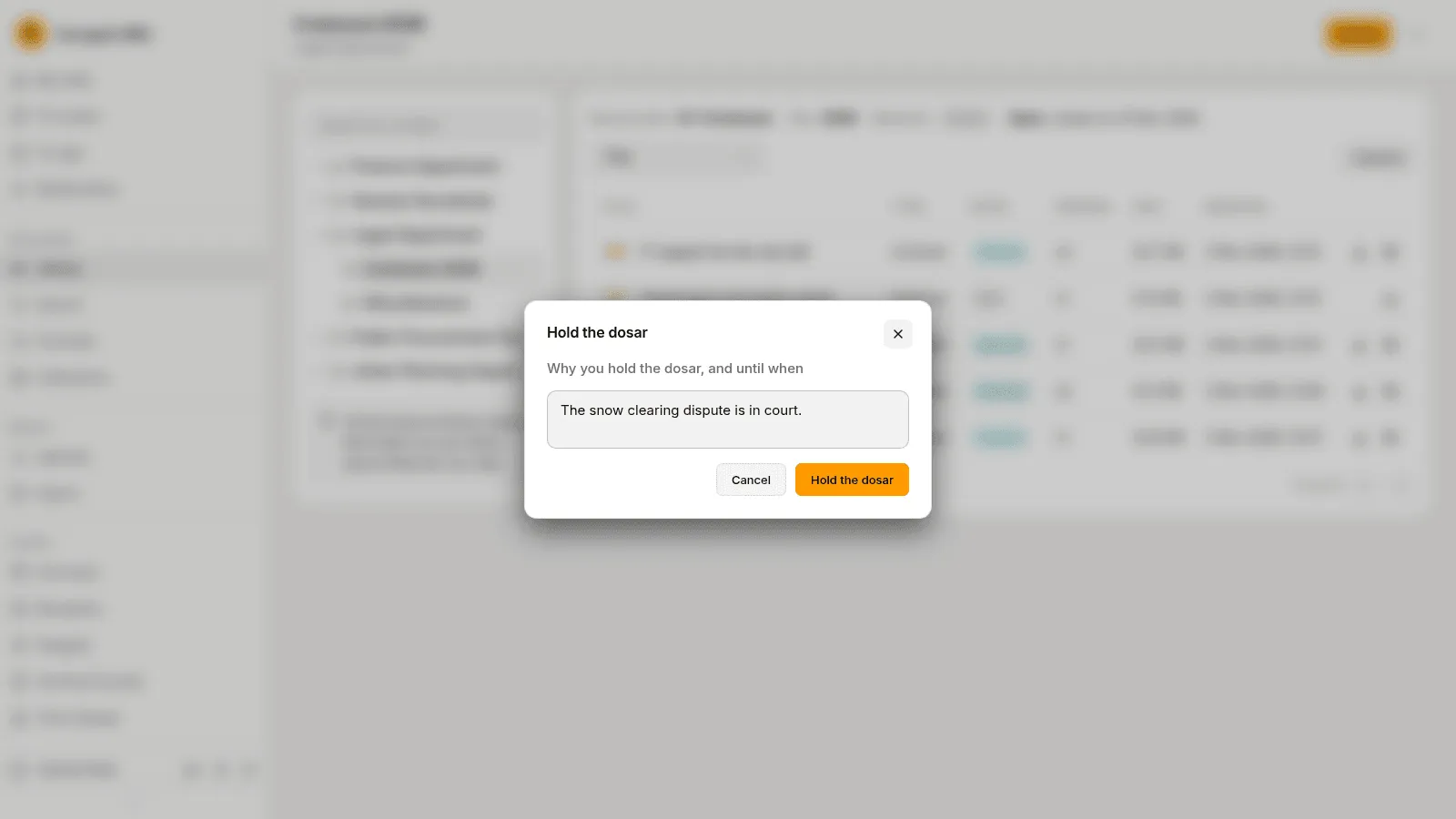
A held dosar is not proposed for elimination. Hold the dosar, on a row of the Term ended tab or on the folder’s Folder actions menu, asks why you hold it and until when. The Holds tab lists the holds, and Lift the hold ends one.
Deleted documents
Section titled “Deleted documents”The Deleted documents tab lists what a selection deleted: the document’s title, when it was deleted and the proces-verbal that ordered it. The record of a deleted document stays: its folder, its retention term and its versions, without the files.