Example: set up a new department
Elena Marin, the administrator, adds the Public Procurement Department: its unit and positions, a new person, a nomenclator edition with the entry for tender files, a dosar, a document type and a grant. The example is for administrators.
The pictures were taken in a demo city hall, Example City Hall, with made-up people and documents.
1. The unit and its positions
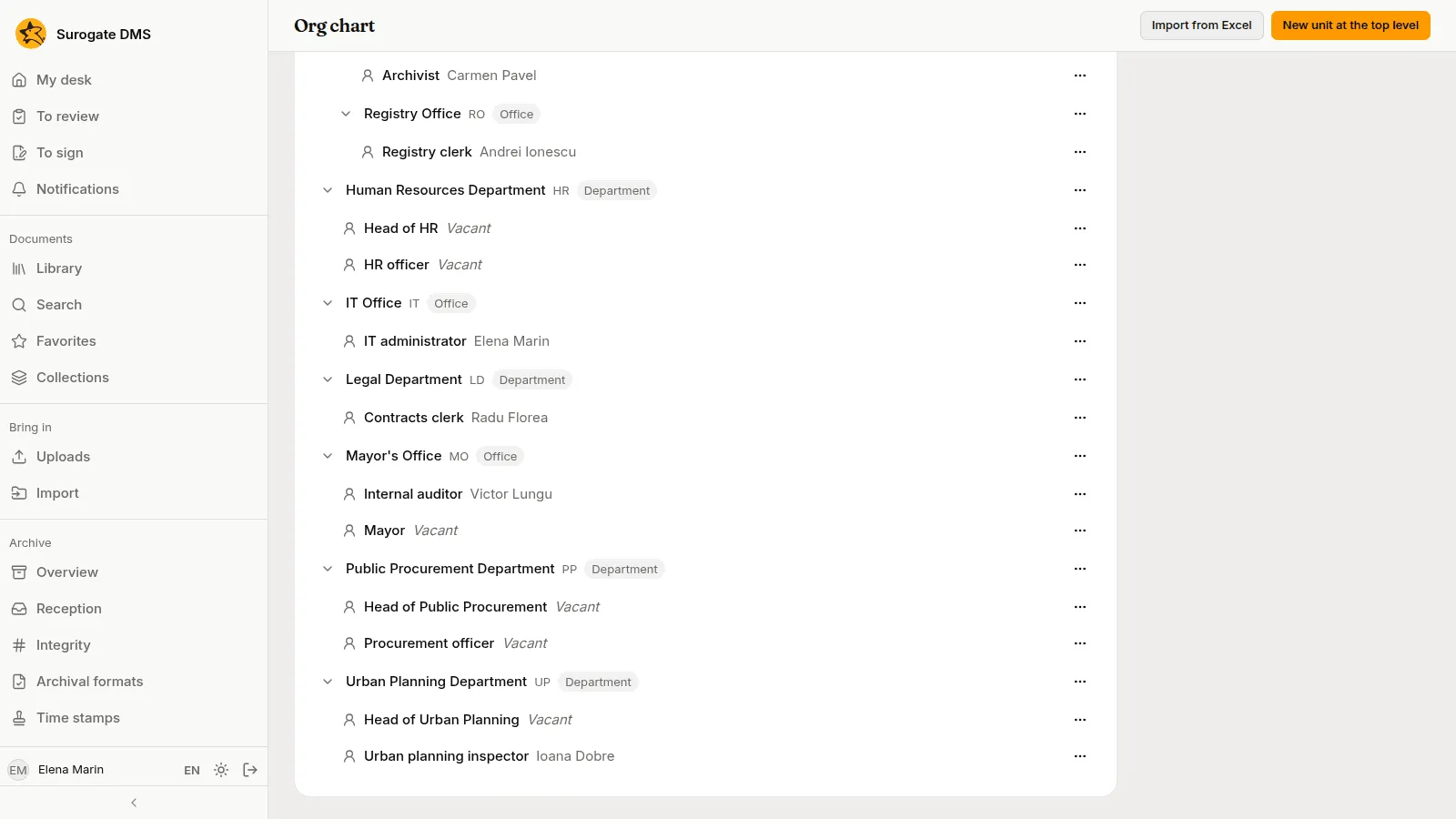
Section titled “1. The unit and its positions”On Org chart Elena adds the unit Public Procurement Department at the top level, with the positions Head of Public Procurement and Procurement officer.
2. The new person
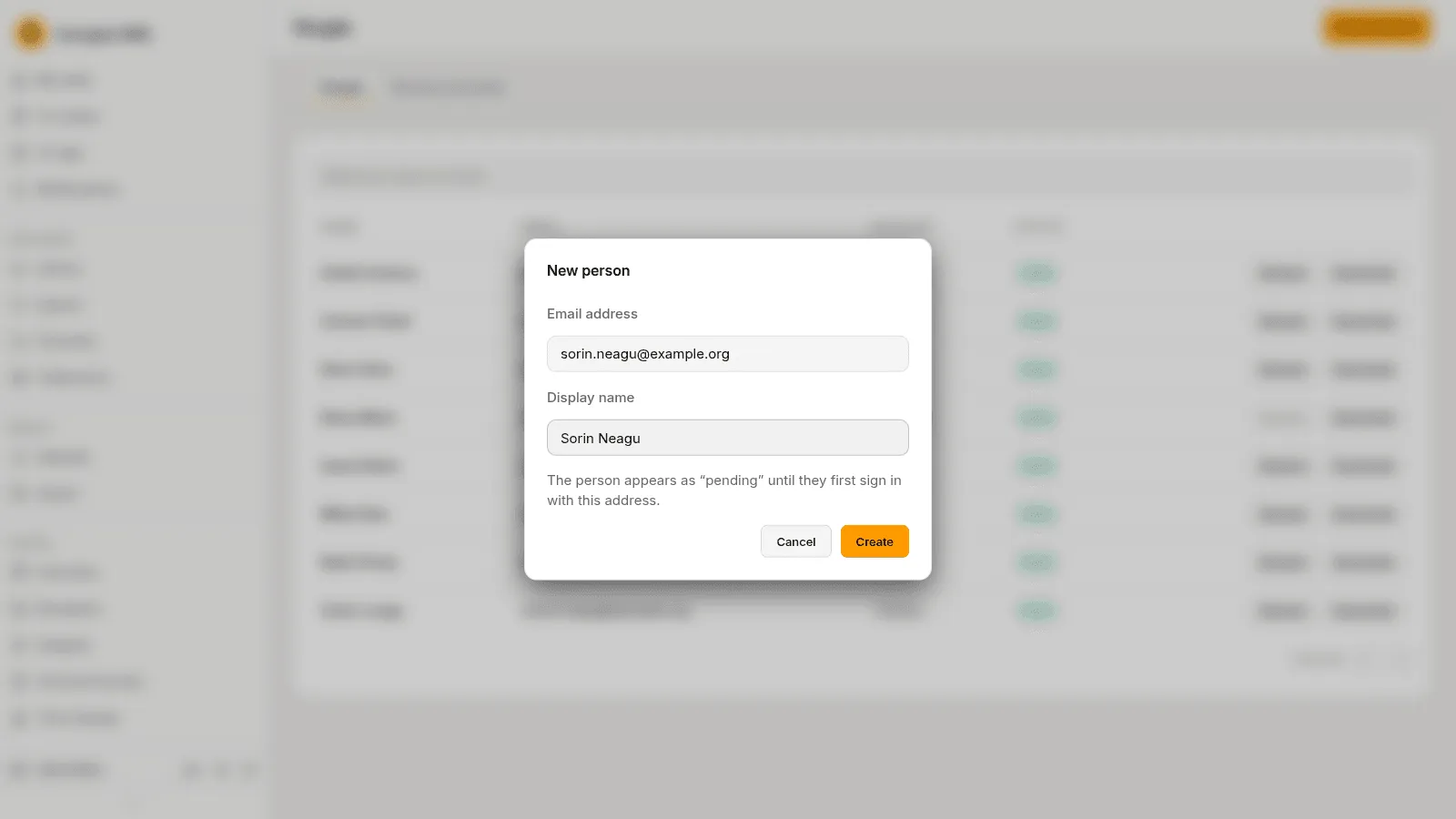
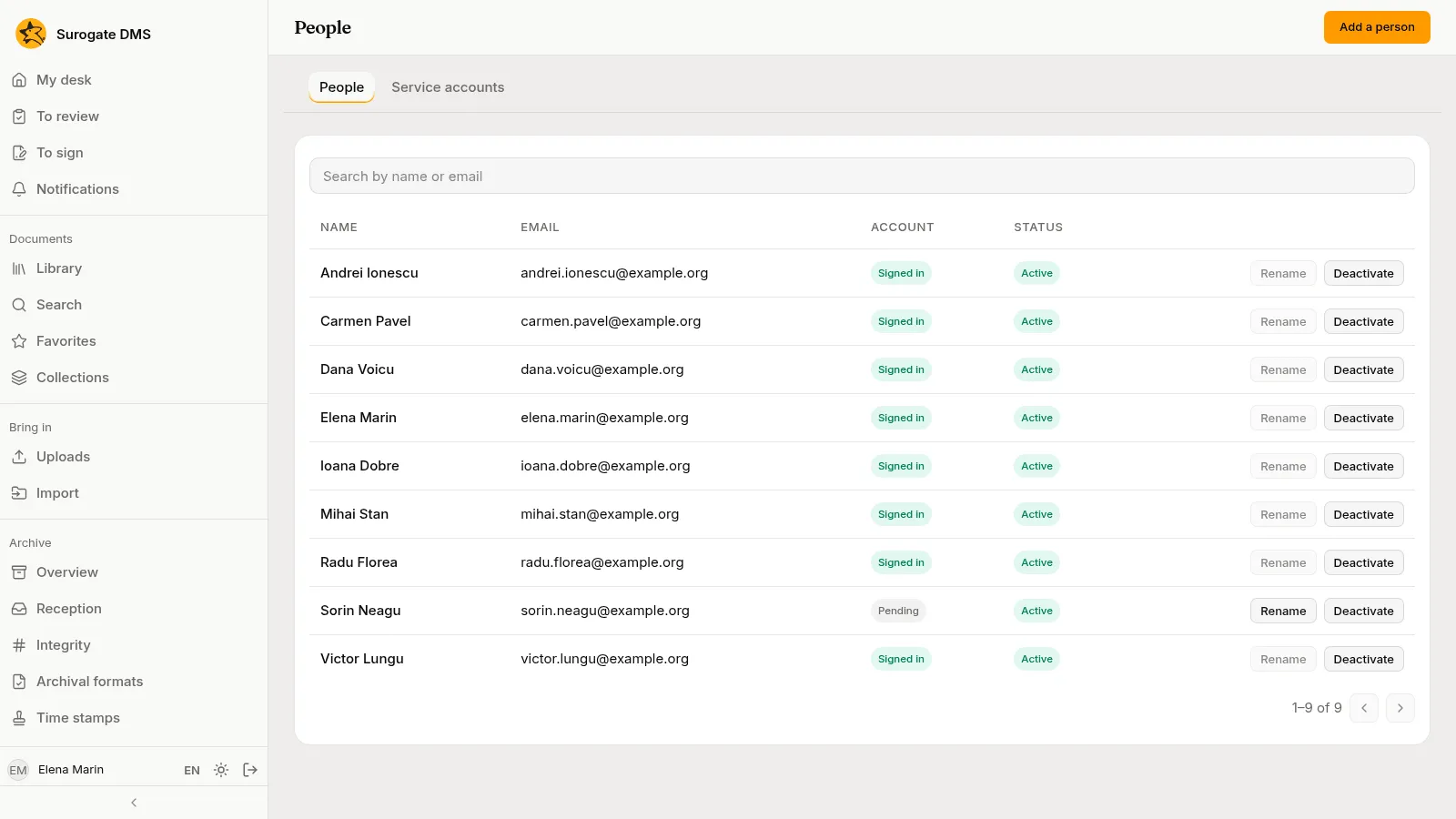
Section titled “2. The new person”On People she presses Add a person for Sorin Neagu. He appears as “Pending” until he first signs in, and she makes him the holder of Procurement officer.
3. The nomenclator entry for tender files
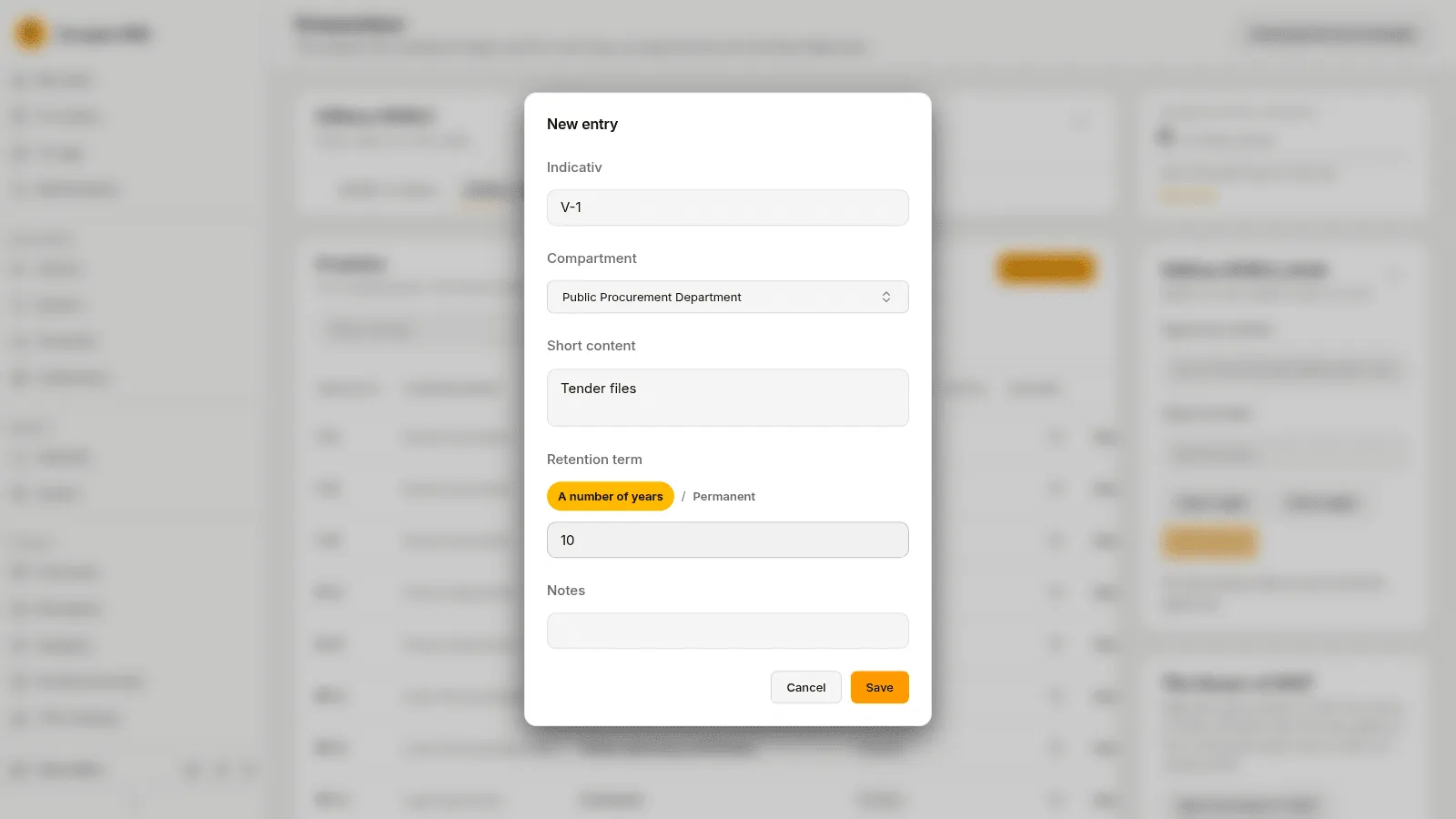
Section titled “3. The nomenclator entry for tender files”The nomenclator in force has no entry for tender files. On Nomenclator Elena opens Edition actions › Copy into a new edition and names the new edition 2026.2. In the draft she presses Add an entry and types the entry: the indicativ V-1, the compartment Public Procurement Department, the short content “Tender files” and a term of ten years.
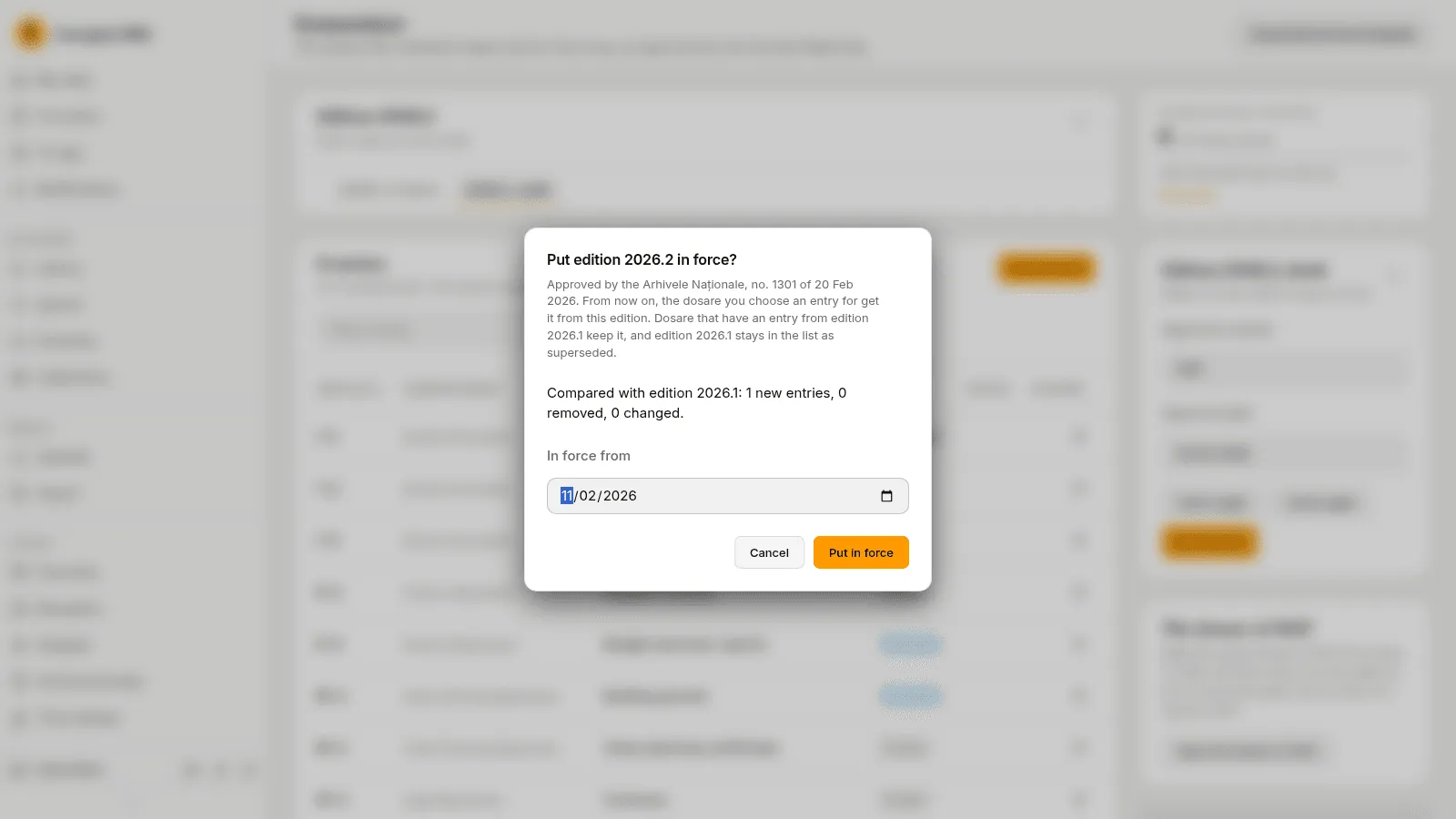
She fills in the Approval number and Approval date of the amendment and presses Put in force. The confirmation compares the edition with the one in force: one new entry, none removed, none changed. The dosare that already have an entry keep it.
4. The dosar
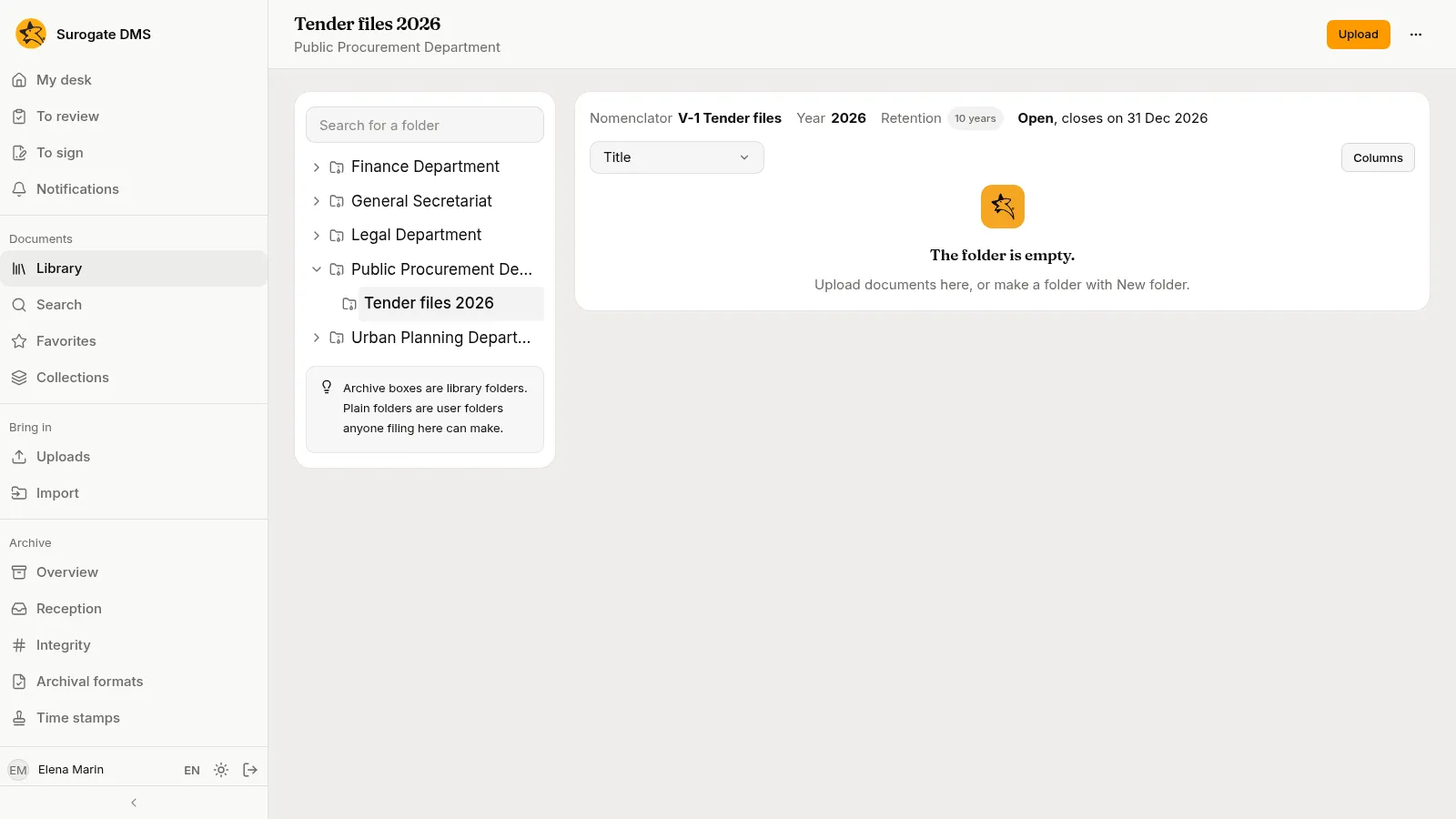
Section titled “4. The dosar”She makes a root folder for the unit with a dosar Tender files 2026, entry V-1, year 2026.
5. The document type
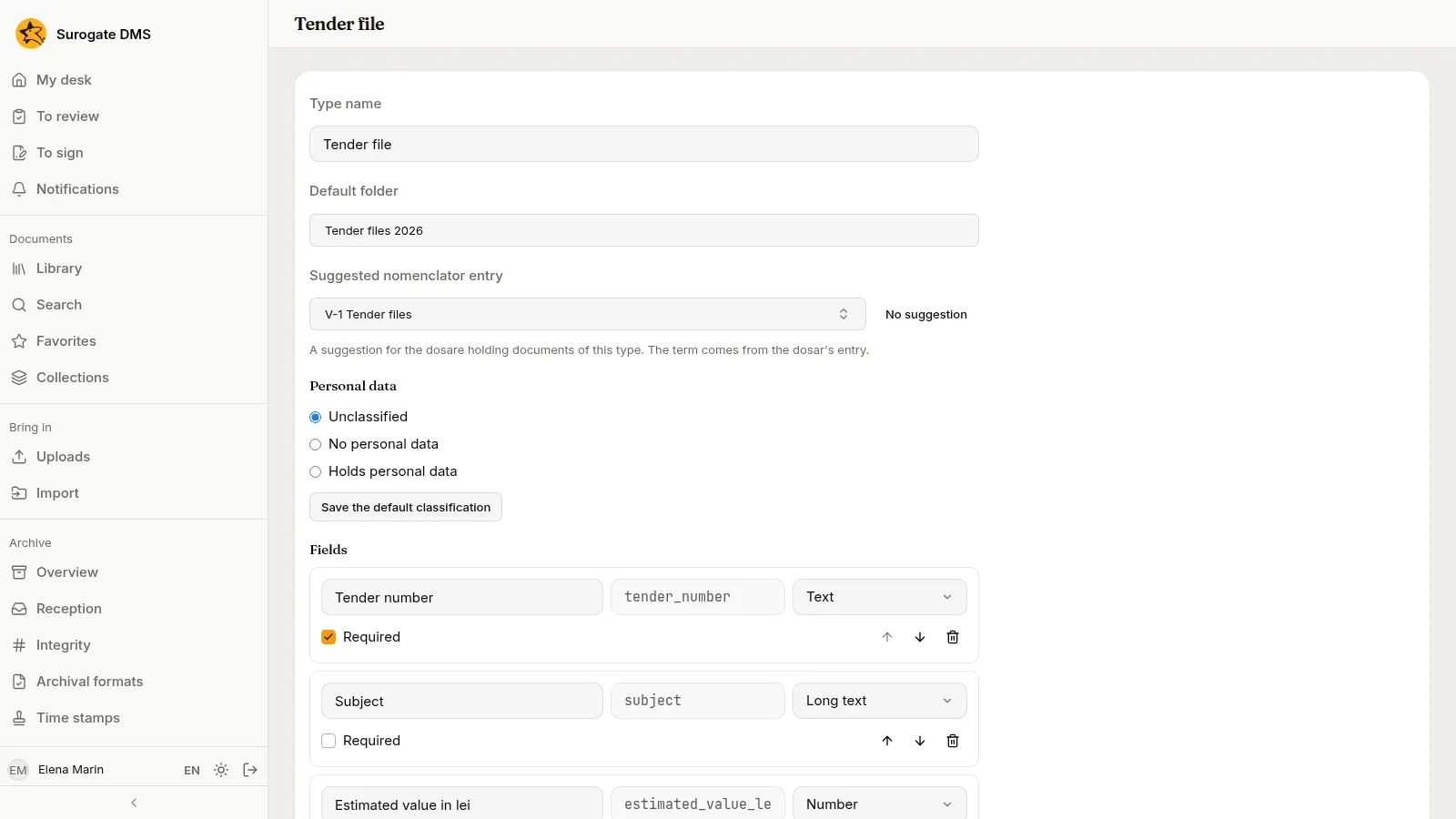
Section titled “5. The document type”On Document types she makes the type Tender file with four fields and the dosar as its default folder.
6. The grant
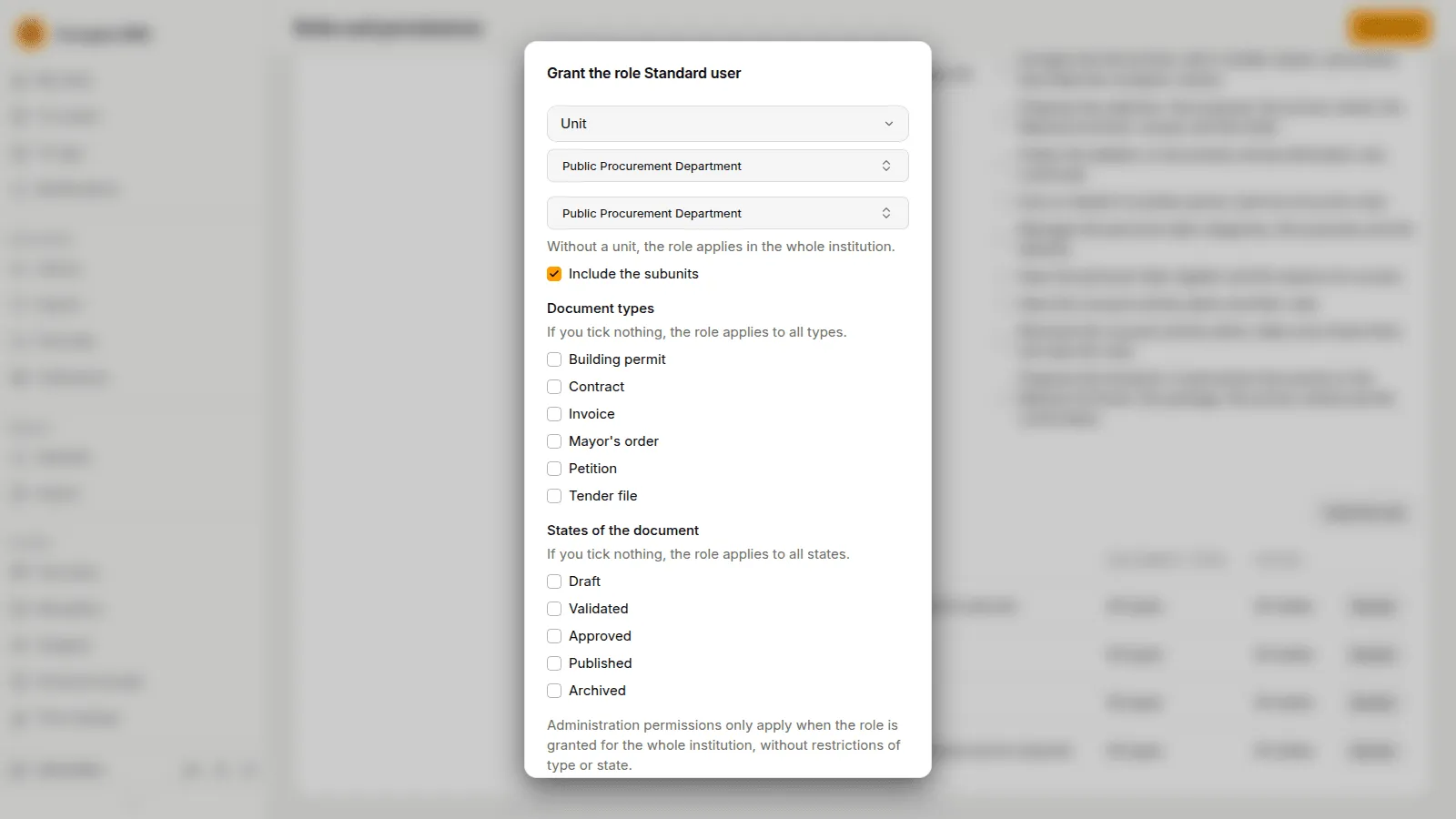
Section titled “6. The grant”On Roles and permissions she grants Standard user to the Unit Public Procurement Department, for that unit. Everyone who holds a position in it, Sorin included, can now file and read in the unit’s folders.
7. Check the people
Section titled “7. Check the people”When Sorin has signed in once, his status turns from “Pending” to “Signed in”.
What to remember
Section titled “What to remember”- An amended nomenclator is a new edition; the dosare already opened keep their entry.
- A grant to a unit reaches the people who hold a position in it.
- See The org chart, The nomenclator, Document types and Roles and permissions.