Working with agents
Agents work some steps of a case, alone or with a person, and can take work items as people do. They work some tasks of a BPMN process in the same ways. In the business app, agents show by name and status, beside people: in work lists, in queues, on a case’s Now cards, under Agents at work, and on the Team page. An agent with no name shows as Unnamed agent. You never see an agent’s configuration, its skills or its knowledge bases.
An agent never decides where a case goes. It finishes its step with one of the step’s outcomes and the fields the step asks for, with a source for each value, or it asks a person.
The project’s case agent is apart from these agents: you ask it about a case, and it fills in your form when you ask. It never holds work.
When an agent asks a question
Section titled “When an agent asks a question”When an agent needs a person, it raises a hand: it asks a question, sometimes with answer choices and evidence, and its step pauses. The question goes to the queue the builders named for that step.
- It shows as an Agent question in the queue’s Agent questions tab, and in Needs me once it is assigned to you.
- Its case shows “Agent asked a question” on the step, with the agent’s progress.
- It waits until someone answers. A question never expires.
Answer it on the Work page: pick your answer or type one, add a note if you like, and press Send answer. The agent picks the step up again with your answer, and the note is kept in the case’s history. See Answer an agent’s question.
You can answer a question assigned to you, or one waiting unclaimed in one of your queues. A question assigned to you can also be delegated, or returned to its queue.
When an agent drafts for you
Section titled “When an agent drafts for you”On a step an agent drafts and a person finishes, the agent works first, then its draft fills your form, each drafted field marked “Drafted by agent. Nothing is sent until you submit.” You check it, change what you need, and press Submit. The submission is yours: your authority and maker-checker are checked, not the agent’s.
Ask to revise sends the agent a note and asks it to draft again. See A step an agent drafted for you.
The case agent can fill in the same form when you ask it. Each draft fills only the fields you have not changed, each with its own mark. When both agents drafted a field, the newer draft wins. A field you change is yours.
When you submit, the case’s History says which agent drafted which fields, such as “Underwriting agent drafted Net income”. A field you changed is recorded as yours.
Agents in queues and as delegates
Section titled “Agents in queues and as delegates”An agent can take a work item as a person does, in three ways:
- As a queue member. A supervisor adds the agent to a queue (see Queues and members). It takes the queue’s waiting items at once, in the queue’s serving order, as many as it can work at a time, and new ones as they come.
- As a delegate. Delegate on an item you hold offers agents as well as people. See Hand an item to someone else.
- By Reassign. A supervisor gives an item to an agent. See Reassign an item.
An agent can take a step people work, a vote, the item a system step opens when its call failed for good, and another agent’s question. It never takes an escalation, a step an agent drafts for a person, or a step that opened for people because its agent failed or was turned off. Only agents the project’s case types or processes use are offered, and none a supervisor turned off.
The agent works the item in its own session, and finishes it as a person would: it submits the step, votes, or answers the question. Maker-checker and authority limits apply to it as to a person.
While an agent holds an item, it shows by name wherever the holder shows: “Assigned to agent” on the Work page, the agent with its mark on the case’s Now card, and in the Now column of the Cases page.
When an agent returns an item
Section titled “When an agent returns an item”An agent that cannot work an item returns it: to the person who delegated it, or else to its queue. The item’s pane on the Work page then says why, under Returned, with when:
- “Agent returned it:” and the agent’s reason, or “Agent returned it” when it gave none;
- “Agent could not start, and returned it”;
- “Agent could not finish, and returned it”;
- “Agent ended without an outcome, and returned it”.
Agents in processes
Section titled “Agents in processes”A task of a BPMN process can be worked by an agent, or drafted by an agent for the person who completes it. Everything above holds for it, with the instance in place of the case and the task in place of the step. On the instance’s page (see Working a process’s tasks):
- an agent at work on a task shows under Now as “Agent is working”, with its run, its goal and deadline, its plan, and where its question would go. Message the agent and Open its session are there;
- an agent’s question shows “Agent asked a question” and who holds it. Answer it on the Work page;
- an agent that drafts a task for you fills your form, each drafted field marked “Drafted by agent. Nothing is sent until you submit.” You change what you need and press Submit; Ask to revise sends the agent a note and asks for another draft. Keel keeps in the process’s history which agent drafted which values;
- agents take a process’s items from a queue, as a delegate or by Reassign, as they take a case’s: see Agents in a process’s queues.
Following an agent’s work
Section titled “Following an agent’s work”On the case
Section titled “On the case”While an agent works a step, the case’s Now card says “Agent is working”, with how its run stands: Starting, Running, Waiting, or Drafted once it has drafted a step for its person. The card also shows the agent’s plan and when it was last active, and where its question would go if it needs a person.
- Message the agent sends it a word while it works, such as a fact it should know. The message is kept in the case’s history as your note.
- Open its session shows what it is doing, read-only. See Watch.
Agents at work
Section titled “Agents at work”On the Work page, Agents at work lists each agent at work on the project’s cases and processes now, with how many steps. With none, it says No agent is at work.
Pick an agent to list its runs, “Its steps at work, the longest first.”: each with its Case or process, Step, Status and Since. The case of a run on a process’s task is the instance, such as P-000001, which opens the instance’s page. A run of the agent’s own step or task has Watch, which opens the session. A run on a work item, which it took from a queue or was handed, has no Watch. An agent with nothing running says it is not at work now. An agent a supervisor turned off says “Off: people work each of its steps that opens from now on.”
Comments that mention an agent
Section titled “Comments that mention an agent”While you hold a step an agent drafts for you, and the agent is at work on it, a case document’s editor offers that agent to mention in a comment. The comment reaches the agent, which answers in the comment’s thread. See Files and documents.
When an agent cannot work
Section titled “When an agent cannot work”- When an agent fails for good, people take its step: it opens as a step in the queue that gets the agent’s questions, and the queue’s members claim it and work it like any other step. On a step the agent drafts for a person, the person works on alone.
- On a process’s task, an agent that works the task alone and fails for good leaves the task with an incident instead: the instance’s page says “Agent could not finish this task: a supervisor retries it or cancels the process.”, and a supervisor retries the task or cancels the process from the instance’s page: see Supervise. The agent that drafts a task for a person is the exception: the person works on alone, as on a step.
- When a supervisor turns an agent off, each of its steps that opens from then on goes to people the same way, and so does each of its process tasks. On a task it drafts for a person, the person works alone: the page says “Agent is off: you work this task alone.” Steps it already works carry on. It is no longer offered as a queue member, a delegate or a Reassign target. See Agents.
How agents are doing
Section titled “How agents are doing”Supervisors see how the project’s agents are doing on the Overview: the share of steps done by agents, how often agents raised a hand, and what agents cost per case. Needs attention lists an agent whose checks failed, or whose hands went up, more often than in the period before. The agent shows by name only.
Authority applies to agents
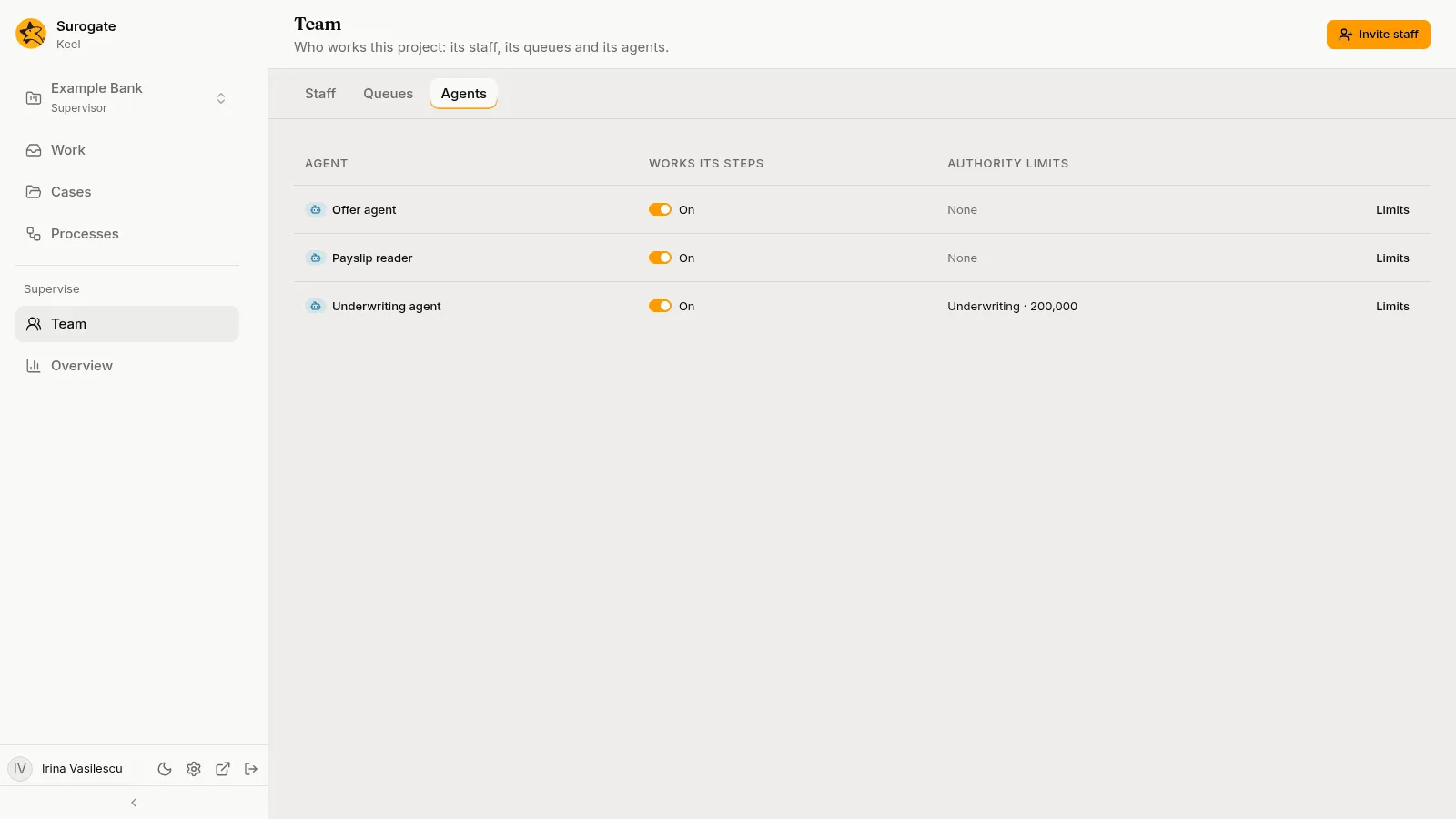
Section titled “Authority applies to agents”Agents have authority limits too, set on the Team page like a person’s. An agent with no limit in a step’s scope, or one below the amount, cannot complete a step that checks authority.