Versions and moving running cases
Each publish that changes a case type gives it a new version. A running case stays on the version it started on. The Versions tab lists the versions, shows what each changed, and lets a draft move the open cases of older versions to the version it publishes.
The list of versions
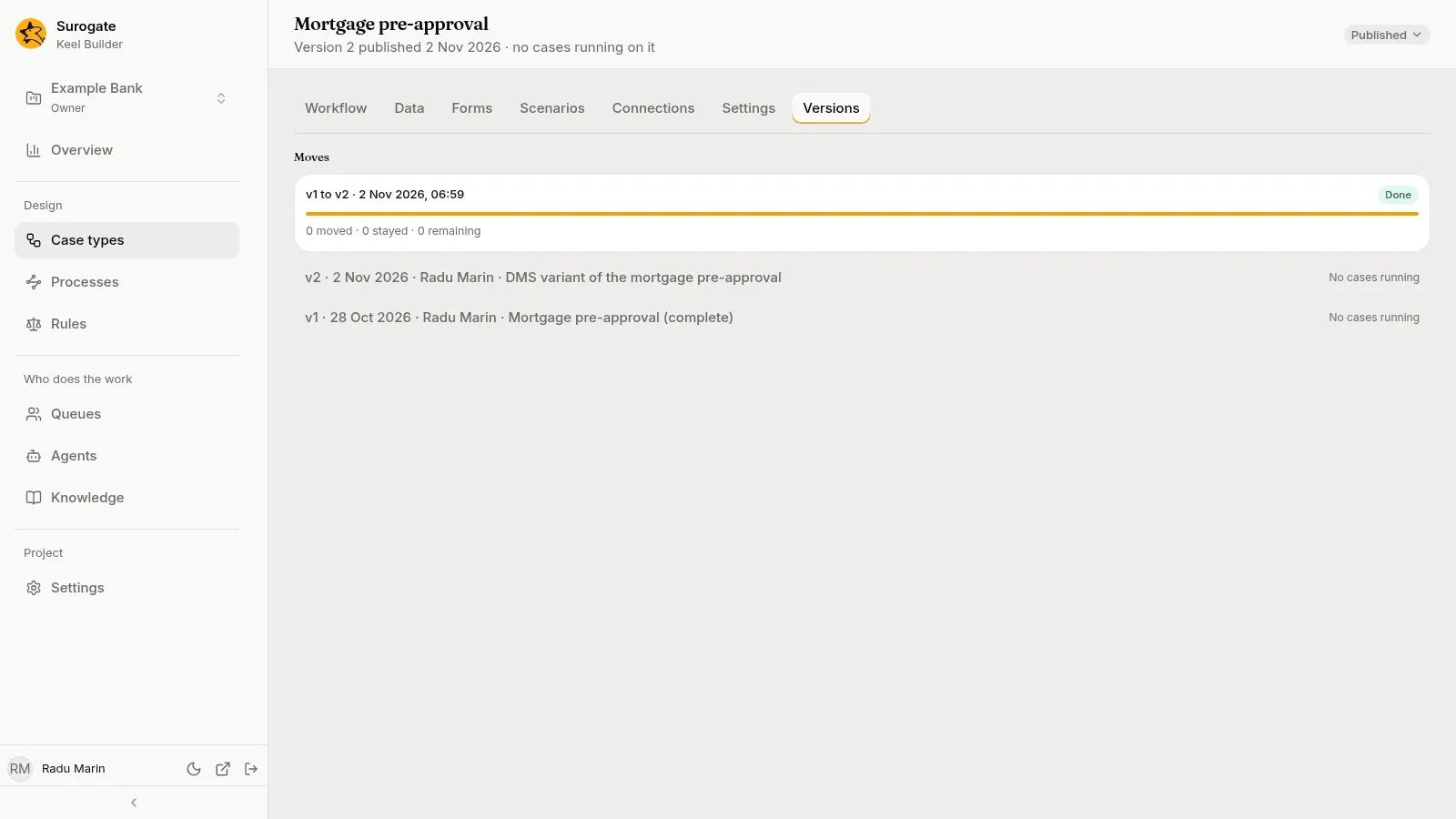
Section titled “The list of versions”Each publish that changed the case type is a row, newest first: v3 · 12 Oct 2026 · Elena Ionescu · Change Loan request, that is, the version, the day, who published it and the draft’s title. Beside it, how many cases run on that version: 41 cases running, or No cases running.
Press a row to see what that version changed in the case type. With no publishes yet, the tab says Not published yet.
Moving running cases to a new version
Section titled “Moving running cases to a new version”Moving is optional. Without it, running cases finish on their own version and only new cases use the new one.
In a draft, each older version with open cases has a Move running cases switch under its row. It moves them to the version the draft publishes: the next version when the draft changes the case type, else the current one.
- Open the draft, and the Versions tab.
- Turn on Move running cases under the version whose cases you want to move. This adds a mapping to the draft.
- Fill in the mapping (below).
- Run a Dry run. The Forecast shows where the cases would go.
- Publish. The move starts after the publish.
Turning the switch off asks Stop moving cases from vn?: “The mapping is removed from the draft.” Press Stop moving.
The mapping
Section titled “The mapping”The mapping says where each place in the old version goes in the new one. It has three parts:
- Stages: for each old stage, Same stage when the new version has it, another stage, or No target.
- Steps and actions: for each old step, wait, join and optional action, a node of the same kind in the new version, or No target. “A renamed step no case waits at still needs its target, so maker-checker keeps following who did it.”
- Fields: for each field of the new version, where its value comes from: Same field when the old version has a field like it, From another old field of the same type, or A value you type in the Value box, written as the field holds it: a number as it is, such as
25, and text in double quotes, such as"EUR". When the type changed, “The type changed, so the old value cannot be kept.” When the new version requires a field the cases lack, the mapping says Cases need a value for that field.
A place with no target reads “Cases here stay on vn.” Those cases stay on their version.
The forecast
Section titled “The forecast”After a dry run, Forecast says what the publish would do, such as 43 open · up to 41 move · at least 2 stay. A table lists each place where cases sit in the old version: Where, how many Cases, where each Goes to, and under Work whether its open work is Carried to the new node or Reopened there.
Before the first dry run, the forecast says Run the dry run to see where cases go. After you change the draft, it says Dry run again to see where cases go now.
The review page shows the same forecast under Moving running cases, as a sentence for each case type, such as “Publishing moves up to 41 of 43 open cases from v3 to v4. At least 2 stay on v3.”
Following a move
Section titled “Following a move”After the publish, the page that confirms it links to the Versions tab: Running cases are moving. Follow them on the Versions tab. Keel moves cases in batches, so a publish stays quick.
The tab’s Moves section lists each move, newest first: v3 to v4 · when it started, Running or Done, a bar of the cases handled, and counts such as 39 moved · 2 stayed · 0 remaining. It updates while the move runs.
Press Cases that stayed (n) to list them, each by its number, with why:
| Why | What it means |
|---|---|
| No target for place | The mapping gives that place no target. |
| Two of its positions go to one place: places | Two open places of the case map to the same new place. |
| The new version refuses fields | The case’s values do not fit the new version’s fields. |
| It would leave a parallel branch stranded | After the move, the case would be open with nothing it can do next. |
| A rule could not be evaluated | A condition or rule failed on the case’s data. |
| Its flow would loop without end | The new version would loop with no step or wait. |
| A version it needs no longer loads | A definition the case needs cannot be read. |
| Keel could not move it; it stays on vn. | Anything else. |
What a moved case shows
Section titled “What a moved case shows”Each moved case records the move in its history, with both versions. Its timers are set again from the new version’s service levels. In the case’s Data tab, a value the mapping set reads Set by the move to version n.