Connections and credentials
A connection is another system a case type’s system steps call: its address, how it signs in, and the credential it sends. Connections belong to the case type, so the case’s history shows the case type making the call, not a borrowed account. The Connections tab holds them.
The list
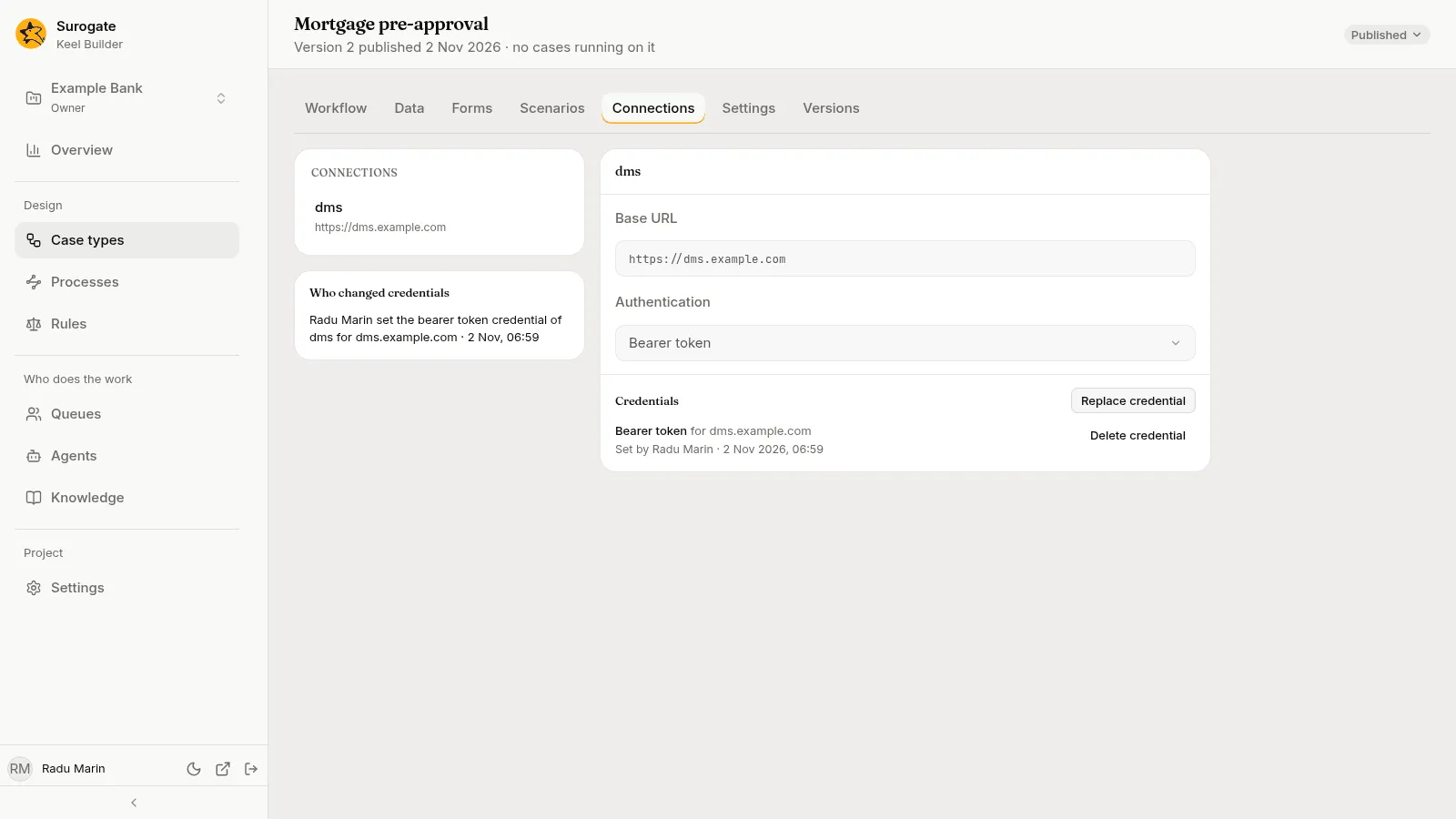
Section titled “The list”The left of the tab lists the case type’s connections by name, each with its base URL. In a draft, the list is the draft’s; with no draft open, it is the published connections, read-only, showing only their Base URL and Authentication. Editors and owners press New connection (the + beside the list) and give it a name: “It is made in the draft. Its calls need a base URL next.”
A connection
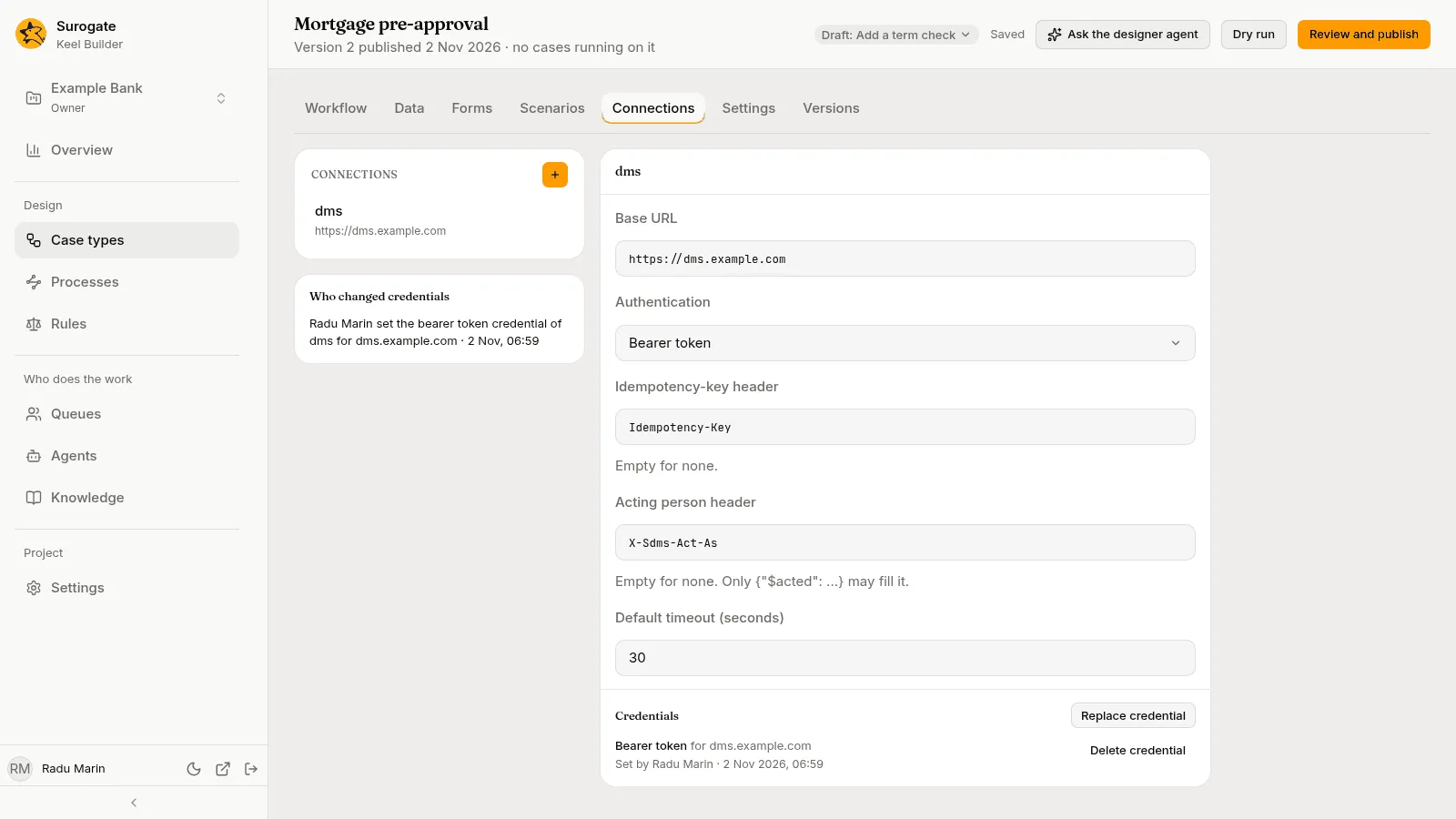
Section titled “A connection”Pick a connection to see its settings. In a draft, editors and owners change them in place:
| Setting | What it is |
|---|---|
| Base URL | The other system’s address, such as https://dms.example.com. A system step’s Path is added to it. |
| Authentication | How the connection signs in to the other system: None, API key, Basic, Bearer token or OAuth2 client credentials. Pick what the other system’s owners tell you. |
| Header | For an API key: the name under which the other system expects the key. |
| Token URL, Scope, Audience, Client authentication | For OAuth2 client credentials: the address where Keel gets its sign-in token, the scope and audience it asks for, and basic or post. The other system’s owners give you these. |
| Idempotency-key header | The name under which the other system expects a key that lets it tell a repeated call from a new one. “Empty for none.” |
| Acting person header | The name under which the other system expects the person who did the work. “Empty for none. Only {“$acted”: …} may fill it.” See below. |
| Default timeout (seconds) | How long a call may take when its step does not say. |
A connection that sends a credential must use an address that starts with https; the dry run refuses one that does not.
These settings are part of the draft and are published with it.
The acting person
Section titled “The acting person”Some systems record who did a piece of work, such as who filed a document. A connection to such a system can name, under Acting person header, where that system expects the person. Leave it empty unless the other system asks for the person.
When it is set, a system step’s call can name the person who last completed a given step or task, such as the person who did the underwriting review. In a process’s system task, the hint above the Request boxes shows how to write that value. The acting person header carries only that person: nothing else may fill it.
Credentials
Section titled “Credentials”The credential is the secret a connection sends: an API key, a username and password, a bearer token, or an OAuth2 client’s ID and secret. Credentials are not part of any draft: they are set on the published connection, and apply at once.
Under Credentials, editors and owners see:
- Set credential, or Replace credential when one is set. The dialog, Set the kind credential of connection, asks for the secret’s parts, such as a Token, a Username and Password, or a Client ID and Client secret. “Keel keeps it sealed for the connection’s hosts. It is not shown again.” Press Set credential. After you save, Keel Builder says Credential set. It is not shown again.
- Delete credential, which asks first: “Calls that need it fail until a new one is set.”
Each credential shows its kind, the hosts it is sent to, and who set it and when. A credential is sent only to the hosts the connection had when it was set: after you publish a connection with a base URL on another host, set its credential again.
When the connection is new in a draft, the section says Publish this connection before setting its credential. A connection that authenticates with None says It sends no credential.
If your installation keeps no credentials, the tab says Credentials are off in this installation. Ask your administrator.
Who changed credentials
Section titled “Who changed credentials”Under the connections, Who changed credentials lists the case type’s credential changes, newest first: who set, replaced or deleted which credential, of which connection, for which hosts, and when. With none, “No one has changed a credential of this case type yet.”
A process’s connections
Section titled “A process’s connections”A BPMN process calls other systems through connections of its own. A process’s connection holds the settings above. It is made and changed in a draft on the Connections tab of the process’s page, as Processes says, and is published with it. It is not a case type’s: this tab never lists it, and a case type and a process of one key keep their connections and credentials apart.
Its credentials are set on the published connection, as a case type’s are, on the Connections tab of the process’s page: the same Set credential, Replace credential and Delete credential, and the list of who changed them.