My tokens
A token lets the command line or a script act as you, without your password. For a program that is not you, make a service account instead. Everyone who signs in to the console has My tokens. A token can do what you can do in the console, no more.
Create a token
Section titled “Create a token”- Press New token.
- Name it so you know it later, such as “laptop” or “nightly backup”.
- Tick its Scopes: what the token may do. Your own account is ticked to start with.
- Press Create token.
- Press Copy and keep the token somewhere safe. The console shows it this once: “Copy it now. You won’t be able to see it again.”
- Press Close.
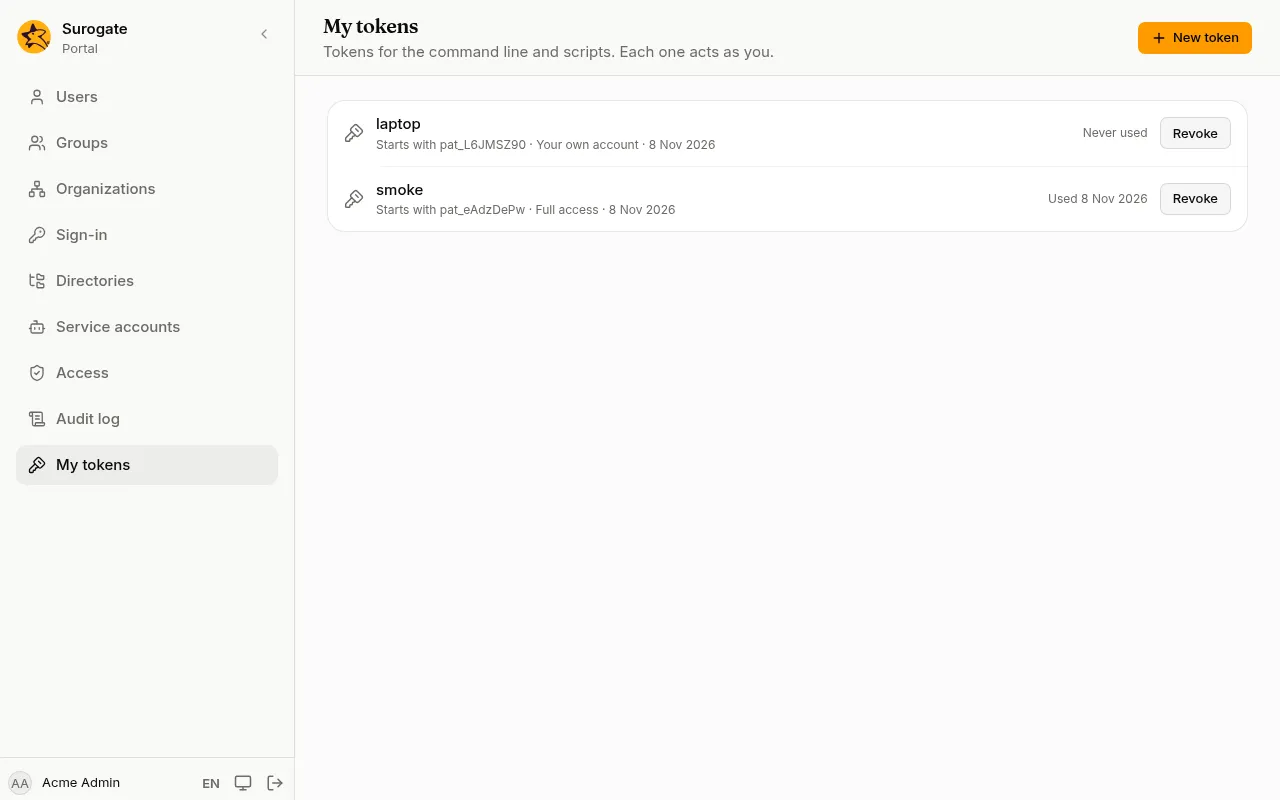
A token starts with pat_. The list shows the first characters after it, so you can tell your tokens apart, with its scopes and when it was created and last used.
Scopes
Section titled “Scopes”A token can only do what its scopes allow, and never more than you can do in the console. Give a token only the scopes it needs:
| Scope | What the token may do |
|---|---|
| Your own account | Read your details and permissions |
| Read users, groups and settings | Read the tenant’s users, groups, organizations and sign-in settings |
| Read how the portal is built | Read the sites, pages, apps, events, and group and organization names, never people; for a coding agent |
| Change users, groups and settings | Change them too |
| Roles, passwords and other tokens | Give roles, set passwords, link accounts, and make SCIM tokens and service accounts |
| Read the audit log | Read and export the audit log |
| Export and erase personal data | Answer personal data requests |
| Manage tenants | Create and change tenants, for install administrators |
| Make preview environments | Make, sync and delete previews with fake people, and sign in to them; nothing of the portal itself. Given by name only, by an administrator |
| Propose changes | Propose changes to the sites, for an administrator to approve under Proposed changes, and read your own proposals; never approve them. Given by name only, by an administrator |
| Full access | All of the above, but making previews and proposing changes |
A token made before scopes existed has Full access. A token asked to do something its scopes do not allow is refused: “This token is not allowed to do this.”
From the command line:
portal tokens create <name> --scope tenant:readRevoke a token
Section titled “Revoke a token”Press Revoke beside it, then Revoke again to confirm. Whatever uses it can no longer connect. Revoked tokens stay in the list, marked Revoked.
Revoke a token you no longer use, or one that may have been seen by someone else, and create a new one.