Access
On Access, an administrator checks who may see or edit the portal’s sites, pages and placements, and adds editors. Who may view a page is written in the site’s files: see Who sees a page.
Check someone’s access
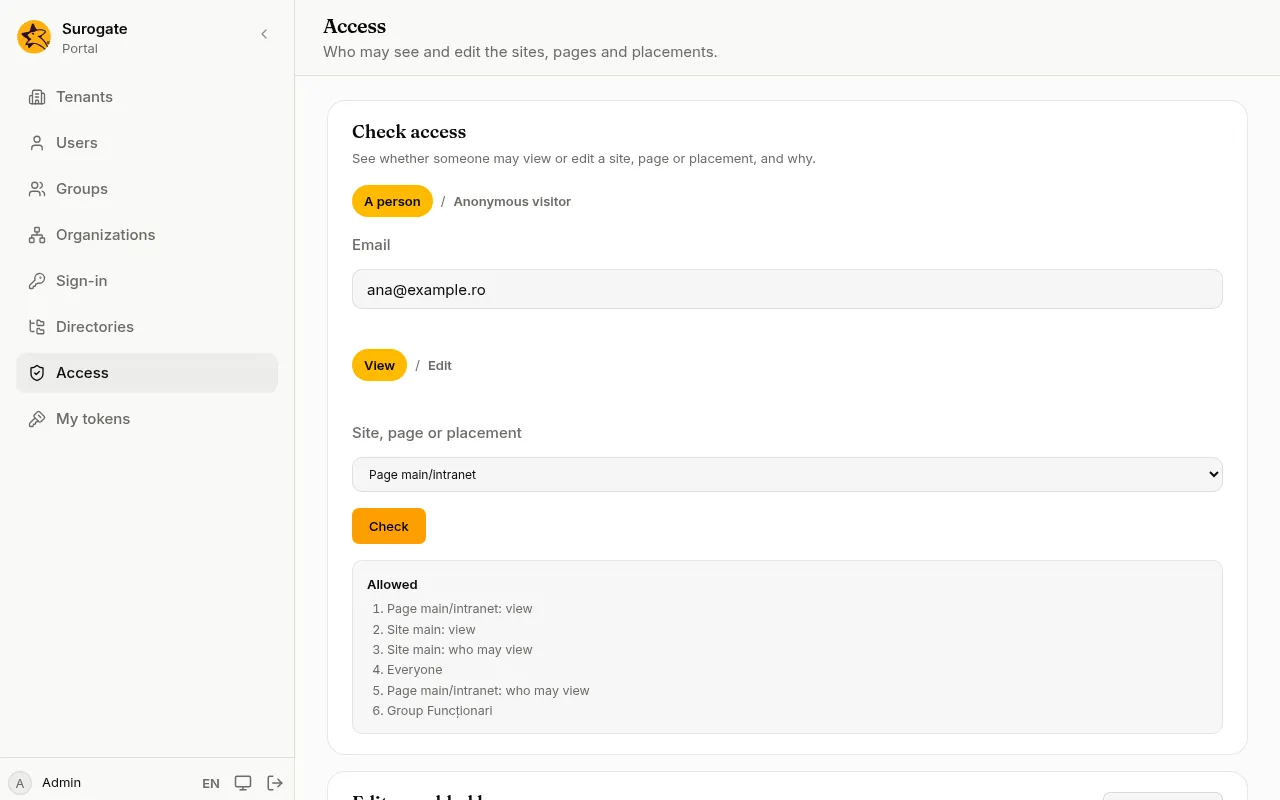
Section titled “Check someone’s access”- Under Check access, choose A person and type their Email, or choose Anonymous visitor for someone who has not signed in.
- Choose View or Edit.
- In Site, page or placement, choose what to check.
- Press Check.
The console says Allowed or Not allowed. When access is allowed, it lists the steps that allowed it: for example, the site lets everyone view it, and the page lets the group Funcționari view it.
Add editors
Section titled “Add editors”Editors may edit a site or a page, and so they can also see it, whatever its files say about viewing.
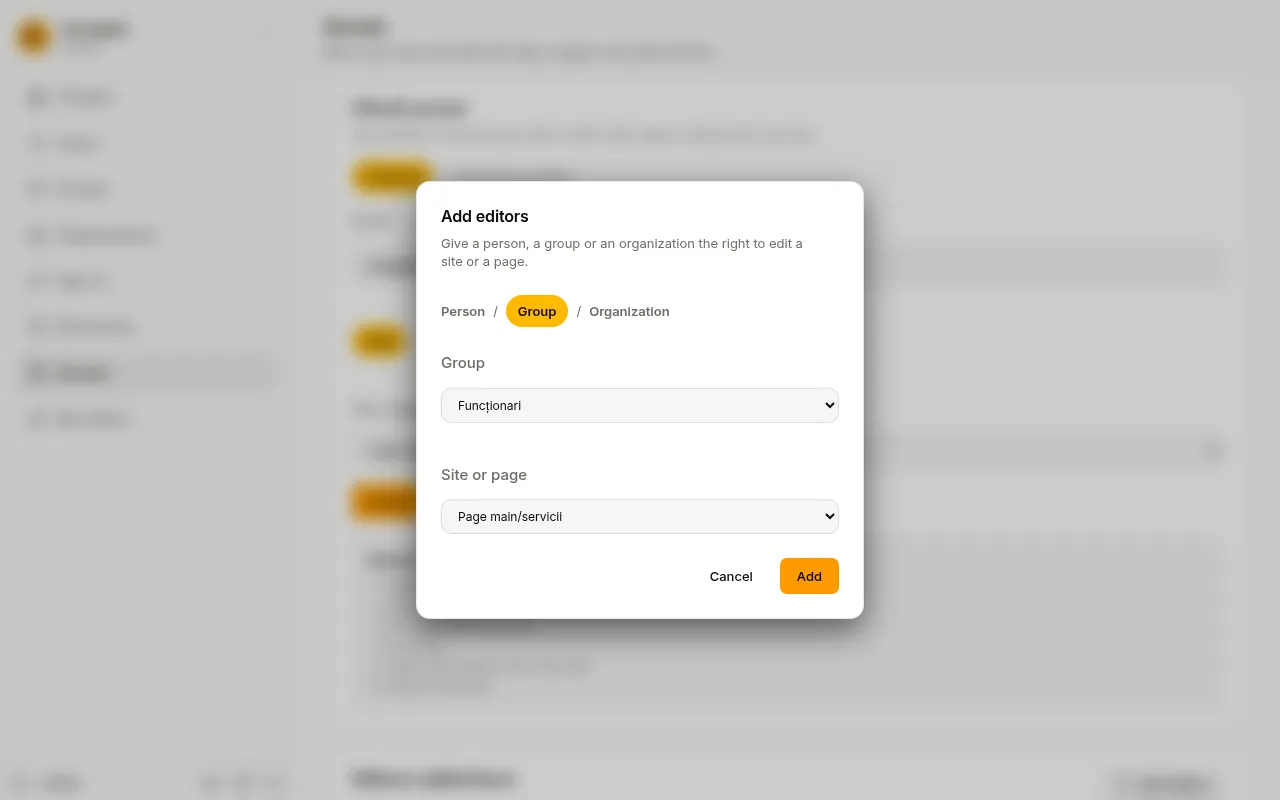
- Under Editors added here, press Add editors.
- Choose Person and type their Email, or choose a Group or an Organization. An organization includes the organizations below it.
- In Site or page, choose what they may edit.
- Press Add.
To take the right away, press the bin next to the editors and confirm. Editors also go when the person, group or organization is deleted, or when the site or page is removed from the site’s files.
Administrators always edit and see everything; they need no entry here.